
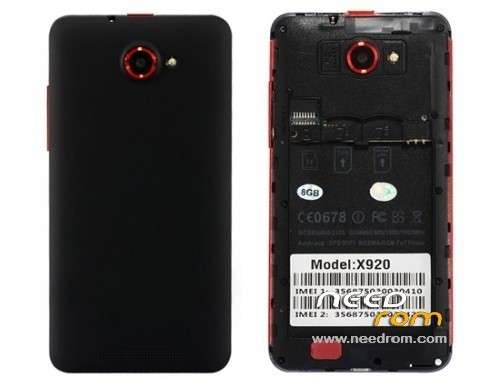
- Title: STAR X920 8GB
- Listed: August, 2013
- Last modified: 08/24/2013 11:18 pm
- Version: Android 4.2.1
You must be logged for ROM download.
39323 total views, 6 today
2 Total favorites
 Member Info
DESCRIPTION
For MTK6589 STAR X920 (8GB) Version
Model number: 01v21_v89_zlh_hd
Android Version: 4.2.1
Baseband Version: MOLY.WR8.W1248.MD.WG.MP.V6.P9,2013/06/19 14:45
Flashing Guide for STAR X920 (8GB)
Have the following tools downloaded and installed.
- MTK65xx Driver
- USB VCom Driver
- SPD_MDT FlashTool
- STAR X920 20130704_e2001v21_v89_zlh_hd ROM
Unpack the archive SP_MDT_exe_v3.1312.00_A2013.04.09_customer.zip and ROM to desktop
1). Turn off the smartphone. Cable is not connected to the computer.
2). Remove the battery and insert it again
3). Connect your phone to a computer cable. The operating system detects a new device
4). Disconnect the cable from the computer.
5). Run SPMultiPortFlashDownloadProject.exe
6). Choose Database Factory menu> Configuration File data source and specify the file MTK_DATABASE.mdb (it is in the folder SP_MDT).
7). Choose File> Open File Agent download and specify the file MTK_AllInOneDA.bin (it is in the folder SP_MDT).
8). Click File and select the MT6589_Android_scatter_emmc.txt file (it's in the folder with the rom).
9) Main Sensor: ov8825_mipi_raw , Sub-Sensor: hi253_yuv, LCD: LT050ANKP022A
10) If phone is BRICKED, Select BootRomàDA option; otherwise, use Preloader-DA
11). Click "Start all".
12). Connect your phone to a computer cable. The program should see and blink. If the phone is not detected, then unplug it from the computer, remove and insert the battery and reconnect it to the computer.
13). After (OK) click Stop.
14). Completed.
※Please make a backup of your device before installing or updating ROM
phone star x920 8 gb flash with new rom then the phone blank screen thanks and the usb on usb wins8 no see the phone
this is dual sim or single sim version?
how to download?
THERE IS LACE TRIM ON U920 MT6589 1GB RAM 4GB ROM