
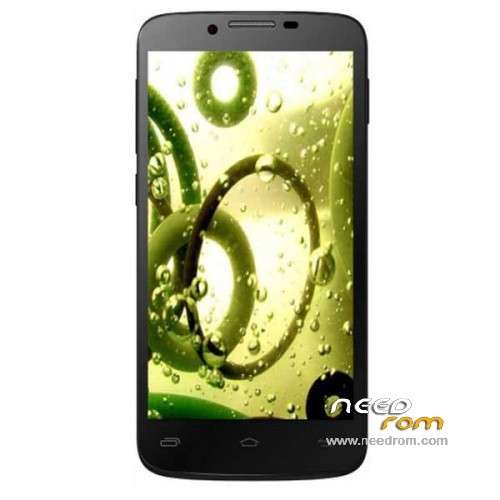
- Title: Symphony W140
- Listed: April, 2014
- Last modified: 04/19/2014 5:06 pm
- Version: ROM Android 4.2.1
You must be logged for ROM download.
17292 total views, 1 today
2 Total favorites
 Member Info
DESCRIPTION
ROM Mobile Symphony W140 – ROM Android 4.2.1
Official ROM Symphony W140 version: W140_1_A_XXX_V01.6_LWDM001B
Gapps include – No Rooted
Language support: EN/IN/BN
Install ROM:
- Unpack FlashTools, and Click on Flash_tool.exe
- Select a the MT6589_Android_scatter_emmc.txt in ROM
- Wait file to be added into Flash Tool
- choose Option->USB Model,click USB Model
–> Choose Option->DA DownLoad All->Speed->High Speed, click High Speed
- Turn off your phone, remove the battery.
- "Press F9 (hit Download button)" OR " if upgrade ROM Firmware->Upgrade "
- and connect your phone into the computer via USB data cable.
- The process will start and a red progress bar will appear after color purple, yellow.
- And green circles display
- Finish !
- You can now safely disconnect your phone and turn it on.
※Please make a backup of your device before installing or updating ROM
bro its not working.after cunnecting phone with via usb cabol it's not changed.and there is no yello colour & green circle.i keep it 3-4 hour.but not change.what can i do now?
ok first you have to do is remove the battery then connect the phone with via USB after that put the battery in the mobile then you will see a yollow bar is going and parcent is going up….
you need to remember that your mobile driver has be in the computer or else your mobile wont connect in the sp flash tool….
Hi Saimon_sam. I have used custom rom in my symphony W140 and some how miss placed the stock rom now I can not install ….. coz it doesn't happen and the best it did was give a warning of Erorr "BROM ERROR : SOC Verification Failed"
Its really not happening
thanks………..