
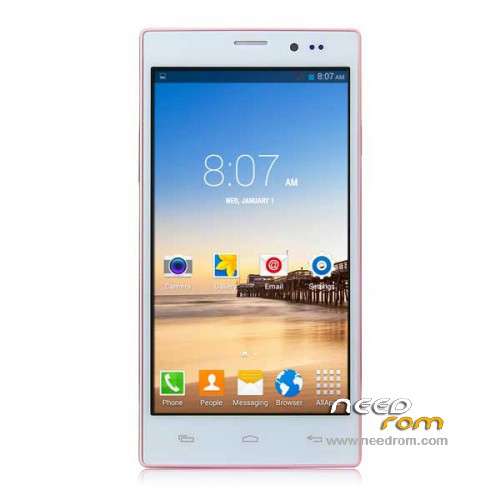
- Title: Tengda N907
- Listed: January, 2015
- Last modified: 01/26/2015 5:49 pm
- Version: ROM Android 4.4.2
You must be logged for ROM download.
24475 total views, 1 today
18 Total favorites
 Member Info
DESCRIPTION
ROM Phone Tengda N907 – ROM Android 4.4.2
ONLY MT6572
Official ROM Tengda N907 Version: A100_72KK_KK_3GW_EMMC_32_4_QHD_TT_N907 – ALPS.KK1.MP7.V1 – KOT49H
Gapps include – No Rooted
Language support: Multilang
Install ROM:
- Unpack FlashTools, and Click on Flash_tool.exe
- Select a the MT6572_Android_scatter.txt in ROM
- Wait file to be added into Flash Tool
- choose Option->USB Model,click USB Model
–> Choose Option->DA DownLoad All->Speed->High Speed, click High Speed
- Turn off your phone, remove the battery.
- "Press F9 (hit Download button)" OR " if upgrade ROM Firmware->Upgrade "
- and connect your phone into the computer via USB data cable.
- The process will start and a red progress bar will appear after color purple, yellow.
- And green circles display
- Finish !
- You can now safely disconnect your phone and turn it on.
※Please make a backup of your device before installing or updating ROM
thank you
can this work on tengda n908
thank you
Does anyone have a CWM recovery for this phone? I have a phone with identical specs that I cannot
root or install CWM on. If I could get a CWM recovery.img for an N907 I could get everything set
up on my phone (N720)
Thank u for good this firmware my flash to china mobile brand "MES" model M14 complete and good job thk
thk 
thanks sir
it really works!
Hi tekamots,
I must be doing something wrong… that I cannot make it work? Maybe the Device Manager does not have to show the driver? Without the inserted battery the USB connection seems to be totally dead. - Please let me know…how did you do it?
I'm still struggling to get my Toshiba L850 laptop to recognize my hacked Tengda N907. Is there anyone who could help me to do it.
I can step by step report what happens, that way you experts will be able to pinpoint the problem… Please be so kind to help me…
Thank you in advance for your good advice, Joh
Maybe my Toshiba L850 laptop Win7 32-bit causes the installation problem, because I tried all possible MTK driver I could find on the Internet.
When I USB connect the turned off phone, the laptop's Device Manager does not respond in any way. It only refreshes a couple of times and nothing changes and observe the same in USBDeview. Maybe I have to turn on MS Win7 updates?
I'm still struggling to d/l the firmware to this phone:
I rooted this phone and then, when I unrooted it, it got hacked! Every second opened yet another unwanted App, pushed by Apus and other rubbish pushers. It's the first time I experienced what it feels like for a poor Chinese citizen, being forced by communist dictators… :)
Albeit I found the right Flash Tool & firmware for it, I could nowhere read how to initiate the firmware download? – Perusing the instruction for other phones, where the battery has to be removed, but I'm almost sure that this phone needs the battery inserted otherwise it's all dead? Maybe, maybe the driver is invisible, because any MTK driver install remains invisible in my laptop (Win7-32bit) Device Manager?
I contacted the AliExpress seller, but he too tries to merely entertain me with boring palaver… telling me that his technician doesn't know how to d/l the firmware on this phone and he only can send me "a root file" It's crazy…
That's the problem with China goods: there's no help or customer service! If at least I could contact the manufacturer… but who the hell is the manufacturer????? Sadly, also in this forum there seems to be nobody able or willing to share the "secret" on how to make this phone initiate the firmware download?
i am from Spain and I have taken two months with my phone without using a virus mtk6572 user did and there was no way to root. I have flashed and going great many thanks