
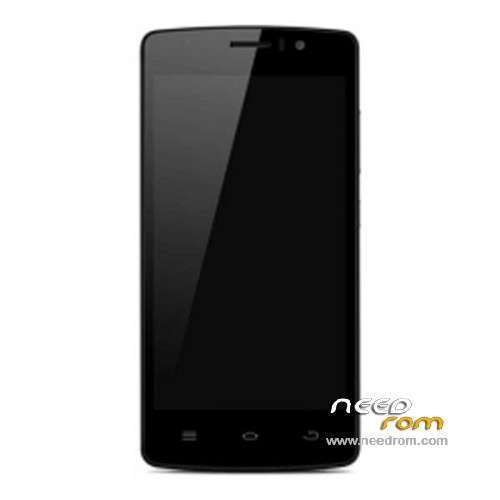
- Title: ThL 4000
- Listed: November, 2014
- Last modified: 04/01/2015 7:19 pm
- Version: ROM Android 4.4.2
You must be logged for ROM download.
35628 total views, 2 today
12 Total favorites
 Member Info
DESCRIPTION
ROM Phone ThL 4000 - ROM Android 4.4.2
ONLY MT6582
Update Official ROM ThL 4000 version: thl.4000.168B.1479M.A2.8P64.QHD.EN.COM.20150319.MT6582KK.GC5004 – KOT49H – V1_WCDMA – ALPS.KK1.MP1.V2.10
Install Flash
——————————————————————————————————————————————————————————————————————————
Add Official ROM ThL 4000 version: thl.4000.168B.1479M.8P64.QHD.EN.COM.20141204.MT6582KK.DVIR – KOT49H – V1_WCDMA – ALPS.KK1.MP1.V2.10
ATTENTION This ROM is ONLY for DVIR ( Look your Build Number )
——————————————————————————————————————————————————————————————————————————
Update Official ROM ThL 4000 version: thl.4000.168B.1479M.8P64.QHD.EN.COM.20141128.MT6582KK.GC5004 – KOT49H – V1_WCDMA – ALPS.KK1.MP1.V2.10
Install Flash or OTA
——————————————————————————————————————————————————————————————————————————
Official ROM ThL 4000 version: thl.4000.168B.1479M.8P64.QHD.EN.COM.20141027.MT6582KK.GC5004 – KOT49H – V1_WCDMA – ALPS.KK1.MP1.V2.10
Gapps include – No Rooted
Language support: Multilang
Install ROM:
- Unpack FlashTools, and Click on Flash_tool.exe
- Select a the MT6582_Android_scatter.txt in ROM
- Wait file to be added into Flash Tool
- choose Option->USB Model,click USB Model
–> Choose Option->DA DownLoad All->Speed->High Speed, click High Speed
- Turn off your phone.
- "Press F9 (hit Download button)" OR " if upgrade ROM Firmware->Upgrade "
- and connect your phone into the computer via USB data cable.
- The process will start and a red progress bar will appear after color purple, yellow.
- And green circles display
- Finish !
- You can now safely disconnect your phone and turn it on.
※Please make a backup of your device before installing or updating ROM
I have downloaded the file, but when I open SP Flash Tool and I click the scatter file I get the message: "error: inizializing scatter file failed. please check the name of scatter file which you load is legal."
Create scatter file with MTKDroid tools, then use attached SP tool. Phone is brand new, the original scatter file for the newest version of SP tool, which not public at the moment.
thank you very much
Hello,
I did from start to the:
- "Press F9 (hit Download button)" OR " if upgrade ROM Firmware->Upgrade "
- and connect your phone into the computer via USB data cable.
Buth then there is nothing happening (The process will start and a red progress bar will appear after color purple, yellow.)
Thl4000 still off. no progress bar… What did I wrong? Thank you.
I check SP_FT_Dump logs now…
QT_FLASH_TOOL.log shows: 12/09/2014 19:31:41.656 FlashTool[4668][948][D]: USBSetting::SearchUSBPortPool(): Scaning USB port failed!(..\QT_FlashTool_Refactor\Conn\USBSetting.cpp,195)
BROM_DLL_V5.log shows: 12/09/14 19:33:12.259 BROM_DLL[4668][948]: DEBUG: GetCOMPortWithFilter(): COM port: Filter index(1946531910), Number(COM0), Friendly(Unknown), Instance(USB\VID_09DA&PID_9090\6&DF2EE03&0&5), Symbolic(\\?\usb#vid_09da&pid_9090#6&df2ee03&0&5#{a5dcbf10-6530-11d2-901f-00c04fb951ed}) (FlashToolLib/host/windows/com_enum.cpp:1067)
Socr@te: what are the differences between DVIR and GC5004 ?
can someon can write step by step what to do ?
Can someone post proper scatter files?
Ok, just remove very first line "BIRDTOOLMINVER[3.0]" from scatter and it would load.
There are many tutorials on the net how to flash with SP Flash Tool.
To know if you need DVIR or GC5004, check your build number Menu key >> Settings >> About phone
Thanks for the roms. I was able to recover from a bricked phone by flashing the FL update onto it.
I can not alow "USB Debugging", because my THL 4000 is bricked. How can I recover my phone?
Thanks.
But i install the custom rom.