
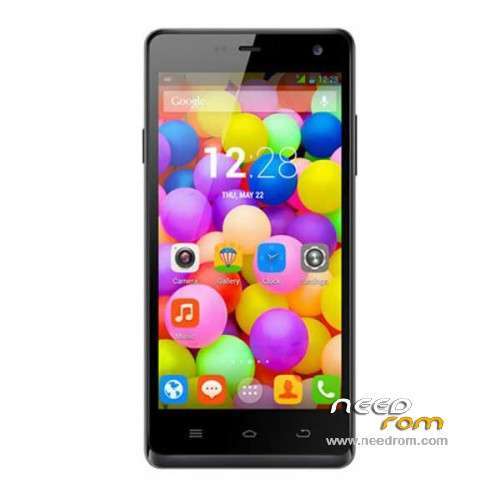
- Title: ThL 5000 16P256
- Listed: June, 2014
- Last modified: 06/24/2014 2:47 am
- Version: ROM Android 4.4.2
You must be logged for ROM download.
30373 total views, 2 today
1 Total favorites
 Member Info
DESCRIPTION
ROM Mobile ThL 5000 - ROM Android 4.4.2
ONLY 16P256_MT6592W
Official ROM ThL 5000 version: thl.5000.007D.20140613.KK.FHD.EN.COM.16P256_MT6592W_V1.0.0 – KOT49H
Gapps include – No Rooted
Language support: Multilang
Install ROM:
- Unpack FlashTools, and Click on Flash_tool.exe
- Select a the MT6592_Android_scatter.txt in ROM
- Wait file to be added into Flash Tool
- choose Option->USB Model,click USB Model
–> Choose Option->DA DownLoad All->Speed->High Speed, click High Speed
- Turn off your phone, remove the battery.
- "Press F9 (hit Download button)" OR " if upgrade ROM Firmware->Upgrade "
- and connect your phone into the computer via USB data cable.
- The process will start and a red progress bar will appear after color purple, yellow.
- And green circles display
- Finish !
- You can now safely disconnect your phone and turn it on.
OR OTA
※Please make a backup of your device before installing or updating ROM
If i flash this rom in thl t100s it work???
Don't even think about it !!!!!
thank you.
Whats the difference 16P128 and 16P256 ?
16P128 use chip MT6592T – CPU run on 2000MHz
16P256 use chip MT6592W – CPU run on 1700MHz
Save 10$ -> For 259 $ you can buy it from here (coupon: antelife2014de):
http://goo.gl/Gd3LYD
Follow my knowing:
FL: you can flash thought by OTA connect to the PC.
SD: you can flash without PC, just the phone.
Is it right?
Hi everybody I wonder what would happen if I install this rom in a Thl 2,0 cpu Version, cause I´m kinda desperate trying to fix my phone which doesnt pass the THL logo ……i´m so frustrated
Did you fix your thl5000 already?
v5 keyboard wont pop out when you switch to english…
I have a thl 5000 and does not load the android system do somebody help me stay in the logo andPlease must the battery be removed? You know the battery is fixed. How do I go about this?
why there is not a good step-by-step guide in order to do that?>>
I do not understand what i have to do and why?
A)BATTERY in thl5000 is not removable, it is built in. So i can not remove it. DO I HAVE TO???
B)what should i do if the battery is not removable then??