
- Title: THL T11 Fix DEODEX for CWM
- Listed: April, 2014
- Last modified: 06/07/2014 12:26 am
- Version: ROM Android 4.2.2
You must be logged for ROM download.
26080 total views, 4 today
 Member Info
DESCRIPTION
Description
ROM Based on THL_T11_140401_MNSop.cz
Modified Official version ROM for THL T11: thl_T11.159A.A1.JB9.HD.EN.16P128.OV8825.MT6592GW.20140401
100% DEODEX!
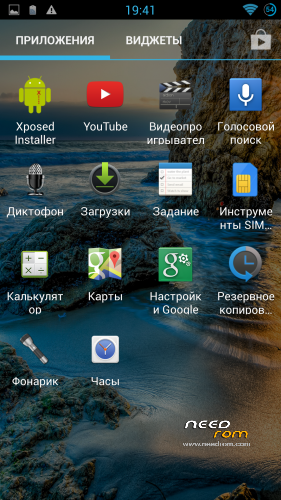
Xposed fully works! (ROM update)
* Multilanguage version
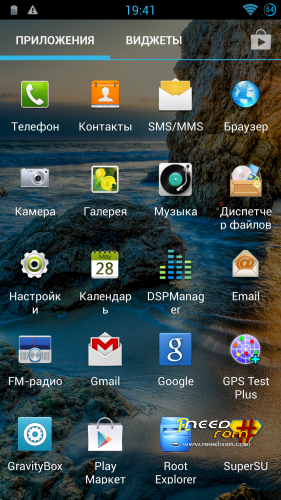
* ROOT – SuperSU
* DSP Manager
* LED notifications FIX
* Gapps include
* Root Explorer with iconpack
This ROM is suitable for normal users as well as developers who are porting firmware for THL T100S.
Only for install CWM!
Install ROM:
CWM
Step 1: Download the custom ROM copied to an external SD card root directory
Step 2: the shutdown state. While holding down:
– Power button + volume button up, to enter the recovery mode.
– Wipe Data / Factory Reset -> delete all user data
– Wipe Cache Partition -> Wipe cache
– Advanced -> Wipe Dalvik Cache
Step 3: Return to recovery main interface Install zip from sdcard -> choose zip from sdcard -> Select your ROM
Step 4: Brush complete, restart the phone Patience required – first boot takes a while.
※Please make a backup of your device before installing or updating ROM
Bluetooth pairing doesn't work…
I went to pair the phone via bluetooth with my car handsfree (metavoice).
In practice, going to pair the metavoice (handsfree) car, I do not even prompted the pin that I get the message "Unable to pair with MetaVoice. Passkey or PIN is incorrect".
But I have not yet added any code pair!?!?
Help me, please.
thanks
db
for information:
by miui rom and cm11v2 too, bluetooth and tethering work without problem.
Shut on first your car's bt, let it search and then switch on your phone's bluetooth.
This methoed does work on 2004 and up Volvo, Saab, Honda, Ford, Mitsubishi and BMW
as we tested it with used cars with built in bluetooth option.
Bluetooth pairing works fine on me
Hi,
also wifi tethering doesn't work.
my windows8 notebook link the thl t11 but connection is limited then the pc doesn't surf on internet….
Window$s (8) is a unfinished botch as it ever was, try kubuntu or openSuse 12.3 linux
instead and you will be surprised upon its simplicity and usability.
is anyone have facebook problem on tihs rom ?
yes find an older version. 6 is good http://www.androiddrawer.com/1.....-28-28-app-apk/
Can we have an android 4.4 rom?
its an ok version. xpose and gravity box works fine. led is flashing and not lighting all the time. its olso very week.
the phone works at 40-50% of ram (with stock rom 25-35)
i think its consume more power (10-15%)
most improtand on antutu test it scores 25000 and less (with stock 27000+)
i only instaled it because i want xpose and gravity and i get them properly.
i agree with after fwe days of testing the results are the same.
Changes, news ?
yes changes ???what is new??
hi , i want to root my phone , i try frameroot and its not working, can someone tell what to do ???
Use Root Genius.
does OTG work on this rom?
I just got my t11 and looked for a rom update for it,
Step 1: Download the custom ROM copied to an external SD card root directory
Step 2: the shutdown state. While holding down:
– Power button + volume button up, to enter the recovery mode.
– Wipe Data / Factory Reset -> delete all user data
– Wipe Cache Partition -> Wipe cache
– Advanced -> Wipe Dalvik Cache
Step 3: Return to recovery main interface Install zip from sdcard -> choose zip from sdcard -> Select your ROM
Step 4: Brush complete, restart the phone Patience required – first boot takes a while.
just when i got to the "– Wipe Data / Factory Reset -> delete all user data" part, when started it keeps a black screen and i cant get to recovery mode.
Can someone here help me?