
- Title: THL T11 Fix DEODEX for CWM
- Listed: April, 2014
- Last modified: 06/07/2014 12:26 am
- Version: ROM Android 4.2.2
You must be logged for ROM download.
26079 total views, 3 today
 Member Info
DESCRIPTION
Description
ROM Based on THL_T11_140401_MNSop.cz
Modified Official version ROM for THL T11: thl_T11.159A.A1.JB9.HD.EN.16P128.OV8825.MT6592GW.20140401
100% DEODEX!
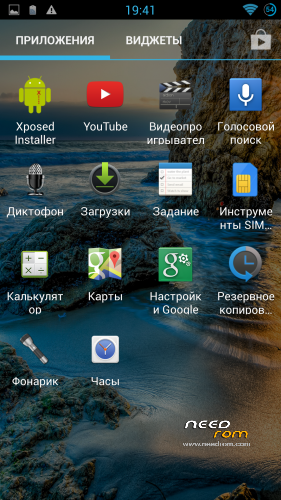
Xposed fully works! (ROM update)
* Multilanguage version
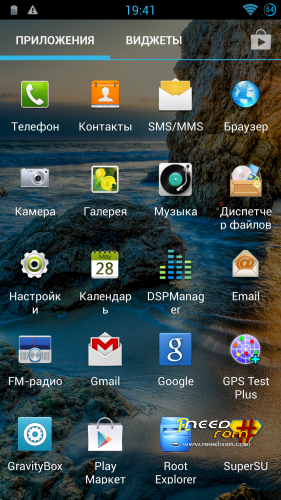
* ROOT – SuperSU
* DSP Manager
* LED notifications FIX
* Gapps include
* Root Explorer with iconpack
This ROM is suitable for normal users as well as developers who are porting firmware for THL T100S.
Only for install CWM!
Install ROM:
CWM
Step 1: Download the custom ROM copied to an external SD card root directory
Step 2: the shutdown state. While holding down:
– Power button + volume button up, to enter the recovery mode.
– Wipe Data / Factory Reset -> delete all user data
– Wipe Cache Partition -> Wipe cache
– Advanced -> Wipe Dalvik Cache
Step 3: Return to recovery main interface Install zip from sdcard -> choose zip from sdcard -> Select your ROM
Step 4: Brush complete, restart the phone Patience required – first boot takes a while.
※Please make a backup of your device before installing or updating ROM
Titanium Backup preinstalled on this rom does not work. It says TB has stopped.
I have payed TB and i cannot install it from playstore.
Any help?
search for System App Remover (Root) in the Play Store. use that to uninstall Titanium Backup, then reboot.
Now just reinstall titanium backup from the play store.
after installing this rom: https://www.needrom.com/mobile...../thl-t11-msb/ I cannot install deodex rom.
I get a status 7 error in CWM . Any help please?
thanks