
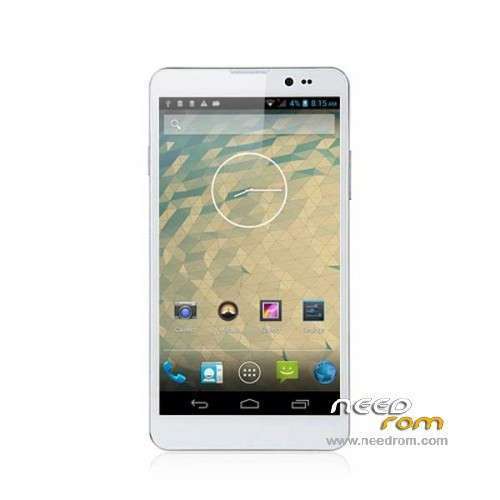
- Title: THL T200
- Listed: April, 2014
- Last modified: 04/25/2014 10:14 pm
- Version: ROM Android 4.2.2
You must be logged for ROM download.
19200 total views, 1 today
4 Total favorites
 Member Info
DESCRIPTION
ROM Phone THL T200 – ROM Android 4.2.2
Version Official THL T200 : thl.T200.158A.20140314.JB9.FHD.EN.COM.16P256_MT6592W_V2.0.14
Gapps include – No rooted
Language support: Multilang
Install ROM:
- Unpack FlashTools, and Click on Flash_tool.exe
- Select a the MT6592_Android_scatter_emmc.txt in ROM
- Wait file to be added into Flash Tool
- choose Option->USB Model,click USB Model
–> Choose Option->DA DownLoad All->Speed->High Speed, click High Speed
- Turn off your phone, remove the battery.
- "Press F9 (hit Download button)" OR " if upgrade ROM Firmware->Upgrade "
- and connect your phone into the computer via USB data cable.
- The process will start and a red progress bar will appear after color purple, yellow.
- And green circles display
- Finish !
- You can now safely disconnect your phone and turn it on.
※Please make a backup of your device before installing or updating ROM
What DPI in this ROM?
How do you root this ROM? Framaroot 1.9.1 would not work.
Try RootGenius!
DO NOT disconnect, even if it looks freeze! It will complete the process eventually.
Mine works.
Try at your OWN Risk!!!
Working Fine.
CRITICAL!!!
MAKE BACKUP OF EVERYTHING!!! It formats everything. You will lost all your internal SD Data. It does not updgrade like Samsung. It deletes EVERYTHING!!!
Be Aware!
To complete the install in case it does nothing when you press download :
Careful about the "Upgrade Firmware" or "Only Download" in the pulldown menu.
Just have to download USB Preload drivers. And MUST have enough power to USB, because of the no battery step. I only can flash it, in USB3 port. In USB2 always disconect/connect/disconect…
Check here https://www.youtube.com/watch?.....v=ztm6QE_qiZc and download "MT6577 USB VCOM Driver (W8)". In Windows x64, you have to dissable Driver reinforcment. Google for guide.
RootGenius can root it after upgrade.
—Thanks to the uploader—
No problem for …3 hours, in menus and settings config……..so far.
I install the rom and nothing happening when i press download,
I read that i could install USB preload drivers,,,Where i can download these,?
Regards
…After hours of testing :
Not Rooted 100%
Some apps grant root access, some not.
Do not download if you want to root it . Yet!
I have no problems.
Also root works 100% (Root with "Root Genius" / kinguser replaced with supersu )
Yes.
The same happens and with me.
It says it is rooted.
And when I install the apps, some grand access and some not.
Even and the root test worked fine.
But in real life, the Android Tunner can grand access to SU, but the Titanium Backup, can not.
Please try some only "root needed" apps and respond.
Thank you.
Russian language is in the firmware?
Strange, I can root Titamium Backup without any problems
how to download the official stock rom of thl t200?? help me plssss..
bacause my t200 is BOOTLOOP.. sorry for my english..
guys help me plssss..