
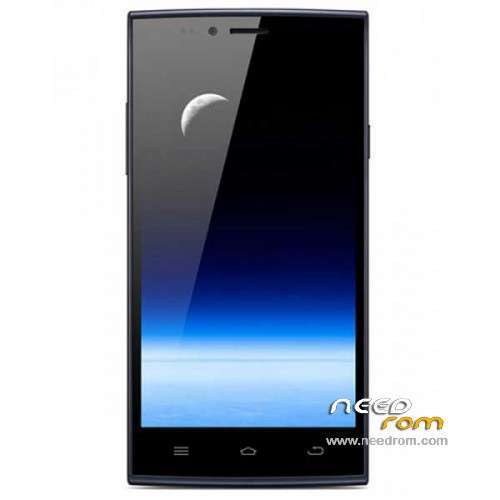
- Title: ThL T6S
- Listed: September, 2014
- Last modified: 04/09/2015 3:21 am
- Version: ROM Android 4.4.2
You must be logged for ROM download.
59454 total views, 2 today
13 Total favorites
 Member Info
DESCRIPTION
ROM Mobile ThL T6S - ROM Android 4.4.2
ONLY MT6582
ROM 4 – thl.T6S.166K.1373MW.A2.150123.KK1.V2_10.FWVGA.COM.8P64.B1B5
ONLY 166K but not CX
————————————————————————————————————————————————————————————————-
Update ROM 3 – thl.T6S.166K.1373MW.A1.141110.KK1.V2_10.FWVGA.COM.8P64.B1B5.CX
————————————————————————————————————————————————————————————————-
Update ROM 1 – if the fourth letter of S/N is C version: thl.T6S.166E.1373MW.A1.140927.KK1.V2_10.FWVGA.COM.8P64.B1B5.CX
and another version FOR ONLY 166K. I don't know if correspond to an letter.
ROM 3 – thl.T6S.166K.1373MW.A1.141016.KK1.V2_10.FWVGA.COM.8P64.B1B5.CX
————————————————————————————————————————————————————————————————-
Official ROM ThL T6S version:
ATTENTION Two Versions, Remove battery and look your S/N
ROM 1 – if the fourth letter of S/N is C version: thl.T6S.166E.1373MW.A1.140821.KK1.V2_10.FWVGA.COM.8P64.B1B5.CX
ROM 2 – if the fourth letter of S/N is T version: thl.T6S.166E.1373MW.A1.140813.KK1.V2_10.FWVGA.COM.8P64.B1B5
Gapps include – No Rooted
Language support: Multilang
Install ROM:
- Unpack FlashTools, and Click on Flash_tool.exe
- Select a the MT6582_Android_scatter.txt in ROM
- Wait file to be added into Flash Tool
- choose Option->USB Model,click USB Model
–> Choose Option->DA DownLoad All->Speed->High Speed, click High Speed
- Turn off your phone.
- "Press F9 (hit Download button)" OR " if upgrade ROM Firmware->Upgrade "
- and connect your phone into the computer via USB data cable.
- The process will start and a red progress bar will appear after color purple, yellow.
- And green circles display
- Finish !
- You can now safely disconnect your phone and turn it on.
※Please make a backup of your device before installing or updating ROM
its same with your build number
Hi all! I have a issue with my THL t6s, sometime become very very slow and is impossible to unlock the screen for few seconds, or it happens often to became slow when I receive a call and I cannot answer, do you know what I can do to fix the issue? I made the firmware update but no improvement.
i have this same problem with. Have somebody any idea ?
after flash, the imei is invalid in sim1 and sim2 ?????
Help!!!!
try this:http://forum.gsmhosting.com/vb.....0-help-1843326/
or: MTK Droid
flashed my t6s and now it wont go past the thl logo sumone enlighten me going to try the c version hopfully tht will work
Same happened to me…
U have to wipe /factory reset and wipe cache after flashing…
Press volume up + power – select boot to recovery then on android picture again volume up + power (shortly) – in recovery select wipe cache and factory reset….
worked perfectly thanks OP.
dose anyone know how to do bootloading on this phone?
Will update ROM 2?
With the new updates, can i select which runtime to use? If so is ART working?
test
I installed the original ROM on my phone thl t6s https://www.needrom.com/downlo.....ad/thl-t6s/ sites. Screen touch pad does not work. What can I do?
bonjour comment savoir quel version telecharger celle ci est ce bon pour un T6S
ROM 3 – ThL T6S – 166K – Update 11/10/2014