
- Title: MIUI-V5 4.5.24 for THL W100
- Listed: April, 2014
- Last modified: 05/24/2014 5:14 pm
- Version: MIUI-V5 4.5.24 (JB 4.2.1)
You must be logged for ROM download.
38379 total views, 2 today
3 Total favorites
 Member Info
DESCRIPTION
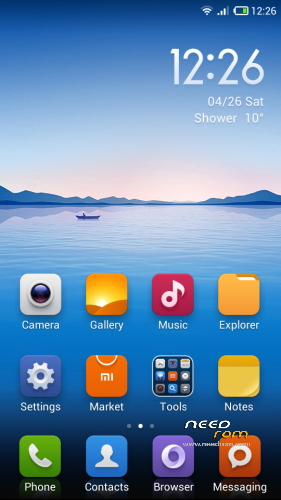
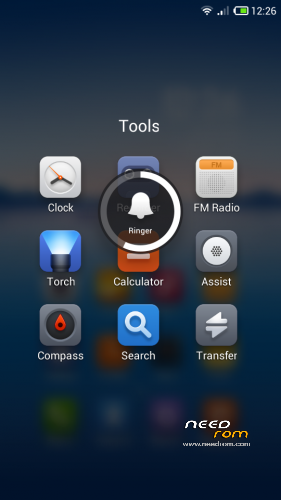
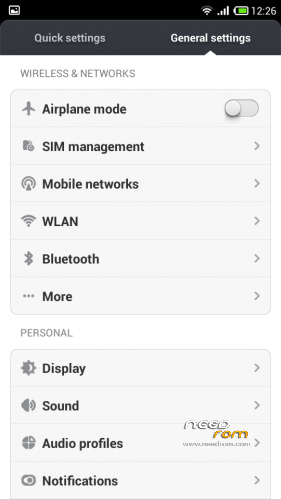
MIUI-V5 4.5.24 English / chinese for THL W100
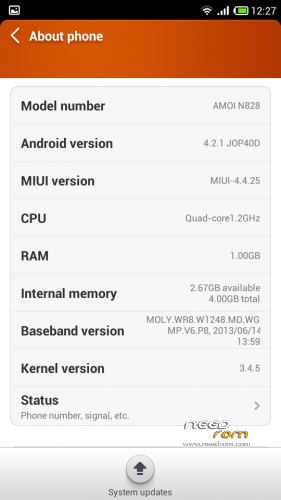
MIUI ROM is based on Amoi N828
Kernel and modules from the stock ROM 130912
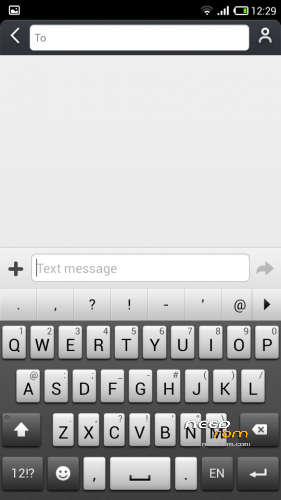
Keyboard from Sony Xperia
*** BE CAREFULL – TESTED ONLY IN REV1 - ( serial number BFYSG94W ) ***
Report by user : works with rev2 and rev3
- GPS OK
- Compass OK
- Both camera OK ( for rear 13M and front 5M, install the optional fix )
- Bluetooth OK
- Wifi OK
- 3G OK
- FM Radio OK
- Led notifications OK
Language included is ONLY ENGLISH and CHINESE from the original ROM, so don't ask me for another language.
Using Jbart for translate add bugs / FC in the apps ( like the Cleaner ) so don't reports problem if you are using this tool and use at your own risk…
Change resolution of camera :
Lanch camera app, go to "settings", switch to "advanced mode", and you can now change the "picture size", set to the max for the rear camera.
It's possible to change the resolution of front cam in the same way.
Full procedure for a clean installation :
- Reboot to CWM (tested with 6.0.3.2 by Cappa72)
- Go to "mounts and storage" -> "mount USB storage" , connect with computer and clean sdcard and external sdcard by removing old directories : .android_secure, .thunder_backup, Android, mipush, MIUI, PFDOWNLOAD, qqsecure
- Copy the zip file to the sdcard or external
- Umount USB storage
- wipe data/factory reset
- wipe cache partition
- wipe dalvik cache
- Flash the zip
- Reboot
Procedure for update / incremential update only :
- Reboot to CWM
- wipe cache partition
- wipe dalvik cache
- Flash the zip
- Reboot
Note : The incremential update don't works in modified version of this ROM (by jbart or other)
※Please make a backup of your device before installing or updating ROM
Is 4.4.25. I translate with jbart, maybe this is the problem. I try to install original without jbart translate.
Thanks
Update 4.5.17 is online, view changelog here :
http://en.miui.com/thread-2152.....4-1-1.html
hello, i wanted to know how to make port rom Amoi N828 to thl w100, Because i use jbart to translate to Spanish and Update.zip don’t work when use this method.
Thanks.
The update zip will never work with modified Rom with jbart because the apk is patched not replaced.
Can you upload the full rom 4.5.17 or tell me how i modificate rom amoi n828.
Installed rom today and updated to 4.5.9. So far so good on my THL W100 Rev. 2.
(Almost) Everything runs as it should. WiFi – OK, data – OK, front and rear cameras – OK, GPS – OK. Did not test FM radio because I don't use it anyway. Installed the google services from MiMarket and all of them work fine.
I could not however get the LED Notificiation light to work.
At this time full 4.5.17 Rom is not online.
Is this why it failed signature verification in the Recovery while I tried to install it?
@Tudor, for the last update 4.5.9 to 4.5.17 ?
Yes. When trying to flash the 4.5.17 zip the recovery says that the file failed signature verification. Up to this point all other installs worked great. BTW, if it's of any help I'm using CWM Recovery 6.0.3.3.
Also, do you have any other fixes for the LED notification? The ones you provided in the links did not work. The ButtonLED app also did not work. Cannot figure out why the LED does not work. On the Lewa rom that I used up until today it works ok…
Wait for the full rom to translate
Do you install like this ? :
- Install the 4.4.25 version
- Patch 4.4.25 to 4.59
- And patch 4.5.9 to 4.5.17
The fix led is included in patch 4.4.25 yo 4.5.9
I think there is an error in the last patch, I'm re-upload it.
I install everything as described for a clean install. 4.4.25 installs fine, 4.4.25 to 4.5.9 also installs ok, but the 4.5.9 update fails.
I'm now going to try the reuploaded patch, and give feedback.