
- Title: MIUI-V5 4.5.24 for THL W100
- Listed: April, 2014
- Last modified: 05/24/2014 5:14 pm
- Version: MIUI-V5 4.5.24 (JB 4.2.1)
You must be logged for ROM download.
38379 total views, 2 today
3 Total favorites

 Member Info
DESCRIPTION
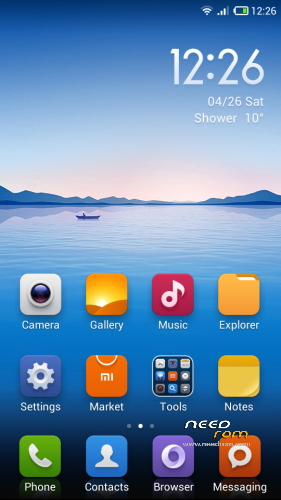
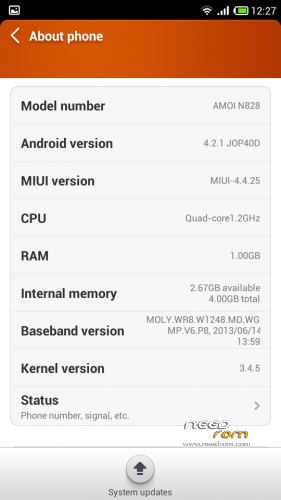
MIUI-V5 4.5.24 English / chinese for THL W100
MIUI ROM is based on Amoi N828
Kernel and modules from the stock ROM 130912
Keyboard from Sony Xperia
*** BE CAREFULL – TESTED ONLY IN REV1 - ( serial number BFYSG94W ) ***
Report by user : works with rev2 and rev3
- GPS OK
- Compass OK
- Both camera OK ( for rear 13M and front 5M, install the optional fix )
- Bluetooth OK
- Wifi OK
- 3G OK
- FM Radio OK
- Led notifications OK
Language included is ONLY ENGLISH and CHINESE from the original ROM, so don't ask me for another language.
Using Jbart for translate add bugs / FC in the apps ( like the Cleaner ) so don't reports problem if you are using this tool and use at your own risk…
Change resolution of camera :
Lanch camera app, go to "settings", switch to "advanced mode", and you can now change the "picture size", set to the max for the rear camera.
It's possible to change the resolution of front cam in the same way.
Full procedure for a clean installation :
- Reboot to CWM (tested with 6.0.3.2 by Cappa72)
- Go to "mounts and storage" -> "mount USB storage" , connect with computer and clean sdcard and external sdcard by removing old directories : .android_secure, .thunder_backup, Android, mipush, MIUI, PFDOWNLOAD, qqsecure
- Copy the zip file to the sdcard or external
- Umount USB storage
- wipe data/factory reset
- wipe cache partition
- wipe dalvik cache
- Flash the zip
- Reboot
Procedure for update / incremential update only :
- Reboot to CWM
- wipe cache partition
- wipe dalvik cache
- Flash the zip
- Reboot
Note : The incremential update don't works in modified version of this ROM (by jbart or other)
※Please make a backup of your device before installing or updating ROM
Better is not using jbart and let in English because jbart add too many bugs…
What about the vibration when touch the menu home or back buttons ?
Waiting for the next update
The next update 4.5.30 will be the last, i'm bought a Nexus 5.
Can you tell me how to do the port Amoi N828, to keep updated rom?
Howto convert a miui mtk6589 to thl w100 ( works with Amoi N828 rom )
http://en.miui.com/download-87......html
1 – inject patch zip to original rom
I made a update zip of my work (patch_mtk6589_based_rom_to_thl_w100_base_130912.zip) to simply inject in a original mtk6589 rom with a zip editor.
2- Edit updater-script
You need to edit 1 file in the zip "META-INF/com/google/android/updater-script" :
Remove the lines with "assert" , for example :
assert(getprop("ro.product.device") == "amoi89_wet_jb2" ||
getprop("ro.build.product") == "amoi89_wet_jb2" || getprop("ro.build.device") == "amoi89_cu_ics2" || getprop("ro.build.product") == "l9qt_mt2");
3 – Option : purge unused apk
You can remove unused chineses apk in the directory : data/preinstall_apps/*.apk
4 – Flash with CWM
5 – The optional camera fix must be flash after first boot
For edit zip directly, i'm using Midnight Commander (mc) under Linux but I suppose another tool exists under Windows
Good luck
thank you very much, I appreciate the explanation.
It will be do with the update ….?
Remove asset lines in the update will be ok? Or inject the patch jet?
In this version. I have problem with chathead in FB messenger.
With the incremental update you just need too remove the assert lines in the zip