
- Title: THL W100
- Listed: June, 2013
- Last modified: 10/07/2013 12:11 am
- Version: ROM Android 4.2.1
You must be logged for ROM download.
81596 total views, 4 today
4 Total favorites
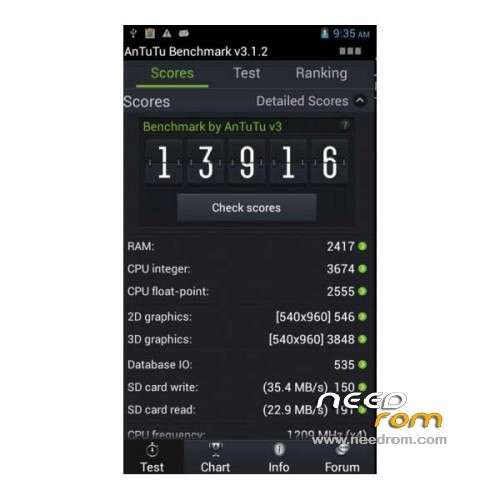
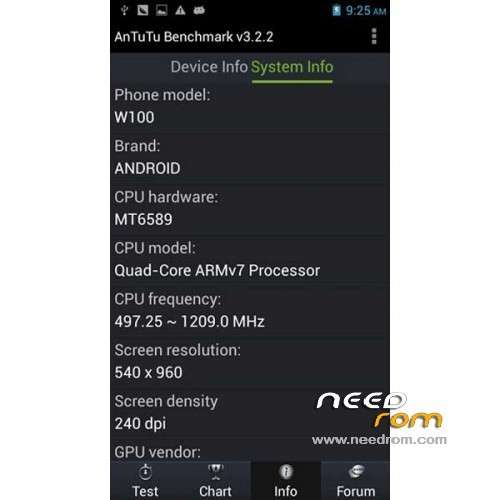
 Member Info
DESCRIPTION
ROM THL W100 – ROM Android 4.2.1
Update Official 08/19/2013 THL W100 Version: ThL.W100.130819.JBV2.QHD.EN.COM.V01.8P32_V01_MT6589 ( i don't know changelog )
Gapps include – No Rooted – Multilang
—————————————————————————————————————————————————————
Update Official 07/01/2013 THL W100 Version: ThL.W100.130701.JBV2.HD.EN.COM.8P32_MT6589 ( i don't know changelog )
—————————————————————————————————————————————————————
Update Official 05/16/2013 THL W100 Version: THL.W100.130516T1.JBV2.HD.EN.COM.8P32_MT6589 ( i don't know changelog )
Install
Official ROM THL W100 Version: THL.W100.130504.JBV2.HD.EN.COM.8P32_MT6589
Language support: Multilang
Install ROM:
1 – Unzip the ROM file
2 – unpack and run Flash_tool.exe

3 – On the SP_Flash_Tool Click the tab of the dispersion of load 4
4 - In the dialog box, select the file in the firmware folder MT6589_Android_scatter_emmc.txt.
5 - Remove the check mark PRELOADER File

6 - Click on the words and choose BOOTIMG boot patched: W100_130504__boot_patched_130605-170952

7 - Click on the label and choose the recovery file: W100_130504__recovery_130605-170952

8 - Now turn off the phone, took out a battery without battery and connect the phone cable to your computer YUSB! Now the program Flash_tool Press Downloand => Yes (to accept the fact that - does not install all files and others, can not remember exactly) and then immediately insert the battery in the phone. Went to fill flash!

Thx to VolkovSergey on 4prad
※Please make a backup of your device before installing or updating ROM
Please take note this rom is for QHD screen, which is THL W100 Revision one. This Rom is "NOT" for THL W100 Revsion 2 which has a HD screen. IF you mistakingly flash it, you will have a black screen.
my phone i bricked. can i do it from installing it on sd card and then flashing it through recovery menu? thanks
How can i know if my is rev 1 or 2?
screen resolution
Hi, I'm trying to update THL W100 with release Update 08/19/2013 (my current compilation is THL.W100.130813.JBV2.QHD.EN.COM.8P32_V01_MT6589) because the firmware has a bad configuration of headset and mic parameters. Root is ok but I have problems trying to follow the items indicated and in last screen process does't start. After I press download, the status is "searching" without any bytes transfered and time stopped at 0:00 sec. Could anyone help me?
Regards!
I have a problem GPS, no find any satellite
I do the gps fix ,but nothing change…..
Every THL W100 has a QHD screen……
hi,
looks like i bricked my w100,
No Sim cards detected, now I have tiny tablet from my phone, not impressed.
done this because my GPS did not work, now the phone do not work. lovely
if you brick thl w100 i have fix my phone and i find the solusion now i wor to fix camera if you want help tell me!
me paso lo mismo, el telefono se quedo en ladrillo al enchufar el cable usb de thl w100, sale una barra en rojo que completa al 100% pero ya no da ningun otro paso y ahora el telefono no enciende ni siquiera dejando pulsado volumen+ y bbopton de encendido
okkkk