DESCRIPTION
ROM Phone THL W11 – ROM Android 4.2.1 MIUI
Only For 2GB Ram and 32 GB Rom
Features ROM:
Update MIUI v5 – 4.3.28 ONLY B version
| Changelog |
SelectShow |
[Contacts]
Optimization – When sending a contact's namecard, you can choose "My profile"
Fix – When adding an unknown number to contacts, if the number was too long it couldn't be added
Fix – When accessing Contracts from the Home screen, there was an issue with the screen transition
Fix – Sometimes, the Settings button in the Contacts menu wouldn't respond
Fix – Sending a namecard to merged contacts might create duplicate cards
Fix – Sometimes contacts would fail to import from SIM card
Fix – When exporting contacts, notification display was truncated
Fix – When entering the dialpad from other apps, no location was displayed
Fix – Issues with importing contacts from SIM card to Mi Account
Fix – Contacts imported from USIM couldn't be deleted
Fix -When importing contacts via Bluetooth, "Cancel match" might cause FC
[File Explorer]
Fix – After file was renamed, a file with the original name would still appear
[Messaging]
Fix – At text conversation screen, touching notification to enable Cloud Messaging would cause FC
[Music]New – MIUI music database expanded
Fix – When playing in songs shuffle mode, when song was added to the now playing list, it might not play
[Weather]
Fix – After 6PM, the temperature high displayed was actually the high for the following day
Fix – Sometimes location feature couldn't be disabled
[Security Center]
Optimization – When cleaning up, improved animation for objects being added to the exceptions list
Optimization – In the cache section under Clean up, secondary options are automatically enabled
|
Gapps include – Multilang
——————————————————————————————————————————————
Update MIUI v5 – 4.1.24 ONLY B version
| Changelog |
SelectShow |
[Contacts]
New – Added English for importing contacts via Bluetooth
[Gallery]
Optimization – Uploaded video names will not display the file extension
[Weather]
Optimization – If a city name hasn't been translated into the current system language, it will be replaced by the local language automatically
Optimization – Sharing features are now the same as system sharing features
Optimization – Weather warnings are only displayed when system language is set to Simplified Chinese
Optimization – More ways to share Weather info
Fix – After switching system language, Weather widget would display incorrectly
[Lock screen, Status bar, and Notification shade]
Optimization – Custom notifications will now change along with system language
[Video]
New- Mi Link function notification
Optimization – For Mi Link, when there is only 1 device, it will be displayed directly onscreen
|
Gapps include – Multilang
——————————————————————————————————————————————
Update MIUI v5 – 4.1.17 ONLY B version
| Changelog |
SelectShow |
[System]
Fix – Pressing the Power button lightly will turn on the phone
Fix – Opening FM radio without a headphone may make recording calls unresponsive
[Contacts]
New – Delete batch call logs (Open “Keypad” , press “Menu”, click “Delete batch” and select the call logs you want to delete?)
[Homescreen]
Fix – Widgets cannot completely show when added in MiSpace
[Themes]
Fix – Sometimes Themes app FC
[Camera]
Fix – MMS videos blur
[Music]
Optimization – Cannot download higher quality music immediately after purchasing
[Weather]
Optimization – Location function for cities outside mainland China
Fix – The same weather alert appears repeatedly in Notification sheet
[Video]
Optimization – Enhanced loading speed of video lists
Fix – No respond when decoding PCM audio files
Fix – Cannot play vob files
Fix – Video app FCs after it fails to analyze file path
Fix – Sometimes cannot load the posters of online videos
|
Gapps include – Multilang
——————————————————————————————————————————————
Update MIUI v5 – 4.1.10 ONLY C version
| Changelog |
SelectShow |
[Home screen]
Optimization – Other system apps are allowed to delete shortcuts
Optimization – Ripple effect after user releases long press on an icon
[Contacts]
Optimization – Groups added to Contacts main page
[Downloads]
Fix – Sometimes downloaded files would not display app icons
[Gallery]
Optimization – SMB guide and icon
Optimization – Cloud album upload detection logic
[Music]
Fix – On the main page, touching "Get song info (ID3)" multiple times would cause FC
[Security Center]
New – When user is clearing garbage, they can tap garbage files to view, clean, or lock
New – Clean up can now detect empty files
New – User can set up shortcuts for different actions on the Home screen
Optimization – "Power save" control flow
[Themes]
New – User can view list of themes that they have already purchased
Optimization – Memory use optimization for previewing wallpaper
Optimization – Smoother animation for slide action on the comments page
Fix – Recommended portion at the bottom of the Featured page would disappear
Fix – The corresponding theme frame for the clock on the "My" page and on the Home screen would disappear
Fix – Sometimes applying a theme would cause app to FC
[Weather]
Optimization – Updates automatically when connected to network
Fix – Sometimes duplicate weather advisory warnings would be sent
[Video]
Optimization – My videos list now displays types
Optimization – Merged cached offline video playback and streaming online player histories
Fix – Sometimes, videos' (in the Notification shade) cached notifications would disappear
Fix – Sometimes, when watching a live stream, phone would lock automatically
Fix – Sometimes, advertisements would prevent videos from playing
Fix – No thumbnails for cached offline videos
|
Gapps not include – Multilang ( Normally )
——————————————————————————————————————————————
Update MIUI v5 – 3.12.31 ONLY B version
| Changelog |
SelectShow |
[Desktop]
Optimize application positioning animation
[Topic]
Added support for Mini Theme
[Camera]
Optimize video quality
[Gallery]
Added support for video synchronization cloud Album
Added support cloud album artwork download
Album automatically upload logic optimization cloud
Repair some cases, the error file download directory does not show cause problems
Failure to repair the problem after the restart screensavers
[Music]
Optimization "Online" tab to increase boot bubbles
[Weather]
Fixes some cases, the desktop weather icon is not displayed
[File Manager]
Added support for accessing Samba network file sharing (Samba millet and other routing servers can access)
[Browser]
New notification bar Quick Search
[Calendar]
M an optimized version of the calendar support and third-party models
[Video]
Added support for video offline (currently only supports some source)
New DLNA video list can quickly find alphabet
New music video and Blockbuster Video Resources
New Dirac Sound menu
Optimization merge "Video Player" and "video" application
Repair some cases, the continuous zapping sound problem does not disappear
Display "local" problem fixes playback of video cloud album
Live television repair page, press the return key to exit the interface issues
[Millet account]
Picture fuzzy cloud service repair problems
[Game Center]
Under repair provincial traffic patterns, problems still download pictures
Fix "Online Service" link is not clickable problems
[Security Center]
Optimization "Memory" applications checked state, long press the desktop and system keys "Recent Tasks" locked state consistent application
|
Gapps include – Multilang ( Normally )
——————————————————————————————————————————————
MIUI v5 – 3.8.23
ROM 1 = MIUI v5 For THL W11 Version B
ROM 2 = MIUI v5 For THL W11 Version C
Note: SN code view: enter the dial-up interface ", enter * # 08 #" to see the SN code; and look letter 7
| Hidden-text |
SelectShow |
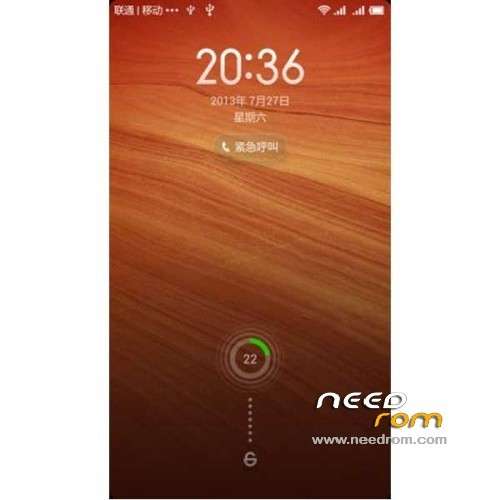
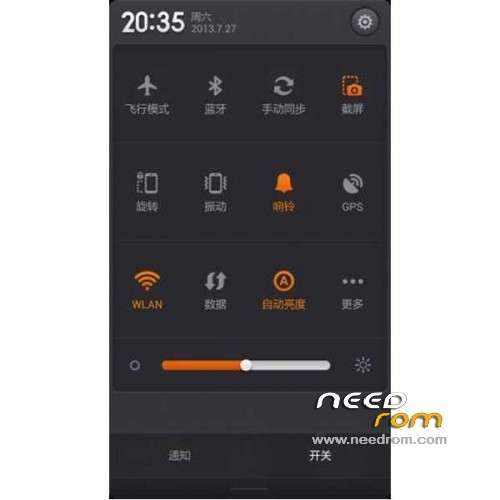
Add notification bar Added "Notification Center"
Add some of the need to connect the wifi authentication login page when opened directly verification page
[System]
Fix some cases, bound Weibo account, but the "Share on Twitter" is still not clickable problem
Fix disturbance mode, other party hangs up the call will result in brighter screen problem
Fix some cases, the disturbance pattern with no interceptions notification sound problems
Repair manual brightness mode, open the screen becomes brighter fetion problem
[Phone]
Repair set internet call account, the problem does not show the SIP
Fix T9 set to "phonetic" mode, if the contact name of the "alphabet" project contains special characters, the contact can not be
Found to the problem
[Lock screen, status bar, notification bar]
Add new Notification Center
Optimized flashlight vibration effects
Optimization screenshot success and failure notifications Tips
[Gallery]
New screen saver slide
Optimize projection equipment popup title from "millet box" to "Device List"
Optimization millet Mito graffiti pen width
Fix to open long microblogging gif image problem when no content
Fix in the wallpaper settings and select a picture gallery effect when different problems
Fix some problems can not be scaled GIF images
Pictures can not open the browser fixes long problem
[Setup]
Add allows you to set a single Mike / dual microphone noise reduction mode (System Settings – Sound and Vibration – Noise Reduction)
Add some of the need to connect the wifi authentication login page when the page directly open authentication
Repair from the notification bar to open and set up a WLAN hotspot to share the problem of invalid
Fix common settings and all settings page, "flight mode" switch state different problems
[E-mail]
Optimized Exchange mailbox after landing, fill in the recipient field mailboxes in Exchange address book can be displayed for a contact
In some cases repair flash back problems
|
No Gapps – Rooted
Language support: EN/CN
Install ROM:
CWM
Step 1: Download the custom ROM copied to an external SD card root directory
Step 2: the shutdown state. While holding down:
– Power button + volume button up, to enter the recovery mode.
– Wipe Data / Factory Reset -> delete all user data
– Wipe Cache Partition -> Wipe cache
– Advanced -> Wipe Dalvik Cache
Step 3: Return to recovery main interface Install zip from sdcard -> choose zip from sdcard -> Select your ROM
Step 4: Brush complete, restart the phone Patience required – first boot takes a while
※Please make a backup of your device before installing or updating ROM

 Member Info
1GB-16GB please
Csak az egyiket próbáltam de abban sincs csak 2 kínai és 1 angol nyelv. Nem ROOT-olt, recovery nincs, nagyon gyenge az ikonok közül van ami kínai. Rögtön hibával jött fel.
KUKA!
Update MIUI v5 – 4.1.17 ONLY B version
No front camera !
The Hungarian language is incomplete
to check if phone is version B or C do this, dial *#08#, SN will be shown. Look for the 7th character. Happy flashing
how can i restore my Old Rom if its not english i cant go back to backup and restore because i cant understad -_- plz help
How should I install it if I always got the “installation aborted” error message”? The phone is rooted, type A. I can only install rom with sp flash tool, but it is a different format. Could anyone push me to the right way?
Thanks, Norbi
Sorry, It is not for version A , but lets say, it is a general problem for me.. What is wrong?
Thanks in advance!
Norbi