
- Title: MIUI v5 with OTA by region98
- Listed: February, 2014
- Last modified: 06/04/2014 2:23 pm
- Version: ROM Android 4.2.1 MIUI
You must be logged for ROM download.
53750 total views, 6 today
3 Total favorites
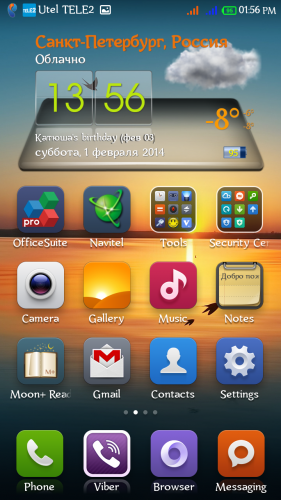
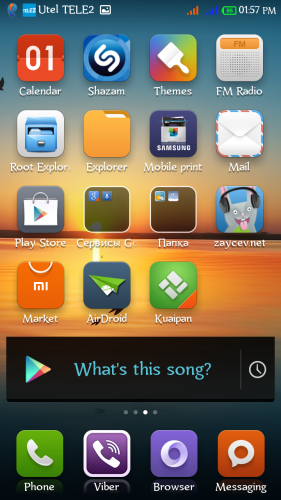
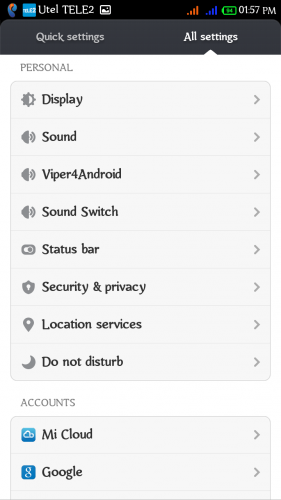
 Member Info
DESCRIPTION
ROM Mobile ThL W200 – ROM Android 4.2.1
Language support: Multilang
Features ROM:
MIUI v5 – 4.6.2 by region98
This version supports OTA Update!!! (every week)
This rom supports 3g on sim2!
For devices rev. Thl.W200.140111.JBV2.HD.EN.COM.8P64_MT6589T and older. Does not work on devices revisions 140224, 140227 and 140310!
Gapps include – Rooted
Fixed:
Fully corrected notification indicator
Improved energy saving.
Fixed problem with excess brightness at night – Screen Filter.
And more features…
Add: WSM tools (Mi-Tools, Gravity Box, NetworkLocation fix, Auto Orientation), Root Explorer, Titanium Backup, Screen Filter, Google Search (voice).
Install ROM:
CWM
Step 1: Download the custom ROM copied to an external SD card root directory
Step 2: the shutdown state. While holding down:
– Power button + volume button up, to enter the recovery mode.
– Wipe Data / Factory Reset -> delete all user data
– Wipe Cache Partition -> Wipe cache
– Advanced -> Wipe Dalvik Cache
Step 3: Return to recovery main interface Install zip from sdcard -> choose zip from sdcard -> Select your ROM
Step 4: Brush complete, restart the phone Patience required – first boot takes a while.
TWRP
Step 1: Download the custom ROM copied to an external SD card root directory
Step 2: the shutdown state. While holding down:
– Power button + volume button up, to enter the recovery mode.
– Wipe -> Advanced -> select all items excluding emmc and sdcard -> Swipe.
Step 3: Home -> Install -> Select your ROM zip -> Swipe.
Step 4: Reboot system -> Swipe. Patience required – first boot takes a while.
Warning!
To install this version of the ROM you need to partitioned the memory of your device using the Meteos (better 3/3 ratio) !!!
Do not install the new updates over 90 MB!
Any interference in your system files, automatically stops the update! System files can be deleted, but can not replace the other!
Universal TWRP recovery for devices rev. Thl.W200.140111.JBV2.HD.EN.COM.8P64_MT6589T and older. Does not work on devices revisions 140224, 140227 and 140310!
Meteos for THL W200
Instructions for using the program Meteos.
1. make a backup of the recovery. In recovery, we go through (volume up+power button)
2. Upload device and open the program.
3. Choose your desired partition size under application (version Use strictly in accordance with the amount of memory on your model)
4. boot into recovery and do a wipe data/factory reset, then restore from backup only data section.
Port based on MIUI Ultimate by stas2z for FLY IQ446.
I will appreciate any moneyed assistance for the further development of this project! Thank you!
※Please make a backup of your device before installing or updating ROM
i have promblem "Unfortunately the process.com.android.phone has stopped" for tel push list number.
Hi all
I just got another update even though it has been said there will be no more updates ?
After taken the update I now lost all my push emails which were going through corporate account
It now says MIUI has incountered a problem please notifie MIUI
Have since reflashed back to 1.4 OFFLINE version
Add NEW MIUI OTA 4.4.20
Took the update phone reboots but into
Root menu tried also manual update
File is 403mb in size
When back to version 24
thank you very much
hi
How do I check this
For devices rev. Thl.W200.140111.JBV2.HD.EN.COM.8P64_MT6589T and older. Does not work on devices revisions 140224, 140227 and 140310!
Push email not working anymore
please help. I can’t import theme from sd card.
it’s force close!!. How to fix it?
i’m use miuiv5 4.4.20.
Some major problem with this rom
No more push email
Google search crashes
Can you take a look at this
thanks
Hey, i had MIUI v.3.0.11 and have done everything in your manual, but phone stucks on boot THL. I´ve been waiting for almost 20minutes.
What should i do? thx for help