
- Title: MIUI v5 with OTA by region98
- Listed: February, 2014
- Last modified: 06/04/2014 2:23 pm
- Version: ROM Android 4.2.1 MIUI
You must be logged for ROM download.
53749 total views, 5 today
3 Total favorites
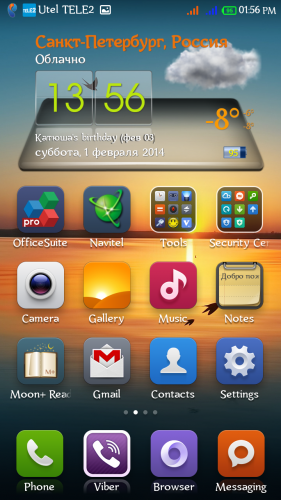
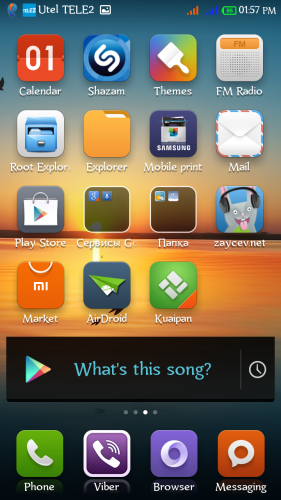
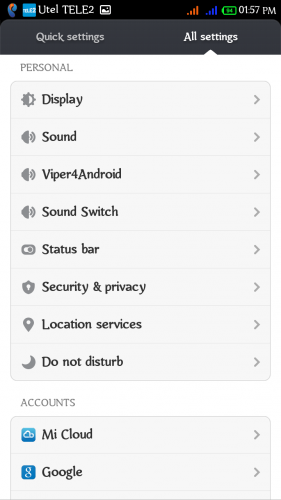
 Member Info
DESCRIPTION
ROM Mobile ThL W200 – ROM Android 4.2.1
Language support: Multilang
Features ROM:
MIUI v5 – 4.6.2 by region98
This version supports OTA Update!!! (every week)
This rom supports 3g on sim2!
For devices rev. Thl.W200.140111.JBV2.HD.EN.COM.8P64_MT6589T and older. Does not work on devices revisions 140224, 140227 and 140310!
Gapps include – Rooted
Fixed:
Fully corrected notification indicator
Improved energy saving.
Fixed problem with excess brightness at night – Screen Filter.
And more features…
Add: WSM tools (Mi-Tools, Gravity Box, NetworkLocation fix, Auto Orientation), Root Explorer, Titanium Backup, Screen Filter, Google Search (voice).
Install ROM:
CWM
Step 1: Download the custom ROM copied to an external SD card root directory
Step 2: the shutdown state. While holding down:
– Power button + volume button up, to enter the recovery mode.
– Wipe Data / Factory Reset -> delete all user data
– Wipe Cache Partition -> Wipe cache
– Advanced -> Wipe Dalvik Cache
Step 3: Return to recovery main interface Install zip from sdcard -> choose zip from sdcard -> Select your ROM
Step 4: Brush complete, restart the phone Patience required – first boot takes a while.
TWRP
Step 1: Download the custom ROM copied to an external SD card root directory
Step 2: the shutdown state. While holding down:
– Power button + volume button up, to enter the recovery mode.
– Wipe -> Advanced -> select all items excluding emmc and sdcard -> Swipe.
Step 3: Home -> Install -> Select your ROM zip -> Swipe.
Step 4: Reboot system -> Swipe. Patience required – first boot takes a while.
Warning!
To install this version of the ROM you need to partitioned the memory of your device using the Meteos (better 3/3 ratio) !!!
Do not install the new updates over 90 MB!
Any interference in your system files, automatically stops the update! System files can be deleted, but can not replace the other!
Universal TWRP recovery for devices rev. Thl.W200.140111.JBV2.HD.EN.COM.8P64_MT6589T and older. Does not work on devices revisions 140224, 140227 and 140310!
Meteos for THL W200
Instructions for using the program Meteos.
1. make a backup of the recovery. In recovery, we go through (volume up+power button)
2. Upload device and open the program.
3. Choose your desired partition size under application (version Use strictly in accordance with the amount of memory on your model)
4. boot into recovery and do a wipe data/factory reset, then restore from backup only data section.
Port based on MIUI Ultimate by stas2z for FLY IQ446.
I will appreciate any moneyed assistance for the further development of this project! Thank you!
※Please make a backup of your device before installing or updating ROM
OK
I used it for 2 days and here are my thoughts:
This ROM is slightly snappier than the miui v5 in some way, it lags in others and is much the same.
For example – the long home button press brings me ne to recent apps very fast in this ROM, but when in bsplayer I always have to tap the screen twice to receive a response when the play buttons are hidfen.
Opening PDF files has a shirt lag in both ROMs.
The notificatuon red LED works perfectly with the ROM (with the miui v5 it works but is very dim for some reason).
The system fonts are nicer in this ROM but sometimes the letter ‘y’ is cut off at the very right edge when it appears in the end of a word (like in ‘Tuesday’).
The modification optuons are better with this ROM, but many settings take place only after rebooting (like moving the clock position in the status bar or adding the date to the status bar) and the miui v5 works instantly for such changes.
This ROM also has the open market for miui but when you try to update apps via this app it requires a xiaomi account and will not work otherwise.
So all in all: you get some and lose some.
But… The biggest difference between the two ROMs is battery life.
Miui v5 is MUCH better. I can watch some movies, browse the web, whatsapp and what not and it holds for well over 13 hours.
With this ROM I watched a 1 hour movie with bluetooth headphones and it went down from 94% to 42%!
I will try to attach a screenshot from miui v5 later (not an option on the mobile site).
This is why I stoppoed using region98′s ROM and went back to miui v5.
Fix some issues, region98 and you have a winner!
My bad – both miui ROMs require reboot for changing the above mentioned status bar settings.
Thank you for your feedback. A new version of rom I plan to make a new kernel (14.01.02) and will try to accommodate all the wishes are possible to fix.
this rom is great, but the bluethoot crash on my car, Ford Fiesta…. have solution?
Rom size has been optimized for the device's internal memory unchanged. You can help only likely Baidu OS.
Quando irá lançar a nova versão?
Within 2-5 days.
region98 I have a question this rom support thai language ?
Sorry about my bad english^^
Yes. ไทย.
Clarification – English interface with support for Thailand on the keyboard.
OTA update ready!
Attention! The slightest error in build.prop file after updating to the latest version, the new version is still in the system as 'old' and you want to upgrade again in a circle. To correct a mistake you need to download and replace the file build.prop on the board.
Download http://yadi.sk/d/S1Et6kkfHxxUF
Instruction
1. Download new build.prop and copy it to the memory card of your device.
2. Copy a file to a folder build.prop system / c replacement of old using filemanager (eg RootExplorer).
3. Change the permission of the new file build.prop to rw-r – r – and reboot your device.
4. Install the OTA update without errors.
what is the news in the last update?
[Home screen]
New – New Edit Home screen interface (2-12)
New – View the notificiation shade by swiping down anywhere on the Home screen (2-12)
Optimization – Previewing Home screens uses less system memory (2-12)
Fix – When user created a shortcut without a name, FC would occur (2-12)
[Phone]
Fix – Sometimes the switch for auto IP identification would display incorrectly (2-11)
[Gallery]
New – Album thumbnails of screen shots will be detected automatically (2-10)
Fix – User could not delete albums that they had shared with themselves (2-10)
Fix – When Wi-Fi was disabled, photo downloads would be canceled (2-10)
Fix – User could not copy photos to shared albums (2-10)
Fix – When user rotated phone photo would not maintain its scale or position (2-10)
Hi,
your ROM is almost perfect but i´ve problem with very dim notification LED,what can i do to increase its brightness? When i charging the phone, Led is shining as it should.
So runs the power saving mode. The next version of the new kernel, maybe I'll do more vivid indicator.
Não estou conseguindo instalar os apks que estão no sd já marquei a caixa Fontes desconhecidas e não resolveu o que faço?