
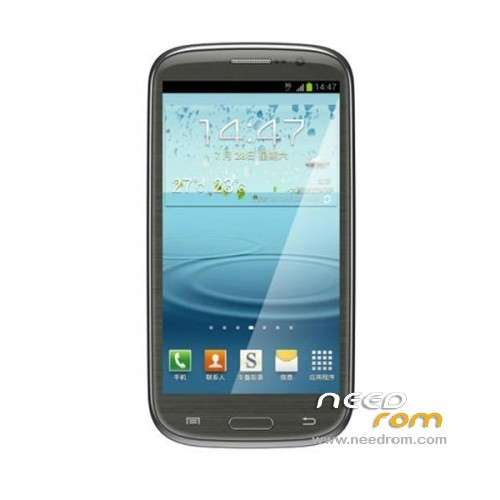
- Title: THL W8
- Listed: May, 2013
- Last modified: 11/26/2013 3:58 pm
- Version: ROM Android 4.2.1
You must be logged for ROM download.
40954 total views, 4 today
 Member Info
DESCRIPTION
ROM THL W8 – ROM Android 4.2.1
FOR 8P32 Only not for 8P64
—————————————————————————————————————————-
Update Official THL W8 Version : ThL_W8.JB2.HD.EN.COM.8P32_MT6589V1.0.6_20130807
Changelog:
The * 983 * 0 # inside the SIM test items, transplanted to * 086 * #
Modify into wifi settings, click on the bottom left of the Update button repeatedly error, then no longer be able to open wifi settings
Version Flashtools or OTA
Gapps include – No Rooted – Multilang
—————————————————————————————————————————-
Update Official THL W8 Version : ThL_W8.JB2.HD.CN.COM.8P32_MT6589_20130601
Changelog:
1, the operating system: Andrews 4.2;
2, Applicable models: W8 Quad youth version of 4G;
3, the upgrade software platform W8 models use only;
4, upgrade tutorial W8 models use only;
5, this version is "Jelly Bean" system;
6, the probability of occurrence of the camera repair part blank screen;
—————————————————————————————————————————-
Update Official THL W8 Version : ThL_W8.JB2.HD.EN.COM.8P32_MT6589_20130510
Changelog:
Installation location may be selected on an external SD card
THL_JB2_HD: fit into the audio parameters 4
FN05088: to modify the signal bar display
THL_JB2_HD_NEUTRAL: to modify the signal bar display mode 2 (no card is not displayed when the signal bar)
FN14000: adjust the distance light perception sensitivity
FN07096 THL_JB2_HD: is modified after adjustment Proximity sensor Proximity sensor sensitivity calibration algorithm
FN07097 THL_JB2_HD: to solve the first foundation brush the SIM card is not inserted into the set – time after being given problem (probabilistic)
—————————————————————————————————————————-
Update Official THL W8 Version : ThL_W8.JB2.HD.CN.COM.8P32_MT6589_20130428
Changelog:
- upgrade the operating guidelines book has been updated to the compressed package
- this version of the "depth optimization trial version
—————————————————————————————————————————-
Version Official ThL_W8.JB2.HD.CN.COM.8P32_MT6589V1.0.9_20130418
1, the operating system: Android 4.2
2, Applicable models: W8 quadcore version for 4G
3, upgrade software platform W8
Language support: EN/CN
look my friends xda (C3C076 ) for gapps,root and other…
Install ROM:
To unpack FlashTool run Flash_tool.exe
Select a the MT6589_Android_scatter_emmc.txt in ROM with Flashtools
Click Flash_tool.exe interface Firmware-> Upgrade
Phone after taking the battery in put something
Connect the data cable
Brush finished with green circles appears
or
Install with SP MDT:
Unpack the archive SP_MDT_exe_v3.1304.00_A2013.02.26.rar and archive with the ROM
1). Turn off the smartphone. Cable is not connected to the computer.
2). Remove the battery and insert it again
3). Connect your phone to a computer cable. The operating system detects a new device
4). Disconnect the cable from the computer.
5). Run SPMultiPortFlashDownloadProject.exe
6). Choose Database Factory menu> Configuration File data source and specify the file MTK_DATABASE.mdb (it is in the folder SP_MDT).
7). Choose File> Open File Agent download and specify the file MTK_AllInOneDA.bin (it is in the folder SP_MDT).
8). Click File and select the MT6589_Android_scatter_emmc.txt file (it's in the folder with the rom).
9). The other parameters are fixed, as in the screenshot below.
10). Click "Start all".
11). Connect your phone to a computer cable. The program should see and blink. If the phone is not detected, then unplug it from the computer, remove and insert the battery and reconnect it to the computer.
12). After (OK) click Stop and disable any phone.
13). Completed.
※Please make a backup of your device before installing or updating ROM
my phone is dead. how can i find it is 4gb or 8gb?