
- Title: THL W8s Miui Multilanguage 3.8.30
- Listed: August, 2013
- Last modified: 08/30/2013 11:44 pm
- Version: Rom Android 4.2.1
You must be logged for ROM download.
20518 total views, 1 today
 Member Info
DESCRIPTION
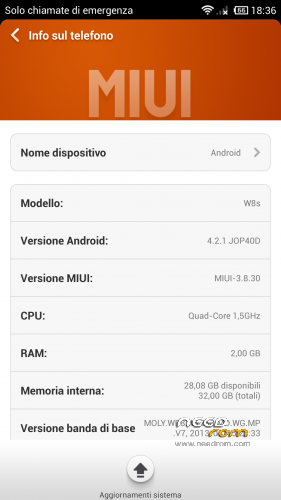
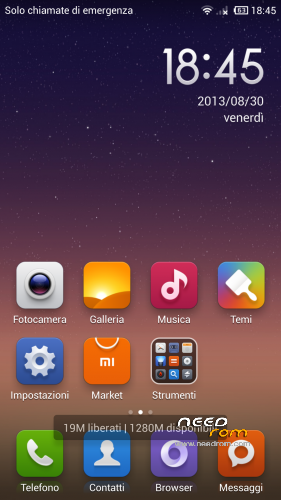
Porting from THL w8 Miui 3.8.30 (modded by Paolothl) to new THL W8s (thanks to paolothl and androidiani.com )
Please test all function [Camera, sound, dual sim etc etc] ( this is my first port and it's possibile that something may not work properly). If you have some bug fix for this port rom please reply here. I'm sorry for my non professional english. Thank you
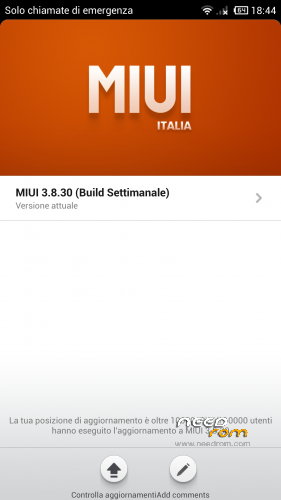
MIUI ROM 3.8.30
Highlights
1. Added the option of “Limit mobile data usage” in Browser, click here for details
2. Added support for transfer of complete contact info (including contact photo) and notes (including images attached) in Transfer, click here for details
Full Changelog
[System]
Fix – In some cases, starting apps through the notification bar might lead to wrong page (08-27)
[Contact]
Fix – Incoming call from contacts using deleted ringtones might be mute (08-27)
[Lock screen, status bar, notification bar]
Optimization – Wrong password input time will not be calculated in account unlock interface( 08-28 )
Optimization – In some cases, lock screen wallpaper does not show ( 08-28 )
Fix – After restarting the phone, “Do not disturb” status bar icon disappears (08-27)
[Launcher]
New – Updated facebook icon for 1080P devices ( 08-29 )
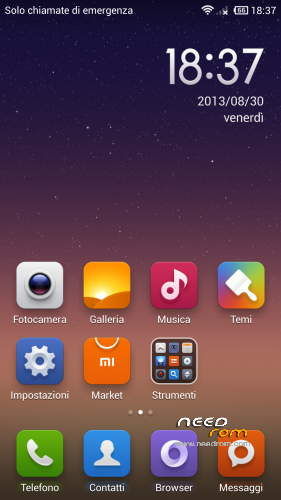
Optimization – Improved default desktop layout (08-30)
Fix – Picture mix filter alpha error ( 08-29 )
Fix – Restoring wrong backup caused launcher start failure ( 08-29 )
Install ROM: Do it On your RISK! not responsible to any damage! – Pls make A backup Before installing!
CWM
Step 1: Download the custom ROM copied to an external SD card root directory
Step 2: the shutdown state. While holding down:
– Power button + volume button up, to enter the recovery mode.
– Wipe Data / Factory Reset -> delete all user data
– Wipe Cache Partition -> Wipe cache
– Advanced -> Wipe Dalvik Cache
Step 3: Return to recovery main interface Install zip from sdcard -> choose zip from sdcard -> Select your ROM
Step 4: Brush complete, restart the phone Patience required – first boot takes a while
Post installation tweaks and apps ( all credit goes to paolothl )
ExtSD2IntMem : this tweak deactivate internal memory and mount external sd like internal memory (just flash from cwm, no wipes needed ) do not use in combo with SwapSD
SwapSD : this tweak allow to switch internal memory with external sd ( external sd becomes internal archive and vice versa ) (just flash zip from cwm, no wipes needed ) do not use in combo with ExtSd2IntMem
Lenovo SuperCamera : If you want to use Lenovo Supercamera just install this zip from cwm (no wipes needed)
Credits:
1) Paolothl for releasing thl w8 Miui rom v.3.8.30 (thank you for hard work)
2) Androidiani.com Italian Board ( best italian android forum )
3) Xda developers Board
※Please make a backup of your device before installing or updating ROM
thank you!!!!!
Thanks so much
how to root now ?? I have to install the Rom miu but I do not arrive any more has root the telephone
I have installed it on my rooted telephone with cwm. No problem for me. Try to Use eroot.
thanks
Hi.
Since I bought my THL W8s, I have no sound from my speakerphone, neither ringtone, music, nothing. I think this may come from a bad firmware. I suspect the shop where I bought to have a wrong version or modding something. I would like to try your customized ROM but since I may be need to send back my phone to the shop, I will prefer flash a stock ROM. Can you upload the stock rom for THL W8S please? Thank you in advance for help.
Hi please could you upload stock rom? pleaseee
The download ends before the file is downloaded completely, so I get an incorrect file. What could I do?
no data 3g!!!!!!!!!!!!!!!!!!!!!!!!!!!!!!!!!!!!!!!!!!!!!!!!!!!!please!!!!!!!!!!!!!!!!!!!!!!!!!!!!!!!!!!!!!!
no data connection 3g!!
please fix
thank!!!!!!!!!!
sorry I'm not fluent in English