
- Title: Ultimate v1
- Listed: March, 2015
- Last modified: 03/26/2015 2:21 pm
- Version: multilanguage
You must be logged for ROM download.
39834 total views, 4 today
20 Total favorites
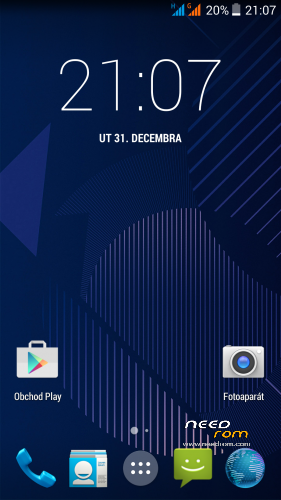


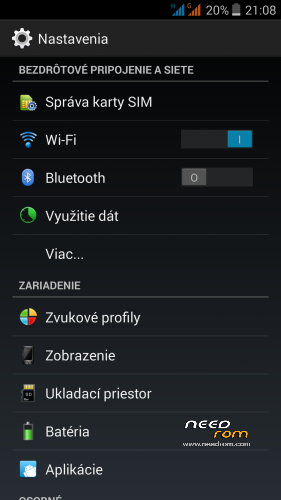
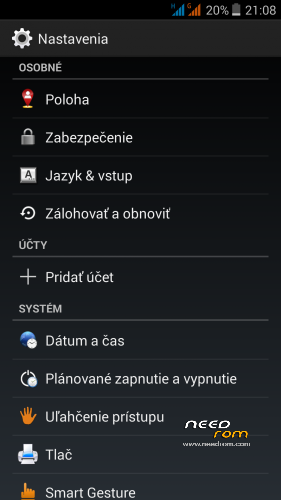
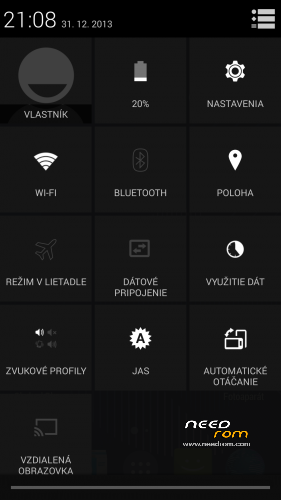
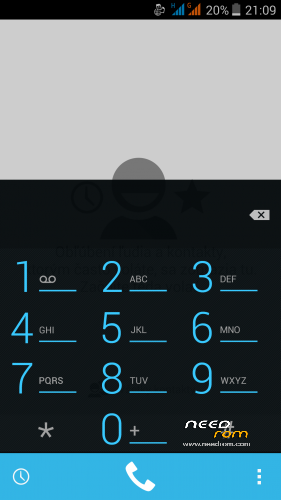
 Member Info
DESCRIPTION
THL5000 Ultimate ROM by Dimid/iv2012 - in my opinion this is currently one of the two best ROM the best multilanguage ROM for THL 5000 (second is Classic V3mod ROM).
I am not the author of this ROM, made only a few adjustments and necessary small translations from russian (some texts were only in russian) to other languages. This is the last ROM from really excellent ukrainian author Dimid/iv2012 (see below to his page and donate him on WebMoney). Dimid collected all the best form all his previous ROMs. Power consumption is good, ROM is multilanguage as Classic V3mod. This ROM is continuing of Classic ROM V3mod. He used part of the code from: Philips i928 1436_00_V17A_CIS, THL 5000 v1.1.2, DEXP Ixion XL 5 v1.8H. Thank Dimid for all of his hard work. This ROM I posted here with his permission. Kernel patch for old displays was made by jitnovod from russian forum. I uploaded it here, to make ROM available for non russian speakers, which can't log on to the Russian forum. I prepared modified version, where removed the residual cyrillic and added missing translates.
Supported languages:
Afrikaans, Bahasa Indonesia, Bahasa Melayu, Catala, Czech, Dansk, Deutsch, English, Spanish, Filipino, French, Croatian, IsiZulu, Italian, Kiswahili, Latvian, Lithuanian, Hungarian, Nederlands, Norwegian, Polish, Portuges, Romanian, Runantsch, Slovak, Slovenian, Suomi, Svenska, Tiet Viet, Turkish, Greek, Bulgarian, Russian, Serbian, Ukrainian, Arabic, Chinesse and many more…
Warning! This is not an upgrade! During installation, formatted partitions Data, System, Cache!
Firmware features by Dimid:
* Upgraded to 1.1.2. kernel to properly display the battery charge
* Support init.d
* Valid root shell
* Integrated root
* Integrates all functions of the standard firmware (Smart Cover, in your pocket, smart gestures, mute coup)
* Dolby Digital Plus
* Modem with support wcdma 900 MHz
* Default off frequency GSM850 and PCS1900
* Name of the caller in 2 lines
* Name contacts in 2 lines
* Full-screen photo caller
* Advanced PowerMenu with options reboot and screen recording
* LockClock of CM11 with the settings in the settings screen
* Adjust the density of the screen
* Configure the system font
* Customize the widget LockClock
* Setting screen recording
* Extended range zoom animation parameters Developer
* In the setting of font added "very fine"
* Smart gestures displayed in the main menu settings
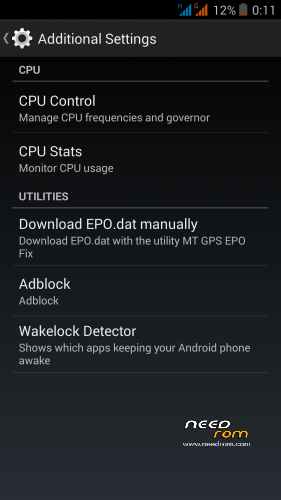
* Menu "Extras": management and statistics CPU, loading Epo.dat, ad blocker, detector Wakelock
* Customize the speech synthesis in the "Special. Features"
* Removed the Google search bar
* Fixed Auto Brightness according to the testimony LightSensor
* Removed large icons G near the antenna
* The default setting is enabled from unknown sources
* Default on display battery%
* Default is off animation
* Ability to turn off the LED display (in Settings/Dsiplay/Led switch) – default state is OFF
* Startup Manager
* Manager permissions (does not start at the first start)
* PowerFix (thanks to magnesium)
* Colored icons in the settings menu
* Colored icons in the Power Menu
* Replaced the icons flash drives in the connection memory cards
* Startup Manager
* Manager permits
* Find the best libraries of sound, camera, bluetooth, GPS
* Fixed a bug Launcher, if left alone desktop
* Unlock in any direction
* Improved smooth scrolling
* The green LED turns on when charging 100%
* "Anti-Theft" in Russian
* Translated G-Sensor Calibration
* Fixed translation settings dealer (vibration when connected)
* Translated some menu settings
* Enabled editing of all sound profiles
* Fixed sync browser
* Updated all services and applications Google (those for which updates were at the time of the release of firmware)
* Firmware fully DEODEX
Small changes by me:
* Removed boot sound
* Added Xpossed framework (can install Gravity Box KK)
* translated System font changer to english
* default language is English
* translated some russian texts to english
* added much better slovak and czech translations
How to check Gamma value of your display:
* instal this application from GP https://play.google.com/store/apps/details?id=com.gombosdev.displaytester
* run it, choose Display quality/Gamma detection
* will see test image - rectangles with numbers
* rectangle whose color matches the background determines the Gamma value
* Gamma correct value is around 2.0
Detailed installation instructions:
1 – save the ROM file "THL_5000_Ultimate1.zip" on the SD card
2 – jump to TWRP recovery, if you haven't it, install it (installation instructions are here, sorry in slovak language only,use Google translator): http://androidforum.cz/twrp-2-7-1-0-root-pre-thl-5000-t57731.html
3 – click Wipe and select items: Dalvik Cache, System, Cache, Data, Int.SDcard and Android Secure, then click Swipe to Wipe
4 – click on Install, choose ROM file and install it - click Swipe to Install, then click Reboot System
5 – go to TWRP again, click on Install. choose file "NewTranslates_4.zip" and click Swipe to Install
6 – click Wipe Cache/Dalvik, then click Reboot to System
5 – go to TWRP again, click on Install. choose file "VideoRecord_mp4_II.zip" and click Swipe to Install
6 – click Wipe Cache/Dalvik, then click Reboot to System
7 – if you want, enable LED in Settings/Display/Led switch
8 – optionally install latest Titanium Backup - http://uloz.to/xrtRPmFt/titanium-backup-pro-7-0-0-3-full-patched-rar#download
9 – check your display Gamma value – if Gamma is "2.0", OK, done. If Gama is much more and your display is too dark, install kernel patch Kernel110_old_disp.zip Do not install it if you have a new display type – your Gama=2.0!!!
Additional ROM patches, install from TWRP (Install file, click Wipe Dalvik/Cache, click Restart to System):
- NewTranslates_4.zip - add new translates (remove some russian texts)
- Kernel110_old_disp.zip - kernel for old display type - Do not install if you have a new display type!!!
- Add_ServicesEN_II_1.rar: (unpack RAR, will get two ZIP files – first install Add_Services, second remove)
This path add new posibilities to Settings/Accessibility/Extra settings:
* gradual increasing the ringer volume (can be disabled)
* gradual increasing the volume of the alarm (can be disabled)
* Lock the phone screen by – flipping phone screen down and wait to sound (cca. 2s)
* Mute ringing call by – flipping phone screen down screen and wait to sound (cca. 2s)
Base ROM integrated function FlipToMute will be disabled (is in conflicts with Add_services).
Before installing the patch, disconnect function "Settings/Accessibility/Flip silent" and "Settings/Accessibility/Pocket mode"!!!
- VideoRecord_mp4_II.zip - camera will record in MP4 format:
OutputFormat – MPEG4, VideoEncoder – MPEG_4_SP, AudioEncoder – AAC-LC, Audio Sampling Rate – 16000, Audio Encoding BitRate – 128000
- Modem850st.zip - original modem 850/2100Mhz for THL 5000
- Modem_900.zip - Dimids 900/2100Mhz modem (some people have reported malfunction 3G on 900Mhz)
(After installing each modem recommend 2x to restart the phone.)
Dimid's web page: http://4pda.ru/forum/index.php?s=&showtopic=592576&view=findpost&p=38714746
Jitnovod web page: http://4pda.ru/forum/index.php?s=&showtopic=592576&view=findpost&p=38034152
Dimid donation – WebMoney:
WMU: U413791826969
WMR: R386284664505
WMZ: Z333649149339
※Please make a backup of your device before installing or updating ROM
you can wipe, but during installation, formatted partitions Data, System, Cache! you lost all Data!
Hello, sorry for my english but where can i complete deactivate Roaming.
Thank you from Germany
Greetz
Boie, you can turn off your SIM card, just go to settings > wireless & networks > SIM management and turn off the card.
Hello is it possible to port all 3G modems from THL 5000 Classic ROM v3.0 to this rom?
You can install the same modems, but not all will work good, some don't have the 3G service working for example.
Please thl 5000 vibeu rom multilaunche
VibeUI ROM for THL 5000 exists, but support only3 languages (english, chinese and russian). Author is Dimid.
- russian pages http://4pda.ru/forum/index.php.....#038;p=38571574
- information on my site. http://androidforum.cz/thl-500.....2-0-t64219.html
Author disagreed with the publication on the needrom.com.
Original author page also here - http://forum.china-iphone.ru/t.....0.html#p1388722
Is it new rbarat? What's the differences?
Do not understand…
Nevermind, i thought it was another ROM.
Rbarat, well, actually i was asking about that VIBEui ROM, is it a new ROM? What are the differences for the Ultimate one?
VibeUI ROM is completelly different ROM – it uses Lenovo in their phones. This is port from Lenovo S939 phone. Good ROM, but supports only 3 languages, pity.
Added a new installation modem files, original 850/2100Mhz and Dimid's 900/2100Mhz.
Installing more files than in previous versions (5 vs. 1). Modem 850/2100Mhz is original, from ROM 1.1.2.
According to my findings, for many people Demid's 900 MHz modem does not work well.
Therefore, I recommend using a modem 850 MHz.
What is with Material design v4? Pls uoload it
I can't. Russians angry at me because I am uploaded here earlier versions.
So why they did the ROMs?! If people can't use them?!
Good question…
@rbarat forget them russians they can't do anything. You need to continue share roms here or other platform
I'll do what I can, but if the author does not want to publish, you can not do anything.