
- Title: Thunderbolt Stock v.1.2.0 Rom
- Listed: April, 2014
- Last modified: 04/27/2014 11:24 pm
- Version: Rom Android 4.2.2
You must be logged for ROM download.
31079 total views, 2 today

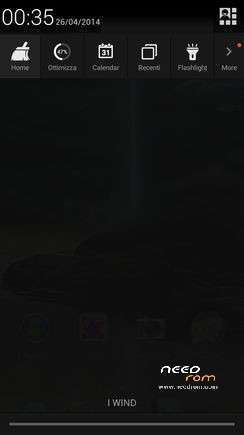


 Member Info
DESCRIPTION

Thunderbolt Stock v.1.2.0 Rom
This is the version to install from CWM recovery
valid for all models of INew V3 MTK6582
Links to everything that is required for proper installation can be found in the following paragraphs.

Features of the Thunderbolt Rom
This Rom is the result of a long work of improvement carried out on the stock of this device.
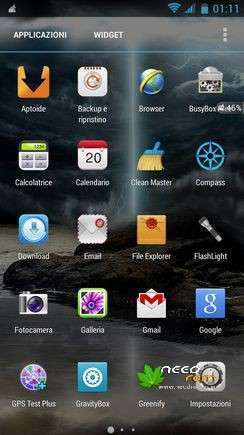
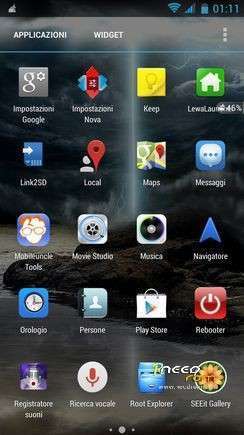
The ROM is very beautiful and the performances are excellent. Added Lenovo SuperCamera and SuperGallery.
The ROM is multilingual.
Follows a list of the main features of the Thunderbolt Rom:
* Root
* Kernel 4.2.2 (boot.img) new and modified with real support init.d
* Zipalign at every boot
* Sqlite optimization at every boot
* Very smooth, with no lag
* Absolutely full app in the system
* Extremely stable
* Gapps already installed
* Optimized to the maximum
* Original Boot Animation
* Original Logo initial
* Build.prop optimized
* Gps.conf optimized
* Scripts and Tweaks listed in the following section
Other optimizations
In addition to the great work done on the kernel (boot) and on the structure of the Rom were made the following optimizations:
- Changed the Launcher and the LockScreen


- Also added the Launcher and the LockScreen LeWa (it's the user that choose which to use)


- Possibility to change themes and wallpapers (using the Launcher LeWa)
Now you can choose from thousands of different themes, wallpapers, lockscreen, icons, etc


Here's an example of the many icons packages that you can choose:


- Added Supercamera and SuperGallery Lenovo


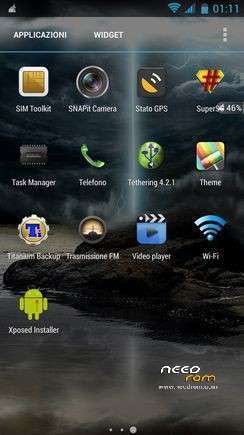
- Added Xposed Installer and the module GravityBox


- Audio optimized by different filters and applications

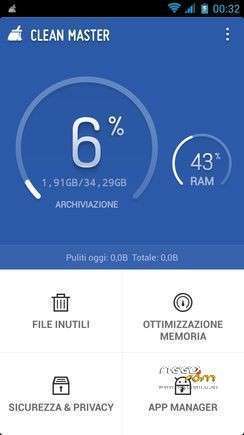
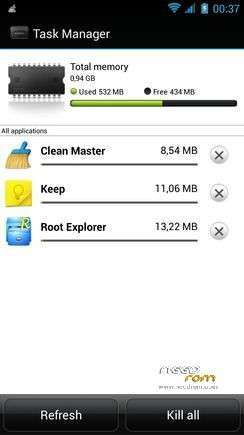
- Added several applications for the improvement of consumption


- Added several apps to my pleasure
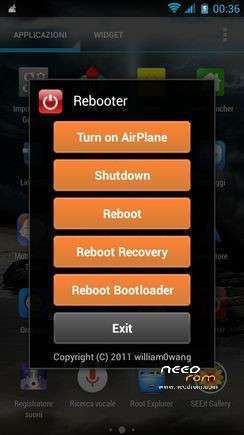
Changed the file manager, notepad and added several apps for everyday use: ReBoot, Aptoide, Link2Sd, MobileUncle,
Root Explorer, Titanium Backup, etc


Scripts & Tweaks
After careful selection and long and patient work, in order to adapt to this device and delete all the conflicts I could insert different and will list only the main ones:
* Adrenaline Engine
* Loopy Smothness
* Geeky Engine
* Net-Fork
* Supremacy
* VelocityTweaks
* SlaidyBoost
* BeatsAudio
* CosmisTweak LightSpeed
Introduction to the installation of the Thunderbolt Rom
Before installing the Rom you need to make a backup of your device in case something goes wrong. Do it with MTKDroidTools flashabile with FlashTool.
Those who have already installed the recovery Cwm they can make a second directly from recovery.
For the first, here is a guide to the procedure of backup, for the latest version of MTKDroidTools and drivers necessary for the proper use of the application Backup with MtkDroidTool
Just this already, but if you want here is the guide for the second procedure to install the modified recovery Cwm How to install Cwm recovery
Installing the Thunderbolt Rom
- Device rooted with Vroot or another program …
- Download FlashTool this version here or I think that goes well any version 5
- Make a backup with MtkDroidTool
- Install with flashtool this Rom here (the installation of 1.0.8 GPS fix is required for the subsequent installation of the Thunderbolt)
- Reboot. Everything should be ok
- This ROM already has CWM Recovery Touch that later we will need to install the Thunderbolt.
Now we are ready to install the Thunderbolt Rom
- You may have already downloaded the zip file from the link above and copied the zip file in SD card.
- Restart your device in Cwm Touch recovery and make a backup of your device.
- Then always from Cwm perform a full wipe:
-> Wipe Menu -> Wipe All Data – Preflash
-> Wipe Menu -> wipe Dalvik Cache
- You are ready to install the Rom from Cwm with the usual:
-> Install zip from sdcard.
- It will launch my installation procedure with the touch controls. Be guided by Touch Installer to complete the installation.
- At the end of this at the request of the installer confirm that you want to reboot into CWM recovery and from here again:
-> Wipe cache partition
-> Advanced -> Wipe Dalvik Cache
Reboot. Upon reboot follow the wizard to set up the language and the basic settings of the phone and then run a new reboot (there are some services that to start, needs a second reboot). And now enjoy!!
If after installation, check that the GPS does not work well is because you have to recalibrate the compass.
In the rom you find an app called GPS Status … go outdoors at a point where there is your wi fi signal or in any way connected to the Internet, launch the app and wait a few moments that connect to GPS satellites. Make sure the GPS and the internet connection of your smartphone are activated.
Now try to see if moving to the right or left, the compass reacts correctly. If the compass display will not move correctly according to your orientation, must be recalibrated. For further confirmation, read the data on the screen, under the heading "Field Mag (uT) / decl." In this field, you will find three values like "45/47/2 °." If your compass has problems, in the first place, instead of a two-digit number such as "45", you will find a huge number over 10,000 (in my case there was something around 11,400). That is, if the first place is a very high number, it means that your compass should be recalibrated.
How to recalibrate the compass of the Android smartphone? Nothing could be simpler. Still holding open the program GPS Status, go to Tools> Calibrate compass. At this point you take your smartphone and start to rotate it 3-4 times on 3 axes. Done this, press the OK button and save the whole. Finish.
Now try to look at the compass in the app and you'll notice that this will turn properly according to your orientation. Even running a GPS like Google Maps, you'll notice now that the smartphone will be oriented in a much more precise and responsive than before, because now the digital compass Android operating properly and no longer has any problem orientation. Thanks to the recalibration, in fact, now the compass of your Android smartphone behaves correctly and react perfectly to your movements.
Which author of this Rom decline any liability for whatever may happen to Vs device as a result of the flash itself.
If you are afraid, then don't install anything and you will sleep peacefully the night, otherwise you do it at your own risk!
In any case, just do a Nandroid backup before installing anything and every problem should be averted.
Resolution of any problems after the installation of the Rom
I invite everyone to make a backup.
Only if you have done the backup and you are able to restore the device then you can write me relatively few bugs in the rom or any other problem.
So ATTENTION! … You did not do a Nandroid backup? … You are not able to restore the device? … Well, do not write to me, because I will not answer to you!!
Conclusions
Enjoy my work. It's really the most beautiful. Enjoy!!
※Please make a backup of your device before installing or updating ROM
Coming from the 1.08 GPS fix (downloaded from this site), I have installed this apparently very nice rom.
Installation went smoothly, but unfortunately on my phone GPS does not seem to work anymore.
Olidan, is there any data I can send you from the phone so you could verify if there is a bug you can fix?
Am I the only one who had this issue with GPS?
a quick follow-up. Restored previous installation's data with titanium and now GPS works absolutely fine. Hope it helps if someone encounters the same problem.
Most important: Thanks a LOT Olidan for the Thunderbolt!
Hi, i would like to know about battery consumption, is there any improvement?
Thanks a lot for your work.
Adrian-ASM: in my first day as a Thunderbolt user I have noticed a seemingly significant improvement in battery consumption. Time will tell if that is just an impression, but other people who have been using this rom for a few days report better battery life
Dear,
please also make a 4g network supported rom for INEW V3
The V3 has no HARDWARE support for 4G networks.
abcd
Just a quick update on the GPS issue I have encountered yesterday upon installing the rom (no signal, even using A-GPS and the faster gps fix app). What seems to have fixed it was an app and data restore of my previous setup, done with Titanium.
Today, it happened again. No GPS signal. I went back to Titanium to restore the data from my previous installation, but before I touched anything in the menu, Titanium informed me that my Android ID had changed (seems to be a common occurence whenb performing a factory reset or installing a new ROM) and asked me if I wanted to restore the previous one (please note, JUST the ID, nothing else, nothing to do with data overhauled from my previous rom). I have accepted and restored the id, went back to the GPS apps, and the phone could IMMEDIATELY see and lock onto 8-9 satellites (from my windowsill, not even in an open space).
I don't know how the android ID could be related to the gps, but that's what solved (at least for now), that GPS quirk
Bottom line: religiously perform a full backup of your existing rom (apps and data) as also recommended by Olidan, because that may save you an headache or two later on
If the GPS problem gets solved i will install this ROM!
Just a little question before installing this new rom. Is it ok for WCDMA 900 Mhz ?
Installing the Thunderbolt Rom
OK - Device rooted with Vroot or another program …
OK - Download FlashTool this version here or I think that goes well any version 5
OK - Make a backup with MtkDroidTool
NOT OK – Install with flashtool this Rom here (the installation of 1.0.8 GPS fix is required for the subsequent installation of the Thunderbolt)
I tried these instructions here :
" Install ROM:
- Unpack FlashTools, and Click on Flash_tool.exe
- Select scatter file (MT6582_Android_scatter.txt)
- Wait file to be added into Flash Tool
- Choose Option/Download/DA DownLoad All
After this step it stucks on downloading …
- Turn off your phone
So the next step is not completed
- Select Firmware upgrade and press Download button
- And connect your phone into the computer via USB data cable.
- The process will start and a red progress bar will appear after color purple, yellow.
- And green circles display
- Finish !
- You can now safely disconnect your phone and turn it on."
Can you help me and tell me why is this happening or is there any other way to flash this file ?
I already proceed to the next step and installed the Thunderbolt Rom and everything seems to be OK except the GPS
Thank you for your advice
Keep on the good job.
Costas
I did a full format+flash of my handset using SP Flash and the 1.08 GPS Fix ROM before flashing the Thunderbolt ZIP file, so had a very clean install.
Everythng went well and I proceed to load up 200+ aps from Play Store, installation went smoothly, everything seems fine.
Then it happened, when I reboot my phone after installation of all the apps, the phone has been stuck on the boot logo for more than 30 mins with the occasional unit vibration (so it's not hanging). Is the ROM zip aligning everything that I've just installed??
Thanks.
Hi all
I don't have any GPS issue, have installe following the instructions and the GPS works, even inside a train (see pic)