
- Title: TWRP 3.0.0.0 – unofficial Recovery
- Listed: February, 2016
- Last modified: 03/22/2016 9:55 pm
- Version: 3.0.0.0
You must be logged for ROM download.
18758 total views, 2 today
1 Total favorites
 Member Info
DESCRIPTION
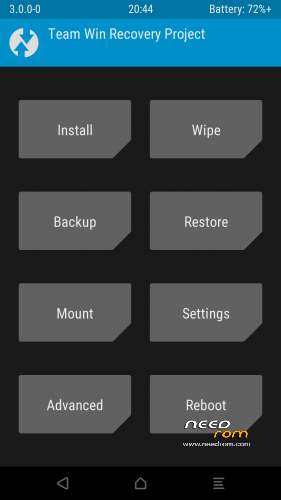
TWRP for THL 5000 updated to 3.0.0.0
Changelog for TWRP:
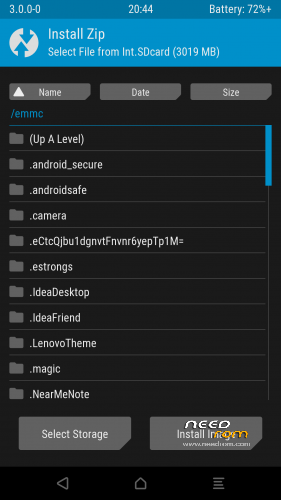
Completely new theme – Much more modern and much nicer looking (by z31s1g)
True Terminal Emulator – Includes arrow keys, tab and tab completion, etc. (by _that)
Language translation – It won’t be perfect and especially some languages that require large font files like Chinese & Japanese won’t be availble on most devices. Also some languages may only be partially translated at this time. Feel free to submit more translations to OmniROM’s Gerrit. (mostly by Dees_Troy)
Flashing of sparse images – On select devices you will be able to flash some parts of factory images via the TWRP GUI (by HashBang173)
Adopted storage support for select devices – TWRP can now decrypt adopted storage partitions from Marshmallow
Reworked graphics to bring us more up to date with AOSP – includes support for adf and drm graphics (by Dees_Troy)
SuperSU prompt will no longer display if a Marshmallow ROM is installed
Update exfat, exfat fuse, dosfstools (by mdmower)
Update AOSP base to 6.0
A huge laundry list of other minor fixes and tweak
Recovery ported from BQ Aquaris E5FHD. Same specs. only different CPU speed.
REQ. :
1. THL 5000 16p128
2. Installed custom recovery TWRP and inreased partitions
Look here https://www.needrom.com/download/thl-5000-vibeui-2-0-final/
Tested only on this 1,5 GB partition
3. Copy .zip file signed_TWRP_3.0.0.0_THL5000_ml.zip to your SD card.
4. Boot to custom recovery
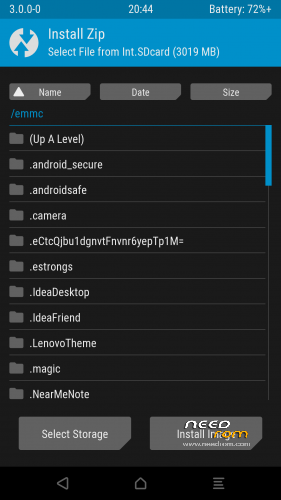
5. Find signed_TWRP_3.0.0.0_THL5000_ml.zip swipe to right and flash this file
6. Reboot to new recovery
Original source is my home forum http://androidforum.cz/post1028604.html#p1028604
Edit: Fixed partition table
28.02.2016
/boot emmc /dev/bootimg
/logo emmc /dev/logo flags=display="Logo";backup=1
/misc emmc /dev/misc
/nvram emmc /dev/nvram flags=display="Nvram";backup=1
/recovery emmc /dev/recovery flags=display="Recovery";backup=1
/uboot emmc /dev/uboot flags=display="Uboot";backup=1
/system ext4 /dev/block/mmcblk0p5
/cache ext4 /dev/block/mmcblk0p6
/data ext4 /dev/block/mmcblk0p7
/emmc vfat /dev/block/mmcblk0p8 flags=display="Int.SDcard";storage;wipeingui
/external_sd vfat /dev/block/mmcblk1p1 /dev/block/mmcblk1 flags=display="External SD";storage;wipeingui;removable
/sd-ext auto /dev/block/mmcblk1p2 flags=display="SD-ExtFS";wipeingui
/usb-otg auto /dev/block/sda1 /dev/block/sda flags=display="Usb-Otg";storage;wipeingui;removable
Lets me explain. OLD TWRP 2.8.7.0 using another mount points. Now its fixed.
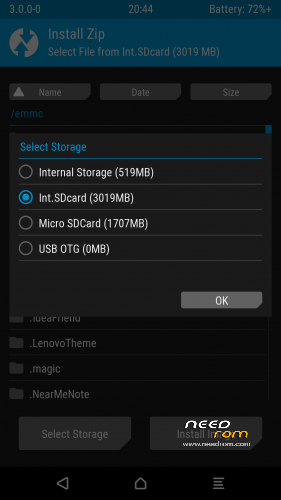
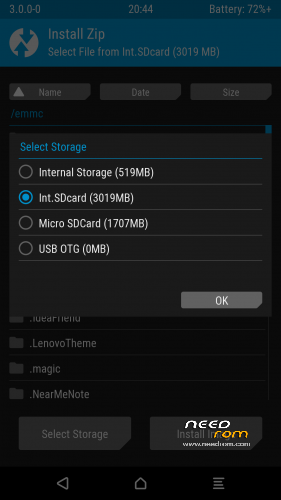
Internal SD mount as EMMC( adb) – recovery Int.SDcard
External SD card mount as external_sd ( adb) - recovery - Micro SD card
SD EXT mount as SD-ExtFS ( adb) - recovery - SD-EXT
OLD TWRP 2.8.7.0
/boot emmc /dev/bootimg
/logo emmc /dev/logo flags=display="Logo";backup=1
/misc emmc /dev/misc
/nvram emmc /dev/nvram flags=display="Nvram";backup=1
/recovery emmc /dev/recovery flags=display="Recovery";backup=1
/uboot emmc /dev/uboot flags=display="Uboot";backup=1
/system ext4 /dev/block/mmcblk0p5
/cache ext4 /dev/block/mmcblk0p6
/data ext4 /dev/block/mmcblk0p7
/emmc vfat /dev/block/mmcblk0p8 flags=display="Int.SDcard";storage;wipeingui
/sdcard vfat /dev/block/mmcblk1p1 /dev/block/mmcblk1 flags=display="Ext.SDcard";storage;wipeingui;removable
/sd-ext auto /dev/block/mmcblk1p2 flags=display="SD-ExtFS";wipeingui
/usb-otg auto /dev/block/sda1 /dev/block/sda flags=display="Usb-Otg";storage;wipeingui;removable
22.03.2016
- replaced custom logo with stock logo
- added only credits to to
<text>Recovery Project %tw_version% by Sonic1SVK</text>
※Please make a backup of your device before installing or updating ROM
What? There is not any recovery with rar support. You dreaming?
perfect twrp very thanksss
rom???
if you will change the splash image with original twrp image, than i use it. For now didn't like it
Works normal, but, just as opinion, pls, make version with all standart twrtp team theme, incl. bootscreen. For now no bugs found, but if i find any, i'll post it here.
There's no PC mount options – can't mount to PC nor via MTP nor via USB disk mode. It's important option to me, so i'll flash back to TWRP 2.8.7.0 by SevenMaxs
suppa bruda ich libe dich
TWRP with stock logo uploaded
Thank you Sonic this Recovery works much better for me !!
Thank you.
So, anyone try the vanilla boot logo, and how is it woking?
I installed the vanilla boot logo, running fine, TY.
I like the boot logo from the TWRP v2.8.7.0, this vanilla one is fine.
Please note that the progress bar is not working properly in the phone (just did a BU to conferm) and TWRP has released a 3.0.0.1 that fix's this bug:
> progress bar improvements – progress bar updates during image flashing and better tracks progress during file system backups (tar) (Dees_Troy)
At XDA: http://www.xda-developers.com/.....ern-encryption/
Pleas update this release to TWRP v3.0.0.1
Was not able to install it, when applying update from sdcard it gives me one error
nunogato
right, same issue