
- Title: TWRP 3.0.0.0 – unofficial Recovery
- Listed: February, 2016
- Last modified: 03/22/2016 9:55 pm
- Version: 3.0.0.0
You must be logged for ROM download.
18759 total views, 3 today
1 Total favorites
 Member Info
DESCRIPTION
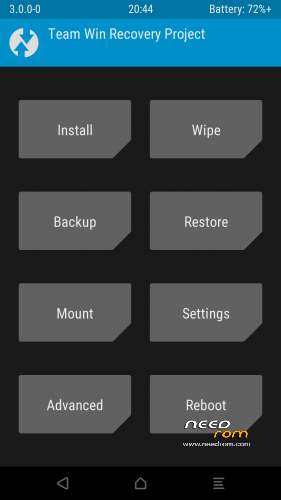
TWRP for THL 5000 updated to 3.0.0.0
Changelog for TWRP:
Completely new theme – Much more modern and much nicer looking (by z31s1g)
True Terminal Emulator – Includes arrow keys, tab and tab completion, etc. (by _that)
Language translation – It won’t be perfect and especially some languages that require large font files like Chinese & Japanese won’t be availble on most devices. Also some languages may only be partially translated at this time. Feel free to submit more translations to OmniROM’s Gerrit. (mostly by Dees_Troy)
Flashing of sparse images – On select devices you will be able to flash some parts of factory images via the TWRP GUI (by HashBang173)
Adopted storage support for select devices – TWRP can now decrypt adopted storage partitions from Marshmallow
Reworked graphics to bring us more up to date with AOSP – includes support for adf and drm graphics (by Dees_Troy)
SuperSU prompt will no longer display if a Marshmallow ROM is installed
Update exfat, exfat fuse, dosfstools (by mdmower)
Update AOSP base to 6.0
A huge laundry list of other minor fixes and tweak
Recovery ported from BQ Aquaris E5FHD. Same specs. only different CPU speed.
REQ. :
1. THL 5000 16p128
2. Installed custom recovery TWRP and inreased partitions
Look here https://www.needrom.com/download/thl-5000-vibeui-2-0-final/
Tested only on this 1,5 GB partition
3. Copy .zip file signed_TWRP_3.0.0.0_THL5000_ml.zip to your SD card.
4. Boot to custom recovery
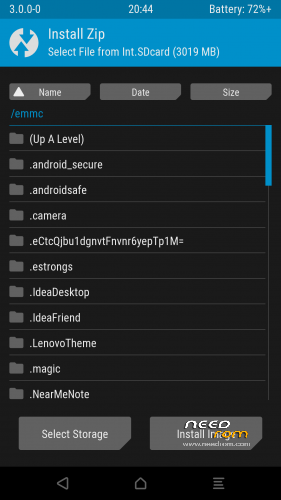
5. Find signed_TWRP_3.0.0.0_THL5000_ml.zip swipe to right and flash this file
6. Reboot to new recovery
Original source is my home forum http://androidforum.cz/post1028604.html#p1028604
Edit: Fixed partition table
28.02.2016
/boot emmc /dev/bootimg
/logo emmc /dev/logo flags=display="Logo";backup=1
/misc emmc /dev/misc
/nvram emmc /dev/nvram flags=display="Nvram";backup=1
/recovery emmc /dev/recovery flags=display="Recovery";backup=1
/uboot emmc /dev/uboot flags=display="Uboot";backup=1
/system ext4 /dev/block/mmcblk0p5
/cache ext4 /dev/block/mmcblk0p6
/data ext4 /dev/block/mmcblk0p7
/emmc vfat /dev/block/mmcblk0p8 flags=display="Int.SDcard";storage;wipeingui
/external_sd vfat /dev/block/mmcblk1p1 /dev/block/mmcblk1 flags=display="External SD";storage;wipeingui;removable
/sd-ext auto /dev/block/mmcblk1p2 flags=display="SD-ExtFS";wipeingui
/usb-otg auto /dev/block/sda1 /dev/block/sda flags=display="Usb-Otg";storage;wipeingui;removable
Lets me explain. OLD TWRP 2.8.7.0 using another mount points. Now its fixed.
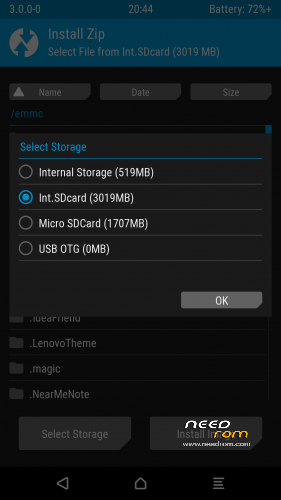
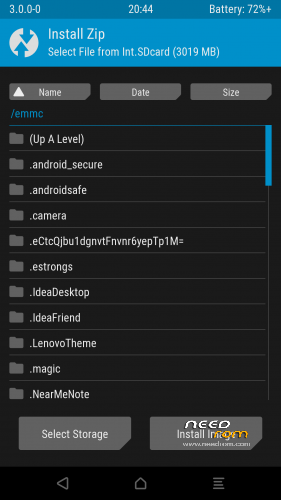
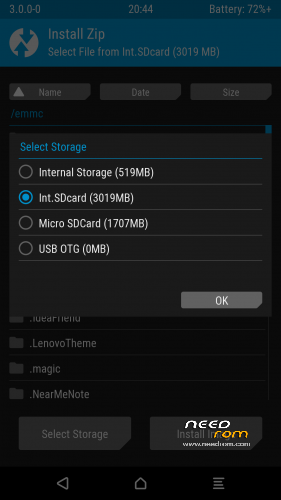
Internal SD mount as EMMC( adb) – recovery Int.SDcard
External SD card mount as external_sd ( adb) - recovery - Micro SD card
SD EXT mount as SD-ExtFS ( adb) - recovery - SD-EXT
OLD TWRP 2.8.7.0
/boot emmc /dev/bootimg
/logo emmc /dev/logo flags=display="Logo";backup=1
/misc emmc /dev/misc
/nvram emmc /dev/nvram flags=display="Nvram";backup=1
/recovery emmc /dev/recovery flags=display="Recovery";backup=1
/uboot emmc /dev/uboot flags=display="Uboot";backup=1
/system ext4 /dev/block/mmcblk0p5
/cache ext4 /dev/block/mmcblk0p6
/data ext4 /dev/block/mmcblk0p7
/emmc vfat /dev/block/mmcblk0p8 flags=display="Int.SDcard";storage;wipeingui
/sdcard vfat /dev/block/mmcblk1p1 /dev/block/mmcblk1 flags=display="Ext.SDcard";storage;wipeingui;removable
/sd-ext auto /dev/block/mmcblk1p2 flags=display="SD-ExtFS";wipeingui
/usb-otg auto /dev/block/sda1 /dev/block/sda flags=display="Usb-Otg";storage;wipeingui;removable
22.03.2016
- replaced custom logo with stock logo
- added only credits to to
<text>Recovery Project %tw_version% by Sonic1SVK</text>
※Please make a backup of your device before installing or updating ROM
Seems to work fine, missing PC mount though.