
- Title: TWRP Recovery 2.8.6.4 for Lenovo K910SS / E
- Listed: April, 2015
- Last modified: 05/14/2015 9:05 pm
- Version: 4.4.x - 5.x.x
You must be logged for ROM download.
22737 total views, 2 today
2 Total favorites
CUSTOM


 Member Info
DESCRIPTION
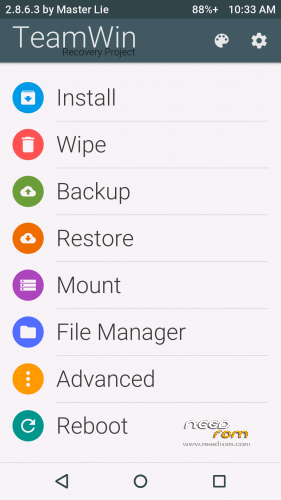
This is TWRP 2.8.6.4 recovery with custom Play theme for LENOVO K910SS / E version and it is compatible with 4.4.x , CM11, CM12 and CM12.1. This TWRP is compiled from lollipop source .
First of all, note the following:
a) You must be root
b) The bootloader must be unlocked (if not already unlocked, see instructions)
Use this Unlock Bootloader instructions to unlcock bootloader.
Changelog:
In the version 2.8.6.4 Fixed Connection OTG flash drives and their reading and writing
Install only the modified recovery
Instructions:
Metod 1:1. Lenovo_K910SS_TWRP-2.8.6.4_by_master_lie.zip from the above links
2. Move zip file into sdcard
3. Restart your device in recovery
4. Select the archive and install TWRP Recovery5. Reboot device
Metod 2:
1. FLASH_TWRP_recovery_2.8.6.4_K910SS_4.4.7z from the above links
2. Unpack the archive, so there are no gaps in the title and up the path to the unpacked folder, for example C: User Your_name FLASH_TWRP_recovery_K910SS_4.4
3. Run bat:
FLASH_recovery_with_unlocked_bootloader.bat - to flash recovery when unlocked (unlock) loader (fastboot).
FLASH_recovery_DD_with_root.bat - to flash recovery with of locked (lock) bootloader (fastboot), but with the right Root.
RUN_recovery.bat - for one time run recovery with unlocked (unlock) bootloader (fastboot), without flashing.
4. Wait for reboot device in new recovery.
5. Enjoy.
Please DO NOT mirror this
※Please make a backup of your device before installing or updating ROM
thank you。
thank you!
very good software as always .
Will you do some lolipop rom for k910 in near future ?
great!
Thank you Master Lie! Very good.
This is compatible with lenovo k910 dual sim????
Yes, is for Lenovo K910 dual sim (SS or E version) compatible
Thanks! I have a question here, could you tell me how to enter fastboot? I can not enter fastboot by pressing power key + volume down.
Sign in Recovery can, hold the volume down and up and power button and after the inscription appeared Lenovo release the button.
hi, I installed the latest TWRP but when I do the procedure volume upwards + volume down + power button can not log in to TWRP, flashes mliedroid recovery but does not open, I'm stuck I can not install anything, how can I do?
Enter the recovery using the volume and switch on the device is turned off. If the device is working then try to install from google play app Reboot menu and use it to sign in recovery.
hi, I'm sorry but no longer works the key volume + button to restore power, it turns on well but does not go into recovery, when they use the two buttons up and down the volume + power the recovery mliedroid flashes on the screen but does not start I tried with others but is the same thing.My phone is k910e.
I'm stuck I can not install anything adb not working fastboot ok bat locket it hew binn installed Lenvo-Recovery after Update Lenovo K910 VibeUI 2.0 VIBEUI_V2.0_1516_ST_K910
I'm stuck I can not install anything adb not working fastboot ok but locket it hew binn installed Lenvo-Recovery after Update Lenovo K910 VibeUI 2.0 VIBEUI_V2.0_1516_ST_K910