
- Title: U7 Plus – TWRP 3.0.3
- Listed: January, 2017
- Last modified: 01/12/2017 6:34 pm
- Version: U7 Plus - TWRP 3.0.3
You must be logged for ROM download.
13513 total views, 1 today
CUSTOM
 Member Info
DESCRIPTION
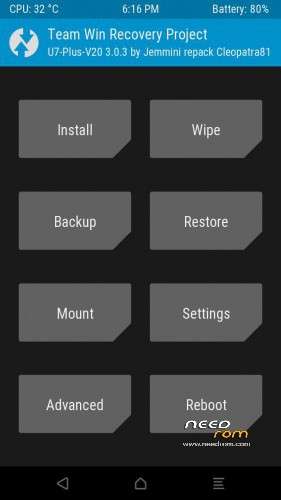
OUKITEL U7 PLUS – TWRP 3.0.3
Based on the next new stock firmware :
ro.build.display.id=OUKITEL_U7_Plus_V20.0_20161220
FOLLOW CAREFULLY all the steps at the next link :
http://www.chinaphonearena.com/forum/Thread-ROM-OUKITEL-U7-PLUS-STOCK-ROMS-TWRP?pid=60131#pid60131
※Please make a backup of your device before installing or updating ROM
ciao a tutti vendo OUKITEL U20 PLUS come nuovo per chi fosse interessato euro 100 scatola e accessori
email :androidxforever@gmail.com
Hola.
He instalado el TWRP 3.0.3 y aunque puedo entrar en él, si quiero entrar "normal" se queda bloqueado con el logo de OUKITEL.
@Tisicore : In english language … please !
However, the twrp 3.0.3 works perfectly.
I have tested it dozens of time … before to post it on Needrom.
I suggest you to follow carefully all the steps at the next link :
http://www.chinaphonearena.com.....=60131#pid60131
Gracias Cleopatra. Ya habia seguido los pasos que me indicas al pie de la letra (lo intente 3 veces). El TWRP se instala y funciona correctamente, pero cuando quiero arrancar el movil normal se queda bloqueado en el logo de inicio. He probado metiendo la stock rom de cero y despues el TWRP y nada. Después me veo obligado a intalar la stock rom para que vuelva a funcionar el movil.
Sorry, my english is very bad.
Thank you Cleopatra. I had already followed the steps that you point me to the letter (try 3 times). The TWRP installs and works properly, but when I want to boot the normal cell it gets stuck in the startup logo. I have tried putting the stock rom of zero and then the TWRP and nothing. Afterwards I am forced to install the ROM stock so that the cellphone can work again.
@Tisicore :
Probably you are doing something wrong.
I have successfully tested the twrp 3.0.3 with different rom (stock & customs).
I am 100 percent certain that the 3.0.3 works well.
Do you have enabled "OEM unlocking" before to flash the twrp ?
Yes, I have enable "OEM unlocking" and "USB Debugging"
I'll tell you all the steps I follow:
- Enable "OEM unlocking" and "USB Debugging"
- Turn off the phone
- Run SP Flash Tool (flash_tool.exe)
- Choose MT6737M_Android_scatter.txt (v.3.0.3)
- Choose Download only
- Click on Download
- Connect the phone via USB
- Wait for recovery.img to install
- When it is installed close SP Flash Tool and disconnect the phone (with the connected does not let me turn it on)
- Press "volume up" and "power" buttons simultaneously and select Recovery mode (the first option)
- Enter the TWRP.
- Restart the phone from the TWRP (reboot – system).
- Frozen on the oukitel logo screen indefinitely
I have to reinstall the stock rom to restart the phone.
I have tried to repeat the process after installing the stock rom, but the result is the same
@Tisicore :
Why the twrp 3.0.3 works well into my U7 Plus ?
Probably a witch made the evil eye to your phone.
I suggest you to go immediately to the church.
Your phone has to be blessed by a priest or by a spirit-worker.
Dear Cleopatra….
I have the same problem tham Tisicore. I had already followed the steps that you point me to the letter and The TWRP installs and works properly, but when I want to boot the normal cell it gets stuck in the startup logo. I don`t Know how reinstall stock rom on my cell.
Hi angel_cly.
In the link that Cleopatra has posted explains where to download and how to install the ROM again (you will lose all your data):
http://www.chinaphonearena.com.....=60131#pid60131
Download the ROM and unzip the file. Inside the folder U7_Plus_V20.0_20161220 you have the file MT6737M_Android_scatter.txt
Follow the same procedure as to install the TWRP, except that you must leave enable all the options in the SP Flash Tool (recovery, boot, system …..)
Then reboot the phone and wait a while as it takes a few minutes and gives the impression that it is blocked in the logo like the TWRP, but finally starts.
Cleopatra, I take it to ask if there is any way to root the mobile without installing the TWRP
In my Oukitel U7 Plus the twrp 3.0.3 work good.
Have installed this and taken a bakupp. But it's not possible to do a restore from bakupen. it just gets error every time I try. so iriterad so it just enough.