
- Title: U9592 Miui Multilanguage
- Listed: October, 2014
- Last modified: 10/01/2014 8:34 pm
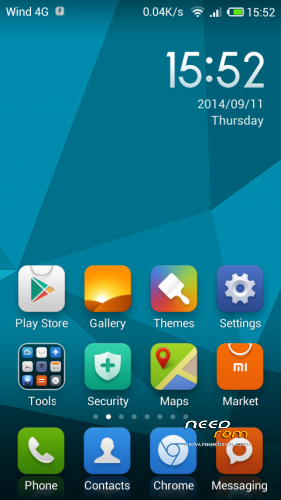
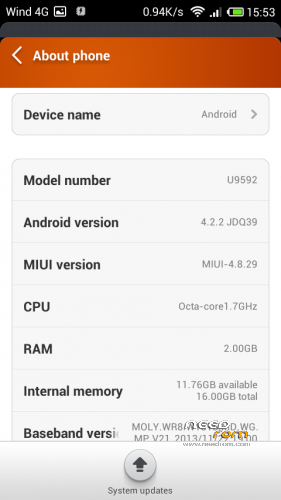
- Version: 4.8.29 based 4.2.2
You must be logged for ROM download.
15858 total views, 1 today
 Member Info
DESCRIPTION
How to install !
If DONT HAVE cwm RECOVERY
1) download boot.img With cwm patched
2) replace it on the defoult rom
3) flash youre phone with SP_Flash_Tool
Add miui_4.8.29_U9592.zip on external SD
bot on cwm recovery
pressing volUP + Home Button + PowerOn
Once inside of cwm recovery
Important Wipe Dalvik CACHE BEFORE
Go => install zip from sdcard => choose zip from sdcard => select file Miui_v4.2.2_Multilang_4.8.29 confirm it with powerbutton
than scroll down to Yes – Install Miui_v4.2.2_Multilang_4.8.29
proces will start
Languages:
Arabic
Brazilian-Portuguese
Croatian
Danish
Dutch
Finnish
French
Greek
Hebrew
Indonesian
Italian
Korean
Norwegian
Romanian
Russian
Spanish
Thai
Turkish
Ukrainian
Vietnamese
———————————————————————
Only if you have issues with battery and phone performance
After the installation download :
1) Download Root explorer
download batterystats.bin
and put batterystats.bin file in the
data/system/ directory
2) Download Advanced Tweaker Pro
Watch the video how to configure it
Video download
———————————————————————–
※Please make a backup of your device before installing or updating ROM
i did not understand anything…
please help me,
how can i install this rom..
how can i install cwm???
for cwm
Download the official rom https://www.needrom.com/downlo.....ad/star-u9592/
download boot.img patched cwm HERE rename it from boot2.img to boot.img
Extract the official rom and replace the original boot.img inside it with the downloaded one!
Download flashtools https://www.needrom.com/downlo.....ad/star-u9592/
follow the instructions
Install ROM :
- Unpack FlashTools, and Click on Flash_tool.exe
- Select a the MT6592_Android_scatter_emmc.txt in ROM
- Wait file to be added into Flash Tool
- choose Option->USB Model,click USB Model
–> Choose Option->DA DownLoad All->Speed->High Speed, click High Speed
- Turn off your phone, remove the battery.
- "Press F9 (hit Download button)" OR " if upgrade ROM Firmware->Upgrade "
- and connect your phone into the computer via USB data cable.
- The process will start and a red progress bar will appear after color purple, yellow.
- And green circles display
- Finish !
- You can now safely disconnect your phone and turn it on.
when done
Add miui_4.8.29_U9592.zip on external SD
bot on cwm recovery
pressing volUP + Home Button + PowerOn
Once inside of cwm recovery
Important Wipe Dalvik CACHE BEFORE
Go => install zip from sdcard => choose zip from sdcard => select file Miui_v4.2.2_Multilang_4.8.29 confirm it with powerbutton
than scroll down to Yes – Install Miui_v4.2.2_Multilang_4.8.29
proces will start
PS: if you like to do a cwm patch by youreself follow this guide HERE
Hope this will help
i followed the instructions but there is no CWM
I have flashed the custom rom but when I reboot I can see only first image miui , after nothing and smartphone blocked.
CWM , factory reset
Thank, Kemsoylemez. I wiped only Dalvik cache. After factory reset rom works well.
Not about ROM, but I have a question, what battery can I get instead of the standard? Searched long time but don't see good for more than 2500mAh. If someone know give me the link or from what phone it is, thank)
NFC Working?
i've some problem with touch screen. seem every change on screen i have big delay
russian language is not full.menu settings partly in english.