
- Title: STAR U9592
- Listed: March, 2014
- Last modified: 03/07/2014 2:26 am
- Version: ROM Android 4.2.2
You must be logged for ROM download.
33920 total views, 1 today
50 Total favorites
 Member Info
DESCRIPTION
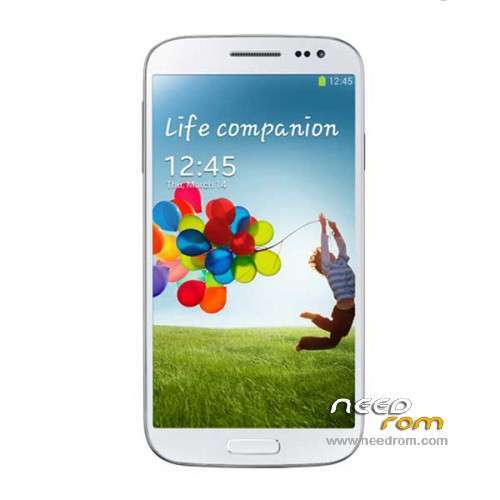
ROM Mobiles STAR&Ulefone U9592 – ROM Android 4.2.2
Rom Official STAR U9592 and Ulefone version : 2706_v92_gq3009fw_20140123
MT6592 + 2G Ram + 16G Rom + 854×480 + Dual sim
Gapps include – No Rooted
Language support : Multilang
Install ROM :
- Unpack FlashTools, and Click on Flash_tool.exe
- Select a the MT6592_Android_scatter_emmc.txt in ROM
- Wait file to be added into Flash Tool
- choose Option->USB Model,click USB Model
–> Choose Option->DA DownLoad All->Speed->High Speed, click High Speed
- Turn off your phone, remove the battery.
- "Press F9 (hit Download button)" OR " if upgrade ROM Firmware->Upgrade "
- and connect your phone into the computer via USB data cable.
- The process will start and a red progress bar will appear after color purple, yellow.
- And green circles display
- Finish !
- You can now safely disconnect your phone and turn it on.
※Please make a backup of your device before installing or updating ROM
hmmm – could not test it – starting FlashTools brings a message "not startable – wrong configuration – try to reinstall" (WinXP / SP2). Is it possible to take a former version (V3.1328.0.183)??
not working can't flash it gives two errors 1: ''S_COM_PORTO_OPEN_FAIL (1013) FAILED TO OPEN PORT'' and 2: ''pmt changed for the rom, it must be downloaded'' How to fix that ?
root/superuser – framaroot 1.9.1 perfect ! (barahir)
Works good… If any customs roms please let me know and thanks xi7 Framaroot worked great..
framaroot 9.1
can't do it, windows 8, don't start.
…the flash tool isn't like described.
choose Option->USB Model,click USB Model
–> Choose Option->DA DownLoad All->Speed->High Speed, click High Speed
There isn't usb model.
bah
Bye
engineer mode, call to *#*#3646633#*#*
ok,but how to di that? I've the previous rom, with some charging problem and I'd want to install this, hoping to solve problems.
On Xp, on seven and on win 8, flashtool doesn't work!
It is different from description, and it did not give any message, I click download, and plug pre shutted down phone, but… nothing.
How to do please?
Bye
Dave
hello dado.one
i have the same problems with carging. Does the rom solve the problems. Thank you for a short answer.
bye Jürgen
Solved
Before download theese drivers:
https://www.needrom.com/wp-con.....rivers_v1.4.rar
Unzip it on the desktop
Go on the control panel hardware. Connect the phone without battery and wait when appears the new device. More speedly, because it desappears, double click it and "update drivers".
Chiise to find the drivers on the pc disk, and target the folder of the unpacked drivers.
Choose the inf android_winusb.inf file and… go on. The drivers are installed.
Now, foolow instructione given up and all will go right.
Good job
(do it at your own personal risk)