2015-02-28 txy
Solve customer feedback before GQ3019 camera has a color cast, and accessory drive consistent
2015-02-13 txy
Open the photo ov8865 TSF LENS version: JL_50008A1_V3
2015.02.11 txy
1. Replace the boot LOGO and animation
2. Cancel repeat Gallery menu functions
3.GQ3019 MTK6732 5E2 camera debugging solve the problem before the camera has a color cast
2015.01.29 txy
1. Remove the battery boot into the camera switches to appear before the camera color camera, such as blue to purple. Probabilistic appear
2015.01.24 txy
1. Set up calls and flash messages prompt notification is turned on, and when to call for information, not bright flash
"2. Set, select the date and time format: Thursday, 31 December 2015; Thursday, 31 December 2015; December 31, 2015, on Thursday;
Lock screen, the word does not display, please change "
3. The default date format is set to the same and 3m qhd
2015.01.17 txy
C211 Li Jia OV8865 perturbation of the first code updates.
Again replace the default lock screen wallpaper and wallpaper (modified)
2015.1.14 txy
1. Replace the wallpaper and lock screen wallpaper accessory. (Optimized triangle vertices)
2. Brand ulefone initials of U to uppercase.
3. The camera, the front and rear camera preview size is changed to the default: standard (4: 3)
2015.01.10 zjn
This version with external public release function
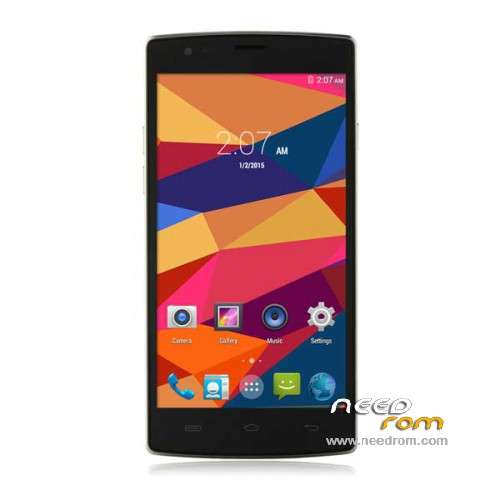
1. Default zebra wallpaper into multicolored triangle. (Figure 2 of this cut-off)
2. The background color replaced black dial pad, additional fonts and background all the options bar reference C201
3. In any interface, leather cover, unable to return to the main menu, change
Hit the red circle in Figure 4. What is your camera interface features, please inform the next, if not much of a role, can be removed.
Android 5.antutu basic information is displayed under 4.4.4 (32-bit), the type of CPU under the display 64-bit, 64-bit should show
CPU model 6.antutu under basic information is displayed as MT6752, CPU type CPU under the display for MT6752, MT6732 should show
7. Wallpaper: Wallpaper with accessories instead of native wallpaper (see wallpaper with built-in dynamic original raw delete) – Annex
8. The default wallpaper and screensavers Picture: Annex zebra 2-1 (1) -1.jpg– Annex
9. boot screen: Delete the original boot animation, using black and white logo still boot screen – see Annex
10. Google Search: Remove
11. Sound: turn off the default unlock sound
12. The system of internal brand: ulefone
13. The system of internal models: revised to Be Pro (Note: Be and Pro have spaces)
14. Default bluetooth name: revised to Be Pro (Note: Be and Pro have spaces)
15. Wizard: Use the wizard to delete the default boot wizard and enter the camera when the
16. Default desktop: Increase digital clock plugin
17. System Upgrade: Upgrade to add wireless capabilities (Note: do not put the wireless upgrade function menu, the wireless upgrade menu on the main menu to hide)
18. Camera: The camera defaults to the highest brightness, the default full-screen viewing mode, the difference between the rear camera before 800W 1300W
19. The IMEI can not be written to solve problems
20. Join screen driver W551709AAA

 Member Info
the rom dosnt load erro on the sp mtd cant find cecksum.ini
the room laoded succefuly using smartphone flashtool the only thing the boot time is longer than the original room
other issuss the phone cant find the mobile network signal
Email hola, yo he comprado este movil hace 4 dias y tengo el problema de que no tengo conexion de datos, lo que dice ramailo(no puede encontrar la señal de la red movil).
ya veo que con esta rom hay problemas, ¿sabe alguién de alguna rom que solucione este problema?
@davidraptor
u need to put your phone imie manually look for ur imie under the battery
Thanks. Good job.
thanks good
Hi, I can't find how to point 6:
6). Choose Database Factory menu> Configuration File data source and specify the file MTK_DATABASE.mdb (it is in the folder SP_MDT).
This is a screenshot of the menu:
I have found how to Open Download Agent File and Scatter file but can't find how to configure the File data source. Any help?
Thanks in advance for your guidance!
Having the same problem. My guess is it means the Certification file. It's the only one that will accept it anyway.
MTK_DATABASE.mdb is set automatically in .ini with the newer version of SP MDT (these instructions are for older versions of SP MDT. just skip that step).
Good morning. Help please
Error "Cant not find Checksum.ini file
Please use Checksum Generate Tool to generate the the cheksum.ini" ???
Error "Cant not find Checksum.ini file
Please use Checksum Generate Tool to generate the the cheksum.ini" ???
help