
- Title: Ulefone Power 3S
- Listed: November, 2018
- Last modified: 11/25/2018 1:59 am
- Version: ROM Android 8.1 Oreo V11 (20180814)
You must be logged for ROM download.
18546 total views, 5 today
 Member Info
DESCRIPTION
OFFICIAL ROM
New devices are confirmed to be shipping with this release of the ROM
Also can be found in Ulefone Official After-Service Support folder
However, there are some issues with IMEI and Red overlay caused by factory mode application with some versions of flash tool. Please see below for more information. Everything is fully functional in this rom 
Happy flashing!
Device: Ulefone Power 3S ONLY
Filename: GQ3056MF2-HCS986A-ulefone-20180814-V11.zip
Size: 1.3 GiB (1,378,398,863 bytes)
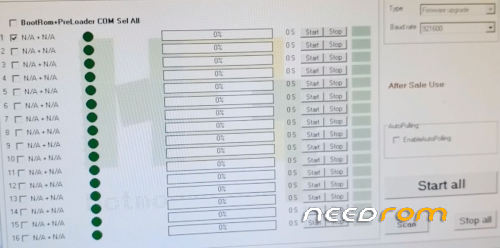
Flash method: SP FLASH TOOL or Ulefone FLASH TOOL
Android Version: Oreo 8.1
Release Version: V11 (GQ3056MF2_HCS986A)
Release Date: 20180814
Password: NONE
Gapps: Ulefone Standard
Root access: No, but magisk or supersu can be flashed via custom TWRP recovery
Additional instructions:
IMEI problems?: Flash using SP Flash Tool v5.1824 to allegedly keep IMEI, or restore later with the utility of your choise
Remove red overlay: Uninstall, remove, or disable application com.mediatek.factorymode via the method of your choise
※Please make a backup of your device before installing or updating ROM

|
Hello, I also had a problem with IMEI and it gave me a lot of work to recover. But I think the biggest provlema is the message that keeps appearing after … In rom 8.1 is 未 写入 tee key and after restoring the backup or installing a new rom 7.1 appears 未 写入 key. The rom 7.1 message to get with the tips of joern_h (https://forum.xda-developers.c.....roblem-t3794521), but the 8.1 I can not…
Someone was able to remove the message 未 写入 tee key in rom 8.1?
Good day
Hello municipality, I also have exactly the same problem with "Tea Key "
In Android 7.1 as in Android 8.1,,
There may already be a solution to the problem. I would be interested.
Look forward to a return-answer.
With friendly greetings from Germany
This method worked for me to get rid of the 未写入 tee key message. With adb platform tools use this command line :
adb shell pm uninstall -k –user 0 com.mediatek.factorymode
It deleted the factory mode package and stopped displaying the message.
You have managed to remove from android 8.1, I am not able to remove by adb.
now I got it with the command, thank you, android 8.1 with no red message.
Can you help us giving the instruccions by steps? Thank you!
no works for me.tried with ulefone power 3s
after running the command you have to restart.
Help me please
ROM seems stable. But only 3G connection, 4G(LTE) isn't available (T-MOBILE CZ) – something is wrong (LTE bands are available and "active" in phone engineer menu od my phone….
Use second metod to recovery IMEI:
https://android.stackexchange......r-factory-reset
ROM works fine overall. However there is one big issue. It is too agressive with apps running in the background. I can not use my huawei services for my honorband. The background process is immediately killed and there is no way to allow it to run in the background.
Any one has any ideas about that.
Well i installed the ROM with SP Flash Tool v5.1824 Win(only download) and there was no problem with IMEI.Then i flashed the twrp recovery for Oreo and it was too dificult gain root beacuse twrp asked for encryption code/patern and couldnt mount sd or ext card.Finally i flashed supersu.zip from ext SD card and then installed supersu from playstore and update through recovery the app to gain the root.At the end i unistalled factory mode with the help of titanium backup+root and managed to remove the 未 写入 tee key
Installed also xposed framework(only beta3 for Oreo)and gravity box but doesnt seem to work properly because G,3G,4G remain in the status bar even if i choose to hide them with the option of gravity box.
In general the ROM seems good with better duration of the battery but a bit laggy compared with the nougat rom i had.
Update. Seems that installing apps as system apps works better. There are still issues with autostart, hower i can use huawei health now. xposed and gravity box will not work properly because of the autostart manager not working (apps services and processes are not allowed to autostart).
Another update by me.I reflashed the rom & twrp recovery,installed magisk manager apk v7.0.0 and flashed(through twrp) magisk v18 zip and root works perfectly this way.Also with magisk installed xposed & gravity box and i discovered that the only way i can hide 3G,4G icons in status bar,was through gravity box -> advanced tuning -> system ui -> hct_config_show_network_type -> false.I think with the advance tuning you can manage gravitybox to work properly.
After 3 days of use, rom runs super smooth,battery is very good and i have no problem!