
- Title: UMI CROSS C1 Note3
- Listed: December, 2013
- Last modified: 12/19/2013 1:12 am
- Version: ROM Android 4.2.1
You must be logged for ROM download.
19867 total views, 1 today
 Member Info
DESCRIPTION
ROM Mobile UMI CROSS C1 – ROM Android 4.2.1
Features ROM:
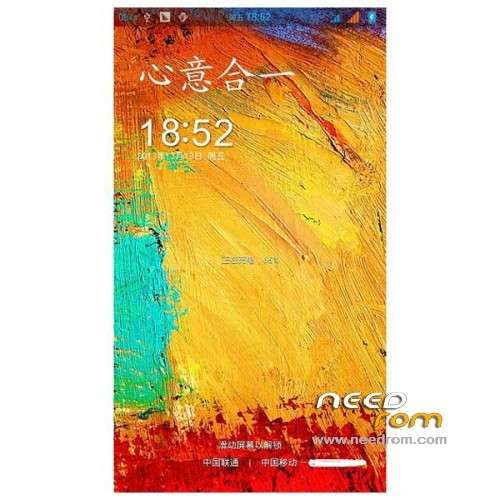
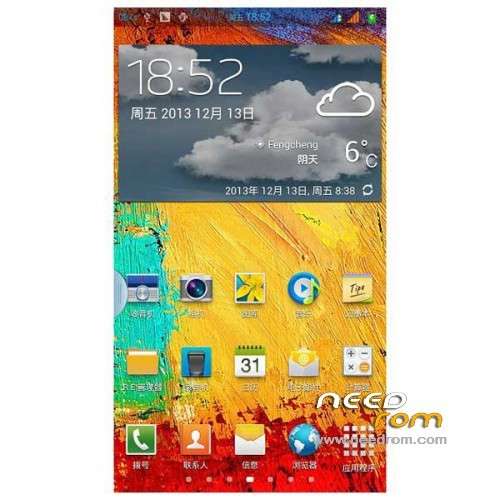
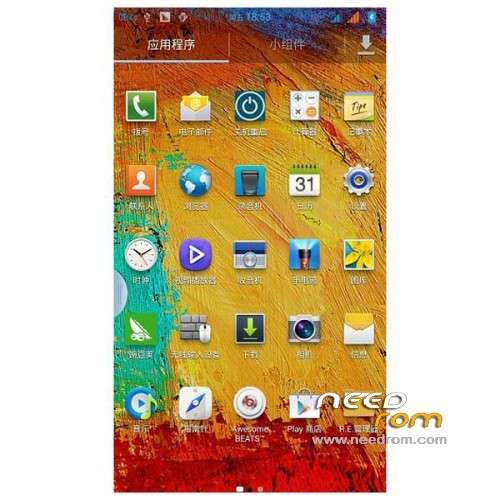
Ported X9 Note3 on UMI CROSS C1
Compile your desktop and program interface 5×5 layout
Amended version of the call volume on a small problem
Wallpaper default NOTE3
all functions are normal
Gapps include – Rooted
Language support : Multilang
Install ROM :
CWM
Step 1: Download the custom ROM copied to an external SD card root directory
Step 2: the shutdown state. While holding down:
– Power button + volume button up, to enter the recovery mode.
– Wipe Data / Factory Reset -> delete all user data
– Wipe Cache Partition -> Wipe cache
– Advanced -> Wipe Dalvik Cache
Step 3: Return to recovery main interface Install zip from sdcard -> choose zip from sdcard -> Select your ROM
Step 4: Brush complete, restart the phone Patience required – first boot takes a while
※Please make a backup of your device before installing or updating ROM
Most fastest rom for gaming.5*
Fast stable and good battery. Very impressed and keeping it.
Hi,
The home button light flashes when there’re idle.
The home button blinks
Using build property editor, set the value of persist.sys.breathlight to 0 and reboot
I can not change. It says “an error occurred”
It’s good.
Thank you so much !!!
Correct driver for capella cm36283. Light sensor is not working approximation
Apparently …..
CM36283 integrates a proximity sensor (PS), ambient light sensor (ALS) and IR LED driver into one small package.
so does the C1 have infra red which can it be activated?
I have just taken delivery of a Umi Cross C1 and attempted to get into recovery mode using… Power button + volume button up. But I can't get into recovery. Do I need to install a recovery partition using MobileUncle tools? Do these phone already come with a recovery installed?
Is it worth updating the standard ROM to this one, why do you guys do it, what am I gaining? Thankfully everything works fine on the phone as it is.
Intel – my english is bad,so i cant explanation,but solution for recovery mode is mobile uncle tool + recovery from here(i dont remember how i did it exactly,but like i said before -solution is uncle tool + recovery) . This rom look very nice,its stable,fast and fastest for gaming. For example games like wild blood with official rom was almost unplayable,but with this rom is playable and real racing 3 with official rom was the same-unplayable because of framedrops. Now with this rom is playable,still framedrops,but fully playable.
Sorry for my english again
Hi Ryo2,
Thank you so much for making the effort to reply and your english is fine It sounds like this ROM is more efficent so I'm wondering if it has been optimised for the chipset of the Chinese phones.
I am slowly doing my research and know this phone is fully rooted but I would still like to know if these phones come with recovery solution installed or do I have to do it? Ryo2, you seem to be saying I'm better off installing a recovery partition using mobile uncle.
Take care
I had no volume on my video recordings. How about u guys?