
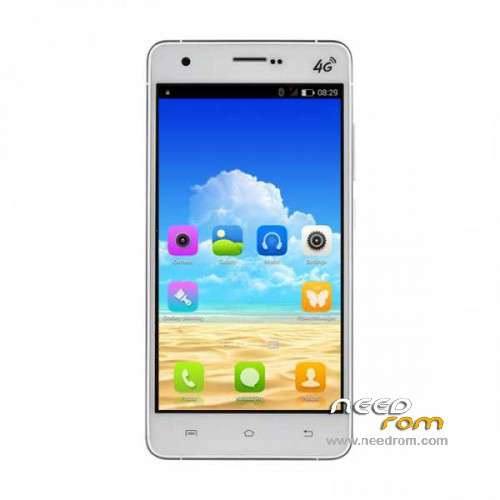
- Title: UMI HAMMER
- Listed: March, 2015
- Last modified: 04/28/2015 6:46 pm
- Version: ROM Android 4.4.4
You must be logged for ROM download.
24544 total views, 4 today
9 Total favorites
 Member Info
DESCRIPTION
ROM Mobile UMI HAMMER - ROM Android 4.4.4
ONLY MT6732
Update Official Rom UMI HAMMER version: UMI HAMMER – mt6732_m316b_blueplus_nyx_cc_128-16_kk_lte_3m-fdd-cs_mul_sw – KTU84P – 04272015
————————————————————————————————————————————————————————————————-
Update Official Rom UMI HAMMER version: UMI HAMMER – mt6732_m316b_blueplus_nyx_cc_128-16_kk_lte_3m-fdd-cs_mul_sw – KTU84P – 04182015
————————————————————————————————————————————————————————————————-
Official Rom UMI HAMMER version: UMI HAMMER – mt6732_m316b_blueplus_nyx_cc_128-16_kk_lte_3m-fdd-cs_mul_sw – KTU84P – 03242015
Gapps include – No Rooted
Language support: Multilang
Install ROM :
- Unpack FlashTools, and Click on Flash_tool.exe
- Select a the MT6752_Android_scatter.txt in ROM
- Wait file to be added into Flash Tool
- choose Option->USB Model,click USB Model
–> Choose Option->DA DownLoad All->Speed->High Speed, click High Speed
- Turn off your phone, remove the battery and replace it after some seconds (and don't turn on the phone).
- "Press F9 (hit Download button)" OR " if upgrade ROM Firmware->Upgrade "
- and connect your phone into the computer via USB data cable.
- The process will start and a red progress bar will appear after color purple, yellow.
- And green circles display
- Finish !
- You can now safely disconnect your phone and turn it on.
Video test of s7yler
※Please make a backup of your device before installing or updating ROM
hi guys
the flashing works only on windows xp 32 bit…i try unsucessfully on win 7 32/64bit and win 8/8.1 32/64bit
the drivers of mediatec 65xx work well only on xp….hope a new release of this soon
regards
fix camera problem?
Even though it has superuser installed and grants root access to apps, it is not actually fully rooted, i found out by trying to delete some system apps in root explorer, it just fails every time.
To fix this i went into the superuser settings and did a full permanent unrroot then downloaded the english version of iroot
http://www.mgyun.com/en/getvro.....ot
Install, run program, connect phone and accept the adb request on the phone screen, once program sees the phone click on root and wait
Once finished you will see success or pass on the iroot program, you can disdonnect now
You may see a couple of extra apps in the phone simply uninstall in the normal way from settings / apps
Hope this is helpful.
this iroot will not work with lollipop 5.1 I tried its won't work
Its is necessary to install bot upgrades or just the latest 04272015 ?
Just the latest.