
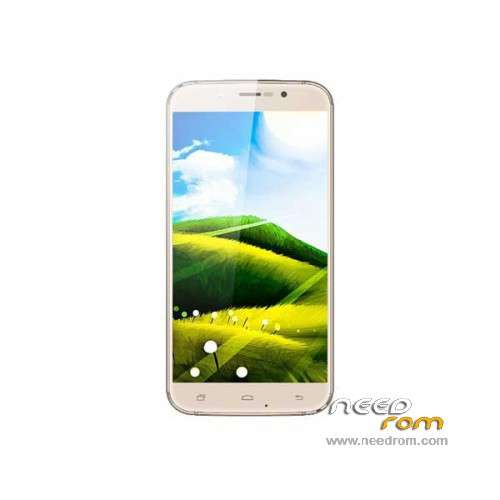
- Title: UMI Rome X
- Listed: February, 2016
- Last modified: 01/19/2017 2:59 pm
- Version: ROM Android 5.1
You must be logged for ROM download.
33350 total views, 3 today
27 Total favorites
 Member Info
DESCRIPTION
ROM Phone UMI Rome X – ROM Android 5.1
ONLY MT6580
Attention Two versions "1G Ram + 8G Rom" or "2G Ram + 16G Rom"
ROM 3 – Update Official UMI Rome X Version: UMI ROME X.V3.07_20161226 – full_w325-user 5.1 LMY47I – ONLY 1G Ram + 8G Rom + New Battery 2400mAh
mt6580_w325_dj80umi4_hxxd_cc_64gbitp8d3_lp1_wcdma_mul
——————————————————————————————————————————————————————————————–
ROM 3 – Official UMI Rome X Version: UMI ROME X.V3.05_20160421 – full_w325-user 5.1 LMY47I – ONLY 1G Ram + 8G Rom + New Battery 2400mAh
mt6580_w325_dj80umi4_hxxd_cc_64gbitp8d3_lp1_wcdma_mul
——————————————————————————————————————————————————————————————–
ROM 2 – Update Official UMI Rome X Version: UMI ROME X.V3.02_20160331 – full_w325-user 5.1 LMY47I – ONLY 2G Ram + 16G Rom
——————————————————————————————————————————————————————————————–
ROM 1 – Update Official UMI Rome X Version: UMI ROME X.V3.05_20160331 – full_w325-user 5.1 LMY47I – ONLY 1G Ram + 8G Rom
——————————————————————————————————————————————————————————————–
ROM 2 – Official UMI Rome X Version: UMI ROME X.V6.01_20160307 – full_w325-user 5.1 LMY47I – ONLY 2G Ram + 16G Rom
——————————————————————————————————————————————————————————————–
ROM 1 – Update Official UMI Rome X Version: UMI ROME X.V3.02_20160307 – full_w325-user 5.1 LMY47I – ONLY 1G Ram + 8G Rom
——————————————————————————————————————————————————————————————–
ROM 1 – Official UMI Rome X Version: UMI ROME X.V3.01_20160120 – full_w325-user 5.1 LMY47I – ONLY 1G Ram + 8G Rom
mt6580_w325_dj80umi_hxxd_cc_64gbitp8d3_lp1_wcdma_mul
Gapps include – No Rooted
Language support: Multilang
Install ROM:
Install with SP MDT:
1). Turn off the smartphone. Cable is not connected to the computer.
2). Remove the battery and insert it again
3). Connect your phone to a computer cable. The operating system detects a new device
4). Disconnect the cable from the computer.
5). Run SPMultiPortFlashDownloadProject.exe
6). Choose File> Open File Agent download and specify the file MTK_AllInOneDA.bin (it is in the folder SP_MDT).
7). Click Scatter File and select the MT6580_Android_scatter.txt file (it's in the folder with the rom).
8). Click "Start all".
9). Connect your phone to a computer cable. The program should see and blink. If the phone is not detected, then unplug it from the computer,
remove and insert the battery (if the battery is removable) and reconnect it to the computer.
10). After (OK) click Stop and disable any phone.
11). Completed.
※Please make a backup of your device before installing or updating ROM
Thanks
hello and thanks, but with the spflashtool program does not work?
yes it works!
I tried, SP flash tool work.
THX
Any changelog?
And btw, how do you get them so fast? No post about it on official forum.
That's a question that I also asked now from UMI. I'm waiting for the answer. I also don't know about a 2GB/16GB version.
yes.. incredible.. 2Gb/16Gb is not presente in the umi site! .. very strange
anyone tried it?
I tried Installed UMI ROME X.V3.02 on my 1 GB + 8GB ROM and wokrs good. But watch out before flashing to disable Google FRP lock.
I flashed it using SP Flash Tool
My phone is Bricked i cant boot it up no recovery noting, in sp flash tools BROM ERROR : S_FT_ENABLE_DRAM_FAIL (4032)
Please help
what rom 3? sarebbe un'altra versione ancora?
Help me please! How i can download this rom's?
you just need to register on this site , and then you`ll be able to download this rom