
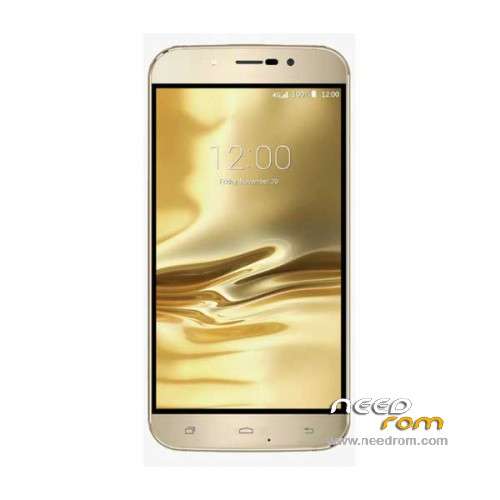
- Title: UMI Rome
- Listed: December, 2015
- Last modified: 12/13/2016 11:31 pm
- Version: ROM Android 5.1
You must be logged for ROM download.
60202 total views, 2 today
49 Total favorites
 Member Info
DESCRIPTION
ROM Mobile UMI Rome – ROM Android 5.1
ONLY MT6753
Update Official ROM UMI Rome Version: UMI Rome.V3.05 – full_n325bh-eng 5.1 LMY47D – 20161124
mt6753_n325bh_umi-rome_hxxd_cc_128gbitp24d3_lp1_lte_3m-fdd-cs_mul – full_n325bh-user 5.1 LMY47D
—————————————————————————————————————————————————————————————
Official ROM UMI Rome Version: UMI Rome.V3.05 – full_n325bh-eng 5.1 LMY47D – 20160331
mt6753_n325bh_umi-rome_hxxd_cc_128gbitp24d3_lp1_lte_3m-fdd-cs_mul – full_n325bh-user 5.1 LMY47D
Gapps include – No Rooted
Language support: Multilang
Install ROM:
Install with SP MDT:
1). Turn off the smartphone. Cable is not connected to the computer.
2). Remove the battery and insert it again
3). Connect your phone to a computer cable. The operating system detects a new device
4). Disconnect the cable from the computer.
5). Run SPMultiPortFlashDownloadProject.exe
6). Choose File> Open File Agent download and specify the file MTK_AllInOneDA.bin (it is in the folder SP_MDT).
7). Click Scatter File and select the MT6753_Android_scatter.txt file (it's in the folder with the rom).
8). Click "Start all".
9). Connect your phone to a computer cable. The program should see and blink. If the phone is not detected, then unplug it from the computer,
remove and insert the battery (if the battery is removable) and reconnect it to the computer.
10). After (OK) click Stop and disable any phone.
11). Completed.
※Please make a backup of your device before installing or updating ROM
it gives a cheksumm error
its works fine with SP flashtool
I have bought an Umi Rome.
Upgraded to Firmware 3.03 via Rootjoy. Everything worked smoothly.
THEN i started having problems with a black screen. As I understand this has something to do with motion or light sensor.
I downloaded ES File Explorer app and edited the build.prop in the system folder – reason was I wanted software buttons. Now the phone went into a bootloop – I could see this "UMI – Simple but Diligent"-logo and that's it. It never started. I could also boot into recovery mode with pressing volume up. I could access download mode (Chinese) where the pgone went crazy and started flashing it's led lights.
The black screen problem prohibits me to see what I am doing, so I'm stuck.
I downloaded SP Flashtool and the USB Vocom drivers. I flashed an UMI Rome rom from Needrom.com. Unticked the preloader and pressed download, put USB cable in and voila – everything goes – red bar – yellow bar – and green OK window. The problem is that the black screen problem is still there.
What can I do? Format anything? Will it help? I have learned that you should untick the preloader.
I have tried with flashing megthebest's TWRP Recovery but I cannot access it or at least I don't see what I do. I have also tried accessing the phone via Rootjoy but with no luck since Rootjoy says that I need to activate USB Debug (which I did when the phone worked). Can I have flashed and flushed the USB debug down the toilet?
I'm not happy at all with this phone. Looks so good, but it has some serious flaws.
Download latest ROM update and load scatter file with SP Flashtool. Press download button and connect your device. Wait for flashing process to finish (about 3 minutes), then turn on your device.
bonjour pourquoi je n'arrive pas a scatter mon umi rome
un message d'erreur s'affiche sur mon pc checksum.ini a remplacer par checksumGenerateTool
merci de me répondre
What is the solution show me an error message checksum.ini ؟؟؟؟
Rebonjour et merci à ACCIAIO pour m'avoir éclairé sur SP FLASHTOOL au lieu de SMPMDT celui ci fonctionne très bien et j'ai pu réinstallé la derniere version UMIROME du 24 12 2015 encore merci
Phone gives me a black screen and do not know what to do
i take today my phone and touch screen is no working very well pls anybody makes a good rom or send at umi a email to fix this because is very bad for the company
how fix GPS? I flash all Rom but gps no fix ;/
I have MT6735 what to do to install V3.03. It is possible ??
Thanks man!