
- Title: VIBE 2.0 by VDT
- Listed: January, 2015
- Last modified: 01/29/2015 7:01 pm
- Version: 1507 7.91.1 DEV
You must be logged for ROM download.
34209 total views, 2 today
4 Total favorites
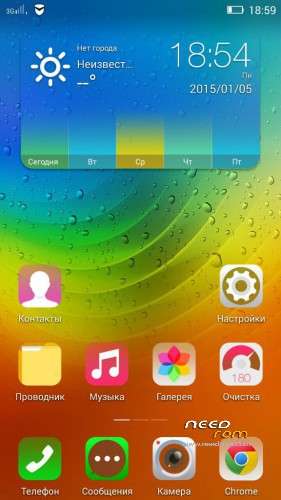
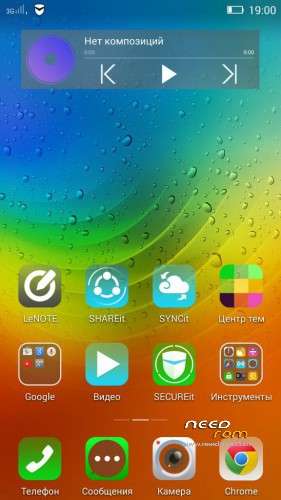

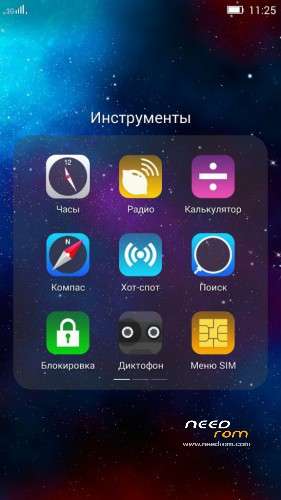
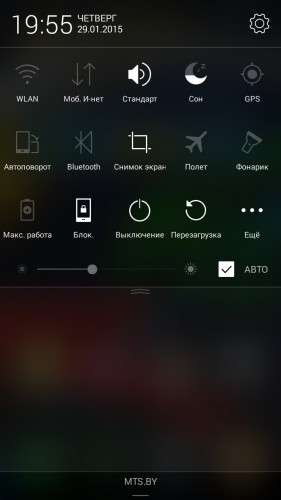
 Member Info
DESCRIPTION
VIBE 2.0 from the Russian team VIBE Developer Team
Installation on CN markup
Forum discussion: http://4pda.ru/forum/index.php?showtopic=566352&st=6040#entry33472556
Changes:
New versions of applications were added: Calendar, File Manager, LeNOTE, Lenovo ID, Gallery, Lenovo camera, IdeaFriend, Theme Center, Lenovo Launcher 6.6.300, Lenovo Music 3.3, Notification Center, Clock, SHAREit;
New versions of Google applications (25/01/2015);
Chinese junk was removed ;
Developers options was opened (which appears when you click on the firmware version);
Working sorting option in Contacts, Clock opens from notification panel, Full-screen photo during call added (all this setting works with "prc" parameter in build.prop);
Theme names in Theme Centre were translated;
Geolocation in calls was removed;
Root rights was added (Now it SuperSU, about its settings SEE BELOW);
Noise reduction settings was added in Dialer – Calls options;
In Power Manager "Battery manager" item has been added;
Reboot to Recovery was added to Reboot options;
Anti-tapping floating window during the calls was removed;
Icons layout on the desktop was fixed;
New wallpapers were added;
New pack of fonts was added;
Lenovo browser was removed and replaced by UC browser;
Fixed and updated translations;
Offline voice packages for Google Voice search were added.
!!! IMPORTANT NOTES !!!
Full Wipe (System, Data, Cache & Dalvik cache) before installation is HIGHLY RECOMMENDED!.
To remove the full screen photo duing calls please delete Build.prop parameter setting "persist.sys.language=ru" or replace "ru" by some other word.
For Root rights SuperSU was integrated. To work properly (Titanium Backup etc) You need UN-CHECK "Mount namespace separation" in the settings of the SuperSU,
Languages: CN, EN, RU and partly UK
Install via CWM or TWRP
1. wipe data/factory reset
2. wipe cache partition, mouns and storage
3. format/cache
4. format/data
5. format/system, go back, advanced
6. wipe dalvik cache, go back
7. install zip
8. reboot system now
※Please make a backup of your device before installing or updating ROM
I have VIBEUI_V2.0_1503_7.141.1_ST_P780 and i want install 1503 DEV, but by recovery 2.7 could not install that. please help me.
my recovery is TWRP_v2.7.1.1_P780_ROW_KK
Upgrade to 1507
I have VIBEUI_V2.0_1503_7.141.1_ST_P780 and i want install 1507 DEV, but by recovery 2.7 could not install that. please help me.
sir i want to ask whether this rom for the 8gb versionThis firmware can be put on 8GB
is it work for vibe s960??
please answer i want good rom for s960
This firmware for P780!
Good job, everything working…..and nice GUI
hi, is there anyone knows how to solve imei problem with this rom? i cannot restore imeis with mobil uncle tools or MTK, is there any way to do it? please help me
thanks
Hi Sir can u create installation use flash tool..thx thx
Does it include Bulgarian language?
how is the consumption of battery comaprison wiht Life_05?