
- Title: VIBE 2.0 by VDT
- Listed: January, 2015
- Last modified: 01/29/2015 7:01 pm
- Version: 1507 7.91.1 DEV
You must be logged for ROM download.
34210 total views, 3 today
4 Total favorites

 Member Info
DESCRIPTION
VIBE 2.0 from the Russian team VIBE Developer Team
Installation on CN markup
Forum discussion: http://4pda.ru/forum/index.php?showtopic=566352&st=6040#entry33472556
Changes:
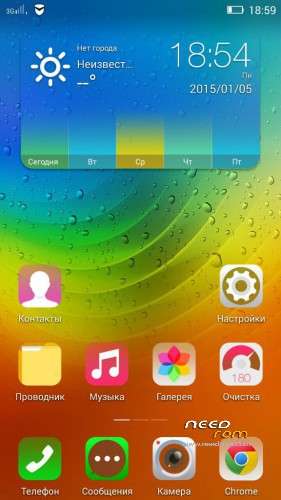
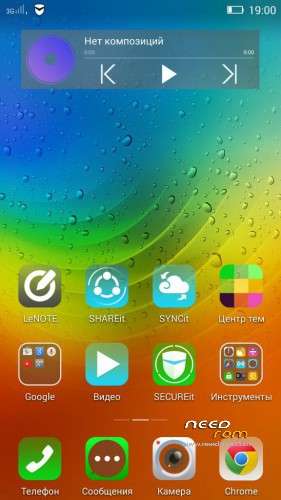
New versions of applications were added: Calendar, File Manager, LeNOTE, Lenovo ID, Gallery, Lenovo camera, IdeaFriend, Theme Center, Lenovo Launcher 6.6.300, Lenovo Music 3.3, Notification Center, Clock, SHAREit;
New versions of Google applications (25/01/2015);
Chinese junk was removed ;
Developers options was opened (which appears when you click on the firmware version);
Working sorting option in Contacts, Clock opens from notification panel, Full-screen photo during call added (all this setting works with "prc" parameter in build.prop);
Theme names in Theme Centre were translated;
Geolocation in calls was removed;
Root rights was added (Now it SuperSU, about its settings SEE BELOW);
Noise reduction settings was added in Dialer – Calls options;
In Power Manager "Battery manager" item has been added;
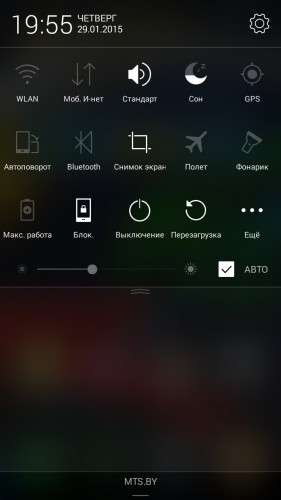
Reboot to Recovery was added to Reboot options;
Anti-tapping floating window during the calls was removed;
Icons layout on the desktop was fixed;
New wallpapers were added;
New pack of fonts was added;
Lenovo browser was removed and replaced by UC browser;
Fixed and updated translations;
Offline voice packages for Google Voice search were added.
!!! IMPORTANT NOTES !!!
Full Wipe (System, Data, Cache & Dalvik cache) before installation is HIGHLY RECOMMENDED!.
To remove the full screen photo duing calls please delete Build.prop parameter setting "persist.sys.language=ru" or replace "ru" by some other word.
For Root rights SuperSU was integrated. To work properly (Titanium Backup etc) You need UN-CHECK "Mount namespace separation" in the settings of the SuperSU,
Languages: CN, EN, RU and partly UK
Install via CWM or TWRP
1. wipe data/factory reset
2. wipe cache partition, mouns and storage
3. format/cache
4. format/data
5. format/system, go back, advanced
6. wipe dalvik cache, go back
7. install zip
8. reboot system now
※Please make a backup of your device before installing or updating ROM
Does it include Bulgarian language??
No
How to set haptic feedback to vibrate only once when press press it, not double vibrate on one press????
Waiting Flash Tool version…
installed on 8GB and i see only 4GB now ???
what to do now ??? how to recover reamning 4
Its nice and good…but after i installed the rom with cwm,i dont have root access even though supersu is up.
im using vibe ui 1.5…can i just install like normal ?
It's an awesome ROM. Very light in memory, stable so far (4 days), pretty, turned my p780 to another phone. All the hardware is working fine for Europe, Modem, GPS, 3G, light sensor, Sound Volume etc. ROW ROM S226-S228 had problems. Thank you! Keep updating it!
Only one question. The storage has Internal and Built-in storages. I thought in 4.4.2 it was only one Internal storage. Did I do something wrong or is it like this by design?
Thank you again for this
How to repartition the internal memory,sir? For the 4 gig version. Please sir help.
Flash Tool version please sir
any method to repartition internal memory in 4GB model
want to merge that internal memory to phone memory