
- Title: VibeUI 1417 Mutilang Thienhoa3
- Listed: April, 2014
- Last modified: 04/30/2014 3:55 am
- Version: 4.4.2
You must be logged for ROM download.
28275 total views, 4 today
 Member Info
DESCRIPTION
Info:
Kitkat 4.4.2 official
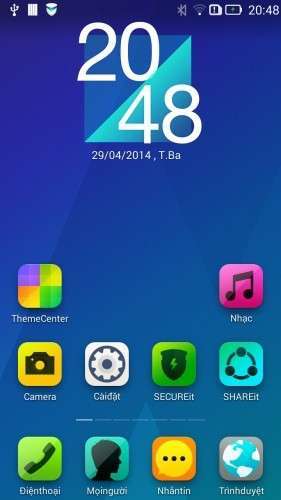
Remove China app
Google App
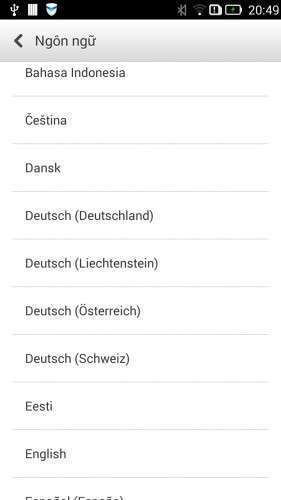
Add Mutillanguage 90% your language
Fix Baseband International V.23
Rom up by Clockworkmod recovery,base China
You can install rom Vibe 1405 before install this rom:
https://www.needrom.com/mobile/s920-viberom-v1-0-1405-dev-mutilanguagedevteam-vn/
Language:Muti
CWM
Step 1: Download the custom card ROM copied to an external SD card root directory
Step 2: the shutdown state. While holding down:
Power button + volume+ button + volume – key to enter the recovery mode, wipe data/ factory reset and
wipe cache partition
Step 3: Enter menu apply update from sdcard select the ROM
Step 4: Brush complete, restart the phone
※Please make a backup of your device before installing or updating ROM
persian languange?
I think have
greek lang
Support Camera 13MP?
Nope
can you make it ROW base?
rooted????
Yes
fix error +84?
Hi, thank you for this amazing ROM.
I have a little problem here. I cannot using Titanium Backup.
When I opened SuperSUm, it states "There is no SU binary installed and SuperSU cannot install it…"
And when I opened Kinguser, there is a notification "SU upgrade failed. Missing root permission."
How do I fix this?
I think, ROM not root. I used Framaroot but failed.
I hope, Thienhoa3 will fix in the future
I rooted,but compile it don't root.I don't understand
Install supersu 1.9.4 get it at xda… then flash it through cwm
it works on mine..
btw, theme seems reset to default after turning off..
s650 ?pls
how to install this ROM if i already in VIBEUI 1.5 1415? Do i must wipe the data? cause i think it will be a problem for me, In vibe v1.0 this is not necessary just install the rom, can i install without wiping any data?