
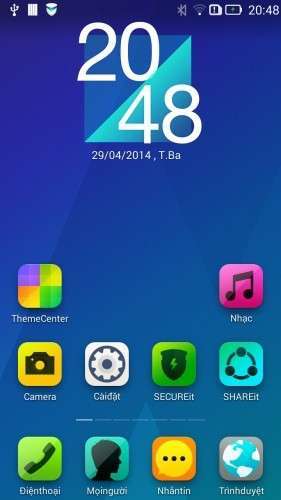
- Title: VibeUI 1417 Mutilang Thienhoa3
- Listed: April, 2014
- Last modified: 04/30/2014 3:55 am
- Version: 4.4.2
You must be logged for ROM download.
28275 total views, 4 today
 Member Info
DESCRIPTION
Info:
Kitkat 4.4.2 official
Remove China app
Google App
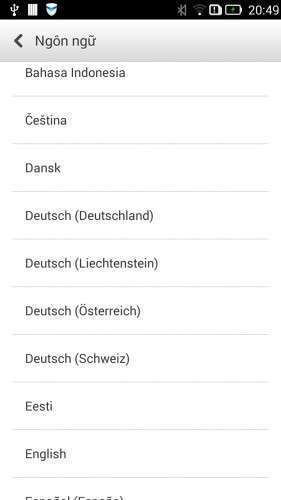
Add Mutillanguage 90% your language
Fix Baseband International V.23
Rom up by Clockworkmod recovery,base China
You can install rom Vibe 1405 before install this rom:
https://www.needrom.com/mobile/s920-viberom-v1-0-1405-dev-mutilanguagedevteam-vn/
Language:Muti
CWM
Step 1: Download the custom card ROM copied to an external SD card root directory
Step 2: the shutdown state. While holding down:
Power button + volume+ button + volume – key to enter the recovery mode, wipe data/ factory reset and
wipe cache partition
Step 3: Enter menu apply update from sdcard select the ROM
Step 4: Brush complete, restart the phone
※Please make a backup of your device before installing or updating ROM
please… use english… im from spain and is better for understand all users…
How to combine internal and external memory (phone) ?
thanks for the answer
Yes,you can use sp flash tool up 2 file custum EBR1 & EBR2 to edit internal and external memory
https://dl.dropboxusercontent......-target_bin.zip
Dear Sir,
will it work on "Lenovo S920 – 8GB " indian version which is ROWbased firmware installed…??''
Also please tell me how to install if it is suitable..??
Thank you,
Bhanu
+91-9901109688
Can it work on S920 8GB – Stock ROM International ?
Yes,this rom can install on s920 8g,but you want install rom lenovo 8g base China
cant text massage…
TH ơi, e flash cái phân vùng xong bị reboot vào reco suốt luôn ko bật máy dc. H trong máy e 2 bản zip S920 reparted ROW với S920 Reparted vậy có dùng dc ko?
Support overclock?
Link đâu mất tiêu vậy bác
Mr. Thienhoa3 should i flash it via CWM Cina after i flashed the Cina based ROM, or i flash it normally with the normal CWM ??