DESCRIPTION
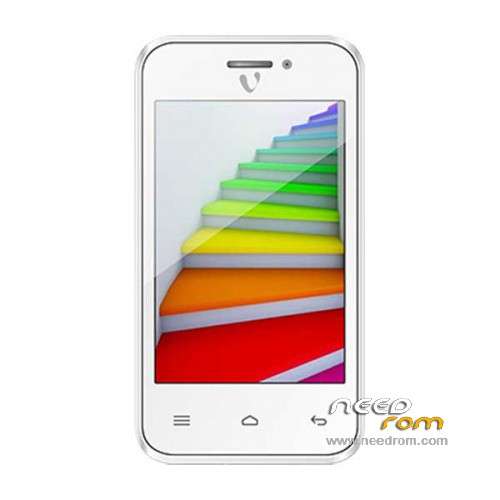
ROM Mobile VIDEOCON Zest Flame - ROM Android 4.2.2
Update Official ROM VIDEOCON Zest Flame Version: Videocon_Zest_Flame_V1.0_20-05-2015 – rda8810
| Changelog |
SelectShow |
-------------------------------------------------- --------------------------------------------
Videocon_Zest_Flame_V1.0_20-05-2015_20150520_1711
1. Modify Browser Bookmarks
2, modify the factory pattern English
3, delete news weather
4, updated sales statistics
-------------------------------------------------- --------------------------------------------
Videocon_Zest_Flame_V1.0_08-05-2015_20150508_1213
1. Modify the browser home page
2, delete the start-up tone
3, delete the BBM, increase V-safe and V-secure
4, the revised camera switches to proactively red screen problem
5, increase the percentage of power display, low battery reminder to% 14:00
6, updated sales statistics
7, add a button to clear recently opened applications
8, modify SAR value query and display the device name
9, delete forward when unreachable menu
10, and other optimization bookmark preview
|
————————————————————————————————————————————————————————–
Official ROM VIDEOCON Zest Flame Version: Videocon_Zest_Flame_V1.0_28-04-2015 – rda8810
| Changelog |
SelectShow |
-------------------------------------------------- --------------------------------------------
Videocon_Zest_Flame_V1.0_28-04-2015_20150428_1128
1. Modify device called Zest Flame
-------------------------------------------------- --------------------------------------------
Videocon_X40_V1.0_15-04-2015_20150415_1629
1. Close the roaming patches,
2. To increase flash brightness, modify the audio parameters;
3, increase own browser, modify the built-bookmark
4, add voice search, maps and the like;
5, modify the device name, drive letter, delete Arabic;
6, modify the emergency dial;
7, calendar week display by default;
8. Remove excess phonebook menu
9, built-in Google store to the desktop;
10, increasing the call five seconds off the screen;
11, the camera displays the specific pixel character;
12, taken effect before optimization
Wait
-------------------------------------------------- --------------------------------------------
V01 2014/12/11
New Custom Software Project branch
1. Language made: English (default), Arabic.
2. Modify the boot animation wallpaper ringtones;
-------------------------------------------------- --------------------------------------------
|
Gapps not include – No Rooted
Language support : EN/IN
Install ROM :
1 Prepare a TF card ( capacity TF card must be less than or equal to 2G) , first card formatted in FAT format TF
2 unrar the downloaded rom brush , which will be copied to the FS906V02_8810P_VIDEOCON_A17_rda_total.bin root directory of TF card package
3 confirmed that the battery is greater than 50 %, if the battery is low, please charged
4 TF card into the phone , the battery in the phone. The preparatory work is completed.
1 the phone is off, hold the "Volume + + + VOLUME DOWN button power button" three keys , phone mode upgrade to begin the upgrade .
2 Brush word "OK" after the success
3 simply remove the battery
4 then connect the phone battery , press the power button on the phone to boot. After starting in the phones menu "Settings" – Save and Reset – restore factory settings – Reset phone – all clear content .
5 the phone will automatically restart and recover the state of the factory, the screen saver .
6 success!
※Please make a backup of your device before installing or updating ROM

 Member Info