
- Title: Vowney V5 Sony S39h
- Listed: September, 2013
- Last modified: 09/11/2013 5:57 pm
- Version: ROM Android 4.2.2
You must be logged for ROM download.
27266 total views, 1 today


 Member Info
DESCRIPTION
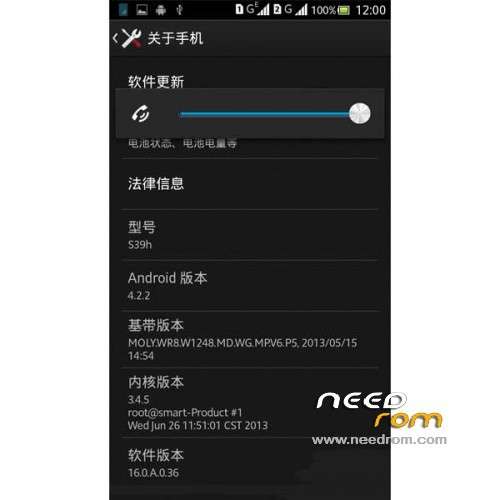
ROM Phone Vowney/Verne V5 Sense – ROM Android 4.2.2
Features ROM:
1, Call, Bluetooth, camera, electronic compass (dynamic allowed), WIFI, GPS, fever normal boot memory footprint 600M, basically without making streamlined.
2, has been ROOT, canceled Sony input method, replacing Baidu input method, integrated RE manager, mobile uncle toolbox, compass, file manager.
3, Sony camera special procedure can not be used after transplant front, can not be set, replace the camera no gallery official version 4.2.1, front and rear properly, continue to use the Sony library.
4, when viewing a photo in the camera view details for pruning and operations FC, the other normal. Gallery is operating normally.
5, the shutdown will play display 960 * 540
Gapps not include – Rooted
Language support: EN/CN
Install ROM :
CWM
Step 1: Download the custom ROM copied to an external SD card root directory
Step 2: the shutdown state. While holding down:
– Power button + volume button up, to enter the recovery mode.
– Wipe Data / Factory Reset -> delete all user data
– Wipe Cache Partition -> Wipe cache
– Advanced -> Wipe Dalvik Cache
Step 3: Return to recovery main interface Install zip from sdcard -> choose zip from sdcard -> Select your ROM
Step 4: Brush complete, restart the phone Patience required – first boot takes a while
※Please make a backup of your device before installing or updating ROM
960×540?
There isn't shutdown animation in /system/media or /system/media/video folder.
Where is it?
No drop Sim1 3G mobilenet when Sim1 calling.
Mobile Internet does not working…