
- Title: W.4G Lenovo S860t
- Listed: December, 2014
- Last modified: 12/30/2014 7:19 am
- Version: ROM Android 4.4.3
You must be logged for ROM download.
35921 total views, 3 today
19 Total favorites
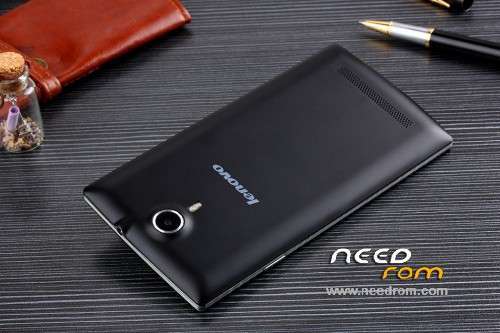
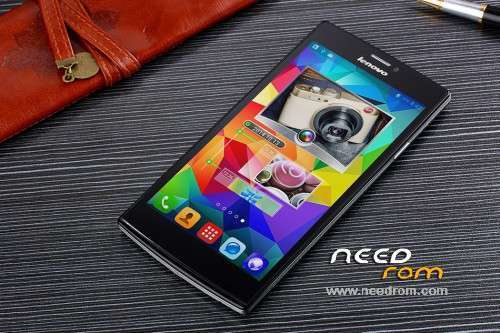
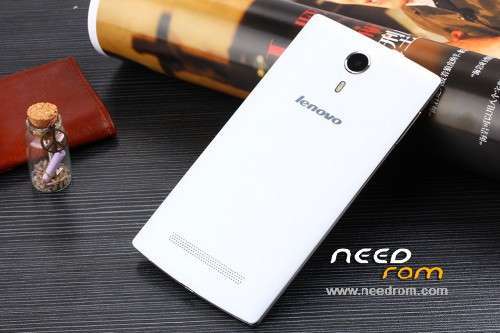
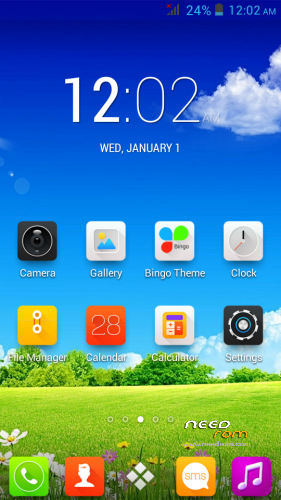
 Member Info
DESCRIPTION
Hardware : MT6572 (MTK6592 is Fake!)
Model : W.4G
Build number : S5_JB3_3G_QHD_EMMC_32_4_XLD_Z11_ZHUOYUE_2 20140924-143055
Build date UTC : 20140924-063055
Android v : 4.4.3
Baseband v: MOLY.WR8.W1315.MD.WG.MP.V15, 2014/01/04 13:38
Kernel v : 3.4.5 (root@zy-1) (gcc version 4.6.x-google 20120106 (prerelease) (GCC) ) #1 SMP Wed Sep 24 14:28:48 CST 2014
ROM Installation :
1. Download and unpack SP Flash Tool v5.1
2. Load the scatter file
3. After the scatter is loaded hit the download button
4. Connect the phone with the usb to the pc and enter the battery
5. Wait till the download complete
6. Enjoy!
In case after this procedure your phone stuck in boot-loop :
1. Go to Factory Settings (turn off phone and hit the Volume down + Power button at the same time)
2. Inside factory mode choose the 6th option here (e MMC)
3. Wait for this proces to finish and enjoy !
I recomend you to try the new CUSTOM ROM for this phone :
https://www.needrom.com/download/lenovo-s860t/
NOTE: USE THIS ROM IN CASE YOU HAVE HARDBRICKED YOUR DEVICE BECOUSE IT IS FULL WITH FAKE SPECIFICATION AND CHINESE APPS! THIS IS THE STOCK ROM!
If you have troubles with your phone and need help join this forum :
http://www.china-devices.com/member.php?action=register&referrer=10507
※Please make a backup of your device before installing or updating ROM
in your previuous post you sad that you already have CWM installed using the SPFT…. which is great and with this you will fix the problem. just follow this steps:
1.Boot the phone and enter in CWM
2.When you enter in CWM mode :
– wipe data/factory reset
– wipe cache partition
3.Go to mounts and storage next and here :
– format /data
– format /system
– format /cache
4.And the last step is to fo to advanced and here :
– Wipe Dalvik Cache
This will do the job and will fix your boot loop on the phone, but when you do this step you will have no OS to boot so before exiting CWM you need to install a custum ROM. i prefer https://www.needrom.com/downlo...../lenovo-s860t-2 RageGem2.0, download and put this in your phone or SD card and install it with CWM.
After you install the ROM it will need the phone about 2-3 min to boot up the first time, so dont worry about this be patient
Hi Nikola, well i'm back at home.
I've done all the steps but nothing!!! i'm still in boot loop.
With ragegem2 when I turn on the phone, I see the lenovo screen then the CyanogenMod animation and after about 2 minutes quickly appears a window that says "Bluetooth has stopped" then a window that says "loading apps from 1 to 12" immediately after a window "starting apps " and then the phone restarts. On the next reboot after the animation CyanogenMod I see only the window that says "loading apps from 1 to 12" immediately after "starting apps" and then the phone reboots endlessly.
the phone was bought here http://it.aliexpress.com/store.....2214489653.html
If necessary I can disassemble it to verify the hardware.
Regards.
heya davauti,
Thats strange… it should start without all those messages, its seems like there is some error whit the whole procces of flashing the ROM… have you tried with other SD card? maybe the SD card is corrupted and it fail to install the ROM corectly or maybe there is a problem with the usb cable, or the drivers perhaps… what windows are you using? if its windows 8 you need to dissable the driver signature in order to install the drivers correctly…
For the dissasamble i think you dont need to do that step right now, coz according to the link i saw the phone is that… but keep in mind that i had a simmular problems with the SD card i got it with the phone (atm is dead) so i suggest you try with other SD card when flashing a ROM…
Anyway i will suggest you to join this forum http://www.china-devices.com/m.....;referrer=10507 so i will be able to assist you on your journey to fixing this phone.
Try out this methods and tell me what happens…
Cheers!
Ok guys, here we go again,
i was using a windows 8.1 64bit with driver signature disabled with a motorola cable. Now, as you suggested, i've changed all my equipment. New configuration with Win 7 64bit, driver signature disabled, blackberry cable and a new 2Gb micro sd.I decided to start from the beginning installing the stock firmware that you have posted here, but the phone stuck in boot-loop, then entered in factory mode i choose the 6th option (something chinese eMMC), but the phone is still in boot-loop.
At this point i've installed the CWM recovery from https://www.needrom.com/downlo.....age-2/#comments using the SP Flash tool and inserted the new micro sd, I followed all the instruction for the rageGem2.0 firmware, but i recive this message
assert failed: package_extract_file("boot.img", "/tmp/boot.img")
E:Error in /sdcard/rageGem2.0.zip
(Status 7)
Installation aborted.
what i have to do now?
PS: i'm registered in china-devices.com
Another little thing,
this is like mine s860t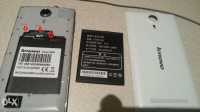
and this is like the others lenovo/jiake V5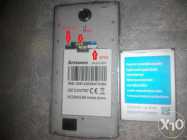
so my phone is a little bit different!!
heya mate,
thats so faking strange i have never seen a jiake/lenovo like that in the 1rst picture!!! my phone is like that on the 2nd picture but maybe slight different!!! becouse my SD goes to the left corner and above the SD goes the SIM card, so when i put the SD and next the SIM you can barely see the SD card becouse its right under the SIM……
and that error code that you post its defenetly error with reading the data from SD….
anyway if you like open a new thread on china-devices since you are a member there it will be easier to help you there…
my idea now is to detach all the SD cards and SIM cards and to try the whole proccess from the begining but this time use the official Jiake V5 rom https://www.needrom.com/downlo.....ad/jiake-v5/ which should work right after you install it.
So download this rom above and open SPFT, then go to Format and choose start. then inster the cable and after a few seconds insert the battery too which will start the proccess and format all the phone… after this is finished detach the phone and go to the Download now!!! Load the Scatter file from the official Jiake V5 tick everything(which will be ticked i think) and than click download, and that plug the usb cable and after a few seconds put the battery in and wait till the whole proccess end!
After you make all of theese steps inplug USB cable, and plug out the battery too, wait for 10 sec and reinsert the battery and start the phone! The phone should start and you should see an annoying bootanimation with Welcome message but anyway give the phone 3-4 minutes to start since this will be it first start up! After the phone start that you can insert the SIM and SD cards and see if they all working good!
Tell me what happens!
here is my phone
what his LCD – driver?
Thank you! Flash the phone, he was at the stage of polukirpicha, everything turned out, had only one file to shower. Sometimes it is thrown out boot. I threw all the files I needed was a folder with an android. Спасибо! Прошил телефон, был он в стадии полукирпича, все получилось, только пришлось по одному файлу закидывать. Иногда выкидывало из загрузки. Я не все файлы закинул, мне нужна была только папка с андроид.
This Rom works in Lenovo A808? This is the fake lenovo
yes, works!!!
Thanks for everything nikolaproevski.
How about Fire fox for this phone can we get that? will it work out good?