
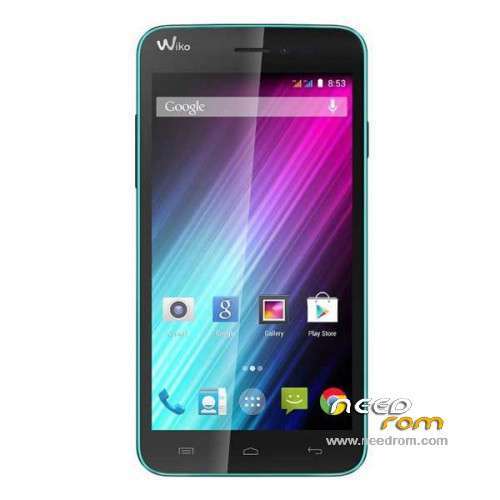
- Title: Wiko LENNY
- Listed: November, 2014
- Last modified: 10/07/2015 4:11 am
- Version: ROM Android 4.4.2
You must be logged for ROM download.
91399 total views, 2 today
37 Total favorites
 Member Info
DESCRIPTION
ROM Mobile Wiko LENNY – ROM Android 4.4.2
ONLY MT6572
Update Official ROM Wiko LENNY Version: ALPS.KK1.MP7.V1 – WIKO LENNY Version 20 – S5201AP_KK_MP_WIK_FR_06_26 – KOT49H
——————————————————————————————————————————————————————————————–
Update Official ROM Wiko LENNY Version: ALPS.KK1.MP7.V1 – WIKO LENNY Version 14 – S5201AP_KK_MP_WIK_FR_06_14 – KOT49H
——————————————————————————————————————————————————————————————–
Official ROM Wiko LENNY Version: ALPS.KK1.MP7.V1 – WIKO LENNY Version 10 – S5201AP_KK_MP_WIK_FR_06_13 – KOT49H
Gapps include – No Rooted
Language support : Multilang
Install ROM :
- Unpack FlashTools, and Click on Flash_tool.exe
- Select a the MT6572_Android_scatter.txt in ROM
- Wait file to be added into Flash Tool
- choose Option->USB Model,click USB Model
–> Choose Option->DA DownLoad All->Speed->High Speed, click High Speed
- Turn off your phone, remove the battery and replace it after some seconds (and don't turn on the phone).
- "Press F9 (hit Download button)" OR " if upgrade ROM Firmware->Upgrade "
- and connect your phone into the computer via USB data cable.
- The process will start and a red progress bar will appear after color purple, yellow.
- And green circles display
- Finish !
- You can now safely disconnect your phone and turn it on.
※Please make a backup of your device before installing or updating ROM
genius
after write Wiko LENNY file mobile is dead plzz help
Boss phone dead pliz help


gud day guys! how can i fix the IMEI wiko lenny? after flashing my phone not have IMEI pls help!
Dial *#*#3646633#*#* on your phone to bring up the EngineerMode.Go to Connect tab. Select CDS Information.The select Radio Information.Click on Phone 1. You will see AT+ and you must edit that line. You should make it have the following command
AT+ EGMR=1,7,"your 15 digit IMEI number inside the quotes"
Note there is a space between the AT+ and the EGMR. And your IMEI number should be written in quotes with no spaces.
Then click the Send AT command button.You will then see a toast message that says the command was sent. Now reboot the phone and check your IMEI (dial *#06# on your phone pad). It should now reflect the new one.
plz dont download this file plzzz my mobile dead bro
Apka mobile ka ar kuch huya,mera mobaile too dead,pliz help
thanx bro
nice bro
after flashing my wiko lenny with version 20, it indicates no 'service'
after flashing my wiko lenny with version 20, it indicates no 'service'
thank you for sharing it !!! 1.2.3 viva l'Algerie
nacer/ menzel-el-abtal
thank you ..it's ok