
- Title: ZLR F9006
- Listed: February, 2014
- Last modified: 02/21/2014 7:26 pm
- Version: ROM Android 4.2.2
You must be logged for ROM download.
26289 total views, 1 today
 Member Info
DESCRIPTION
ROM Mobile ZLR F9006 – ROM Android 4.2.2
ONLY MT6582
ROM Official ZLR F9006 version: ALPS.JB5.MP.V1.5_0502K006 K12-F03KB15M48E_20140220
Gapps include – No Rooted
Language support: MultiLang
Install ROM :
- Unpack FlashTools, and Click on Flash_tool.exe
- Select a the MT6582_Android_scatter_emmc.txt in ROM
- Wait file to be added into Flash Tool
- choose Option->USB Model,click USB Model
–> Choose Option->DA DownLoad All->Speed->High Speed, click High Speed
- Turn off your phone, remove the battery.
- "Press F9 (hit Download button)" OR " if upgrade ROM Firmware->Upgrade "
- and connect your phone into the computer via USB data cable.
- The process will start and a red progress bar will appear after color purple, yellow.
- And green circles display
- Finish !
- You can now safely disconnect your phone and turn it on.
※Please make a backup of your device before installing or updating ROM
Thanks!
Any changes in this ROM ??
Home button lights up the display! (Screen on)
Thank you!!
Are the proximity and light sensor work fine in this ROM??
-light sensor excluded in this firmware. In main menu the setting of Auto Brightness doesn't exist.
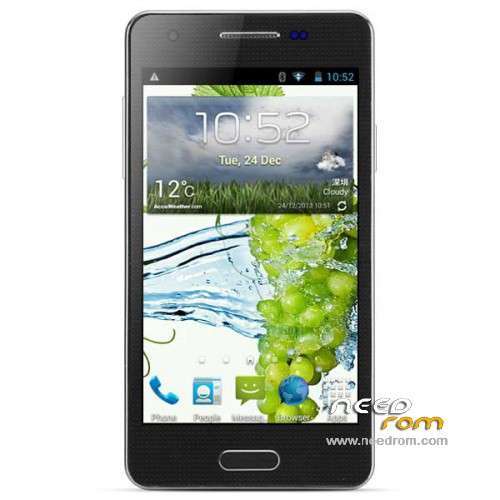
-only default wallpaper with grapes exists for screen-locker
-fixed vertical stripe at the right part of screen-locker
-"home" button lights up the display
-dual touch in horizon line not fixed
IMHO, after firmware 131210 did nothing. Bugs more ,than fixes
Thanks litr for your review.
There is one problem before and now. After a long conversation the display does not want to light up, even pressing any buttons. It might be a while (3-6 minutes) without flip cover to turn the display. Did anybody had this problem?
I have the same problem
Anybody known how to solved it?
use combination ("volume – "+"home") to light up the display. I don't know why but it works in my case.
and else, Antutu in current firmware shows 222 dpi screen. (240 dpi was in 131210)
to solve the problem of screen grapes I put an app called "start", in addition to being able to change background has many other options, for the problem of the proximity sensor, I removed the film from the display and the problem seems to have disappeared.
Can somebody confirm that this method solve problem with proximity sensor after conversation?
I said it would seem resolved, in fact, the problem has come back, but now I've come up with another system, put a bit of thin cardboard under the battery, so as to move up the battery of approximately one millimeter. Do not ask me why this system, I can not explain it, I just know that I have long conversations for a couple of times in a row, and the problem seems to have disappeared. I do not give security safe is only death, but my now no longer the problem of the sensor.
Where to find firmware with date 2013-12-10? Thanks
http://blog.geekbuying.com/ind.....e/#.Uzm0chBqy1z
but I'm not sure …
I am also looking for this version of firmware, please share the link if you find her!
Hello!
Are you found oem firmvare from 2013-12-10 ??