
- Title: ZOPO 980 & C2
- Listed: June, 2013
- Last modified: 07/29/2013 8:14 pm
- Version: Z4 (Normal)JB4.2.2 by Iceman (touchwiz)V2
You must be logged for ROM download.
89127 total views, 9 today


 Member Info
DESCRIPTION
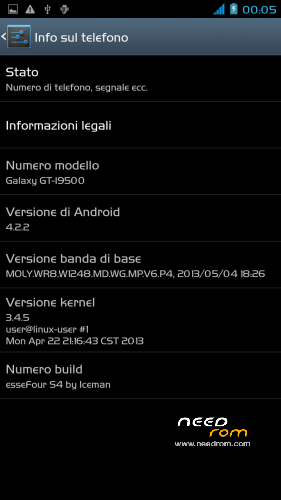
ROM: Z4 (Normal) by Iceman – ROM Android 4.2.2 – V2
News V.2
-Proximity Sensor Calibration deleted from settings menu–> display (not working)
-deleted the application "CentoApps" and submitted as an application user (easily eliminated)
-6/8/2013 with kernel variants made
-Open default DNS-revised schedule-revised alarm
-clock-redesigned battery percentage scale from 0% to 100%
-13mp camera and 8mp rear opening front-mounted Nova Launcher First (Classic version)
-Phone section-Magazine "Italianizzate" 99% of the voices (excluding applications)
-enriched the ScanSnap quick menu new entries-added Advanced Settings (Menu–settings option > developer–> advanced settings) or from the pull-down menu (quick menu) the new Advanced Settings Menu incorporates more selectable options as required, such as:
1- Lockscreen Changes
2- Statusbar Changes
3- Battery Changes
3- Display impostazioni
6- Volume setting
7- General fixes
8- Activating and manipulating the Navbar (function ACTIVATED at FIRST INSTALLATION – if it concerns the navbar on each reboot to enable the appropriate general setting option)
Advanced menu within each entry but let me highlight:
-the ability to set the color and transparency of the Statusbar, centering on the same clock and set show/hide battery icon
-for lovers of lower resolutions the possibility of activating the NavBar with transparent, change the number of buttons and the action to be assigned to each key; choice of different themes and icons
NOTE: Uncheck quick launch
Apk and Framework: deodex-zipalign – the rom includes the root permissions
Launcher: touchwiz
Application: full S4, S-Voice
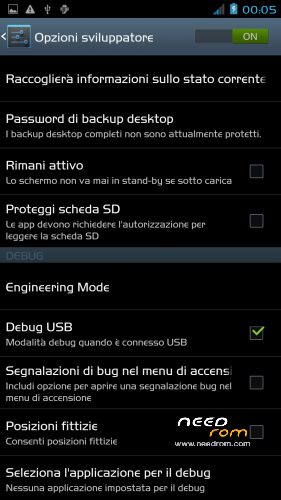
Functions: dual ring, auto-hide, touch key light duration, suspension windows, g-sensor calibration, proximity sensor calibration, engineering mode is accessible directly from developer options
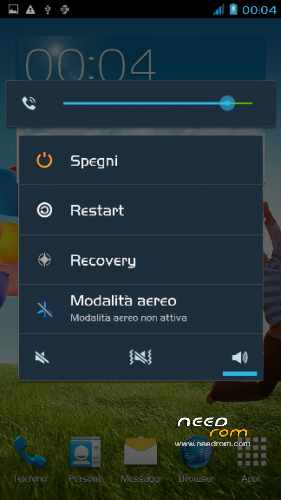
Power-menu: shutdown, restart, recovery, airplane mode
Language support: Multilang
ROM Install:
- unpack file .rar
- install the recovery (cmw or twrp) through mobileuncle
- copy file .zip in sdcard
- reboot into recovery mode (cwm or twrp)
- Perform nr. 2 Wipeall
- install from sdcard
- reboot system
Attention!
In case of problems with the camera mount the file system\lib\libcameracustom.so of his rom-stock
※Please make a backup of your device before installing or updating ROM
How much battery life is when you use Wif? How long the battery takes???
P.S. Camera isn't work. I install super lenovo, camera 360, camera scenner but NOTHING. Is there some fix?
Camera does not work for me. is there a solution?
Thank you
with SpFlashTool loads the drivers (uboot)
# # # # # # # # # # # # # # # # # # # # # # # # # # # # # # # # # #
Please give us the solution to fix (if you have it?) To the camera.
THANK YOU
Still not repair camera?
Will there be a new update soon with camera fix? I really love this ROM but i need camera.
I kinda found solution on Italian forum, but i need two apps from system/app/Gallery2.apk and system / app / Flashlight.apk . It must be from the oryginal ROM so i dont have it now, can anyone upload them for me?
Hi,
I have a problem with my camera since I installed yr Rom, do you have camera driver for my ZP980T please ?
Hello
The camera on the zopo zp980 dont working please fiz it, i liked this rom !
It is made very much, Hungarian support only tiny one incomplete, but five stars.
thank you
installed bootrom v2,
bootrom wont start, i only see:
http://www.technoforum.it
the powerfull mode-rom
by technical staff
iceman
Please HELPPP!!!
What can i do now!!!
with SpFlashTool install original rom