
- Title: ZOPO 980 & C2
- Listed: June, 2013
- Last modified: 07/29/2013 8:14 pm
- Version: Z4 (Normal)JB4.2.2 by Iceman (touchwiz)V2
You must be logged for ROM download.
89125 total views, 7 today


 Member Info
DESCRIPTION
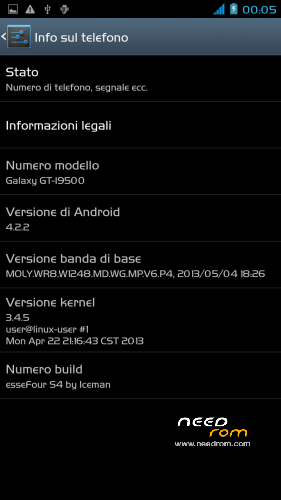
ROM: Z4 (Normal) by Iceman – ROM Android 4.2.2 – V2
News V.2
-Proximity Sensor Calibration deleted from settings menu–> display (not working)
-deleted the application "CentoApps" and submitted as an application user (easily eliminated)
-6/8/2013 with kernel variants made
-Open default DNS-revised schedule-revised alarm
-clock-redesigned battery percentage scale from 0% to 100%
-13mp camera and 8mp rear opening front-mounted Nova Launcher First (Classic version)
-Phone section-Magazine "Italianizzate" 99% of the voices (excluding applications)
-enriched the ScanSnap quick menu new entries-added Advanced Settings (Menu–settings option > developer–> advanced settings) or from the pull-down menu (quick menu) the new Advanced Settings Menu incorporates more selectable options as required, such as:
1- Lockscreen Changes
2- Statusbar Changes
3- Battery Changes
3- Display impostazioni
6- Volume setting
7- General fixes
8- Activating and manipulating the Navbar (function ACTIVATED at FIRST INSTALLATION – if it concerns the navbar on each reboot to enable the appropriate general setting option)
Advanced menu within each entry but let me highlight:
-the ability to set the color and transparency of the Statusbar, centering on the same clock and set show/hide battery icon
-for lovers of lower resolutions the possibility of activating the NavBar with transparent, change the number of buttons and the action to be assigned to each key; choice of different themes and icons
NOTE: Uncheck quick launch
Apk and Framework: deodex-zipalign – the rom includes the root permissions
Launcher: touchwiz
Application: full S4, S-Voice
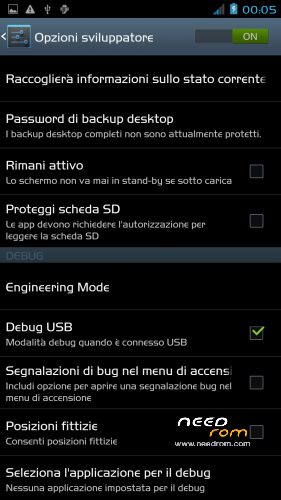
Functions: dual ring, auto-hide, touch key light duration, suspension windows, g-sensor calibration, proximity sensor calibration, engineering mode is accessible directly from developer options
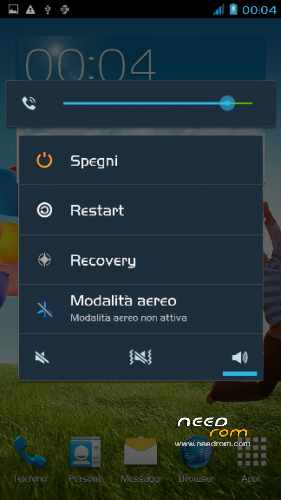
Power-menu: shutdown, restart, recovery, airplane mode
Language support: Multilang
ROM Install:
- unpack file .rar
- install the recovery (cmw or twrp) through mobileuncle
- copy file .zip in sdcard
- reboot into recovery mode (cwm or twrp)
- Perform nr. 2 Wipeall
- install from sdcard
- reboot system
Attention!
In case of problems with the camera mount the file system\lib\libcameracustom.so of his rom-stock
※Please make a backup of your device before installing or updating ROM
Camera stopped working …any solution ?
My 3g network stoped working using this rom.
=(
Any solutions?
I liked it so much, but i need 3G network.
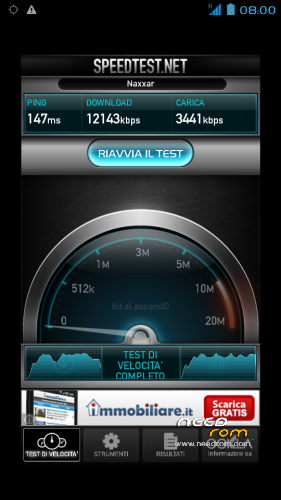
I hav a ZP980, rev B. your mod V2 working very nice, better that V1. no lags! 3G, Wifi – ok! tnx for u'r job! i'm happy
Does it work on Zopo ZP980 32GB ROM 2GB RAM MTK6589T?
Hi Mike,
i am very glad with this rom on "normal" zp980, but i am also interested if it does work on zp980h (Turbo-Version 2GB/32GB, 4×1,5GHz). The stock rom seems to be the same on both…
China cannot download
Ok for me. Thank you very much!
Is it applicable for ZP 980, 2gb, 32 gb upgraded version?
it works in 32 GB version of zp980 but the camera doesn’t work…that is the only problem
ROM is great but Camera don't work. In system / app not exist Camera.apk. Why?
Pls fix Camera. Thx!
with SpFlashTool loads the drivers (uboot)