
- Title: ZOPO C2
- Listed: May, 2013
- Last modified: 05/21/2013 11:56 pm
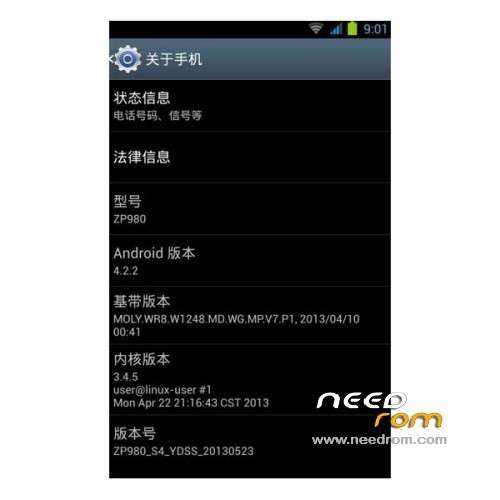
- Version: ROM Android 4.2.1
You must be logged for ROM download.
21152 total views, N/A today

 Member Info
DESCRIPTION
ROM Phone ZOPO C2 – ROM Android 4.2.1
Features ROM:
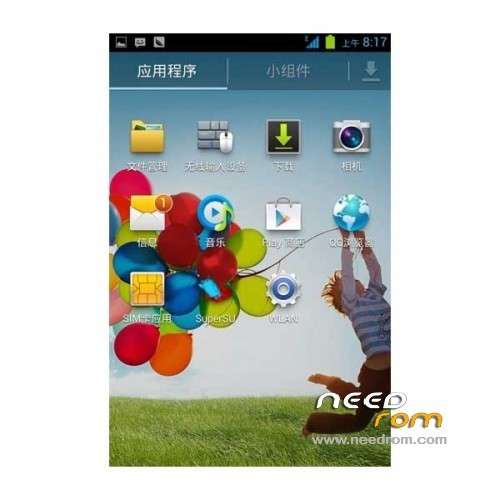
- C2 transplantation, Samsung S4 style fine imitation of 80% elegant interface stable and smooth
- streamline a lot of useless software
- adding permanent ROOT privileges
- busybox instruction set
- beautify the System icon Samsung S4 style
- to beautify dial back interface for the Samsung style
- to beautify call interface and background for the Samsung style
- landscaping part of the system of material for Samsung style
- Samsung weather (search region with the alphabet, such as Shanghai, write shanghai)
- perfect transplant Samsung starter
- Add to Google
- Samsung ringtones
- beautify boot animation
- default external SD card
- USB debugging is checked by default
- build.prop large number of optimization script
- optimize the touch screen sensitive
- Optimization System fluency
- All APK zipalign optimization
- More details of the optimization experience
- first slow start, please be patient
- strengthen AGPS positioning, add three seconds on the foreign XDA positioning code
- optimize the sensitivity of the touch screen, and enhance the knowledge of the pressure-sensitive
- joined Baidu input method
- optimized graphics processing system, switching animation without Caton
- Decrease WIFI search frequency for the power-saving settings
- joined Sony Sony BRAVIA ENGINE picture quality optimization engine.
- SD card speed amended to 1024 (increase SD read and write speeds)
- a new revision of I / O scheduling optimization parameters (more power and smooth)
- Update the host file to filter ads
- busybox run the script support
- to optimize GPS positioning parameters, replace the corresponding conf positioning faster, optimize Internet parameters, faster Internet access
Language support: Multi Lang
Install ROM :
CWM
Step 1: Download the custom card ROM copied to an external SD card root directory
Step 2: the shutdown state. While holding down:
Power button + volume button + volume key to enter the recovery mode, wipe data/ factory reset and
wipe cache partition
Step 3: Enter menu apply update from sdcard select the ROM
Step 4: Brush complete, restart the phone
※Please make a backup of your device before installing or updating ROM
GPS not working, and sometimes problems with WiFi and Bleutooth when working together !
Good rom i have seen it from 01/05/2013.
GPS not working
a melhor= rom s4