
- Title: Zopo C2 / P980
- Listed: April, 2014
- Last modified: 04/13/2014 3:21 pm
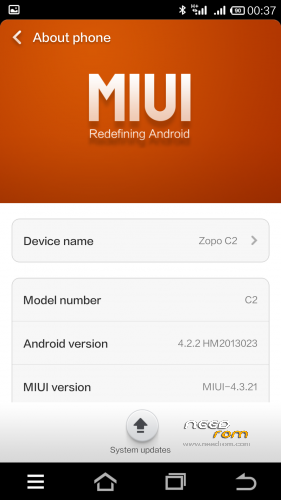
- Version: Android 4.2.2 MIUI Stable 13.0
You must be logged for ROM download.
40495 total views, 6 today
 Member Info
DESCRIPTION
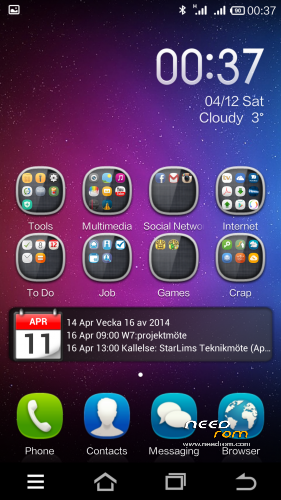
This MIUI is ported from Xiaomis dual sim phone Hongmi/RedMI.
which means that this miui have native dual sim support
It is version 13.0 and it is extremly stable and fast.
It works on all C2 models and P980
Everything works
I have 3 versions now
Light version dosent have Xiaomi online service and other apps as wallpapers compass transfer.. etc. English and Chinese only
Full version has everything that belongs to MIUI. English and Chinese only
Multilanguage Version has everything that belongs to MIUI and these languages:
- English Chinese Polish Russian Ukrainian Slovak Czech French Hungarian Danish Dutch German Greek Spanish Italian Arabic Norwegian Hebrew Vietnamese Korean Indonesian Brazilian/Portuguese Turkish Thai Bulgarian Finnish Portuguese Romanian
No Gaps / Google Play Preinstalled
It is the orginial MIUI theme and setting
Download MIUI GAPPS here
http://media.celogeek.com/roms/android/miui/gapps/miuiandroid_gapps-4.2.2-small_signed-8012.zip
DO NOT FLASH ROM + GAPPS at the same time!
Install ROM :
CWM/TWRP
Step 1: Download the custom ROM copied to an external SD card root directory
Step 2: the shutdown state. While holding down:
– Power button + volume button up, to enter the recovery mode. (With USB cabel inserted to computer)
– Wipe Data / Factory Reset -> delete all user data
– Wipe Cache Partition -> Wipe cache
Step 3: Return to recovery main interface Install zip from sdcard -> choose zip from sdcard -> Select your ROM
Step 4: Flash complete, restart the phone Patience required – first boot takes a while
For Installing GAPPS
Step 1. Copy the Gapps zip file to sdcard
Step 2: the shutdown state. While holding down:
– Power button + volume button up, to enter the recovery mode. (With USB cabel inserted to computer)
Step 3. Start the miui application called updater and press menu and choose reboot to recovery
Step 4. choose zip from sdcard -> Select the gapps zip file
Step 4: Flash complete and reboot
Have a Nice Day 
If You like my rom please donate anything and Will keep updating the roms and upload new ones /Elias
※Please make a backup of your device before installing or updating ROM
Finalmente un porting Miui decente e fluido.
L’ ho sto testando……sembra tutto OK sul mio ZOPO c2
1gb di RAM e 16 di ROM.
Great !!!!!!!!
And it is possible to translate this Russian firmware?
multilanguage is now online
Help !! Come aggiungo account Xiaomi ????
I will update the Zip File today we can use Xiaomi service
You can download the full file i have uploaded and flash it, then you can add xiaomi account. You dont need to wipe anything
Sure thing Den4002 I can make a multilanguage one
Yeah and one more thing. With this version u can use Framework xposed and Mi tools if u want virtual buttons etc
I would be very grateful for multilanguage.
No problem den4002 I will start tonigt
Lelluh81 come faccio a cambiare tema ???
Non mi fa aggiungere il mio account Xiaomi.
Grazie . Aspetto la tua risposta
How to install the gapps ? how to boot in recovery mode in this miui rom? thanks.
1. copy the gapps zip file to your sdcard
2.you start the update app in miui then press menu and choose reboot to recovery.
3. in recovery mode choose the gapps zip file, dont wipe anything!
Grazie dell’ aggiornamento x account Xiaomi. , anche se con il mio c2 con a bordo 1 GB di RAM la tastiera se non svuoto ogni tanto la memoria tende a scomparire .
Trovo la tua Miui estremamente più leggera e fluibile di tanti altri porting Miui
Il tuo terminale monta 1 GB di RAM ?? Che soluzione hai trovato in merito ??
Grazie