
- Title: ZP950+, ZP950H, H9600+, H9610, Сaesar a9800, Revo HD MAX Hkphone, GFIVE G9, Mlais MX86
- Listed: October, 2014
- Last modified: 10/21/2014 7:55 pm
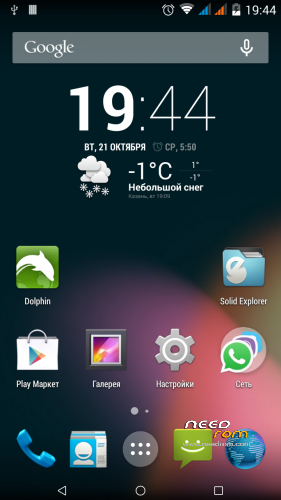
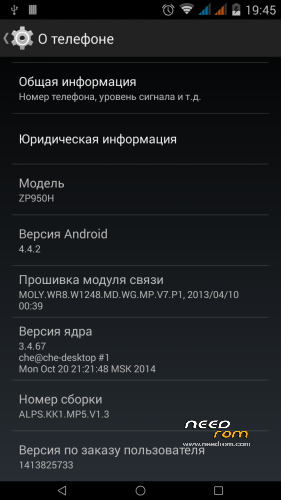
- Version: AOSP KitKat 4.4.2
You must be logged for ROM download.
27762 total views, 1 today
3 Total favorites
 Member Info
DESCRIPTION
ONLY 4GB VERSION
Installation order
If you use my layout
Run SPFT and click UPDATE
If you use my layout
1. Option. Run SPFT. Click Firmware upgrate
2. Option. If not helped the first option.
1. Be sure before flashing make a backup of the NVRAM.
2. If you own markup, then take stock firmware for flashtool. Download scatter and formatted first PMT, then everything from boot up FAT on instructions from SevenMaxs from attachments. Address for manual formatting:
PMT
Begin Address 0×0000000000700000
Format Length 0×0000000000400000
File system
Begin Address 0×0000000002780000
Format Length 0×0000000092800000
If you have a non-standard markup and obtained with different patches or programs, perscitia address independently the same statement from SevenMaxs. Address PMT is always the same for all 6589.
After each format you want to disable the phone from the computer and distort the battery.
4. Flash a new firmware on the Download button. Check with preloader is better to remove. In order to avoid, so to speak. This area we still intact.
5. After flashing reseat the battery, connect the USB cable to the computer and enter the recovery stage.
6. Do Factory Reset and restart smart.
Thank you
dimid
a–x93-07
hyperion70
SevenMaxs
paolothlw8
※Please make a backup of your device before installing or updating ROM
kan bu dong a
A melhor rom até agora!!!
The best rom !!!
c'è qualcuno italiano che lo ha fatto e mi spiega come? grazie mille
Ciao
C'è una guida chiarissima qua: http://www.movilesdualsim.com/.....id-4-4-2.86404/
I can not flasing please explain step by step and whats tools are in use??
It,s amazing rom
Thank you!!!
Installa i driver MTK6589
Prendi il file firmware preloader_vanzo89_wet_jb2.bin dalla rom originale e inseriscilo nella cartella in cui avrai estratto i file contenuti in AOSP_KitKat_442
Lancia SP_Flash_Tool_v5.1352.01
Seleziona MT6589_Android_scatter_emmc.txt
Seleziona Firmware upgrade
Clicca su download
Collega lo Zopo da spento e attendi il completamento.
Install MTK6589 driver
Take firmware preloader_vanzo89_wet_jb2.bin file from original rom and put it into the AOSP_KitKat_442 directory
Launch SP_Flash_Tool_v5.1352.01 (search and download it)
Select MT6589_Android_scatter_emmc.txt
Select Firmware upgrade
Click on download
Connect your Zopo (switched off) and wait for the upgrade.
Works on ZP810/ZP800H/Hero 7500+
No working botons i dont now why
I did the firmware under its resolution: 720×1280. On zp800h different resolution.Look at the stock firmware file /sys/board_properties/virtualkeys.mtk-tpd . Compare with KK. Try a script to fix it.
#!/system/bin/sh
echo "0×01:172:90:1350:60:50:0×01:139:270:1350:60:50:0×01:158:430:1350:60:50:0×01:217:630:1350:60:50" > /sys/board_properties/virtalkeys.mtk-tpd
I am testing the script like this
Not working
Some video for people installation:
first step format
PMT
Begin Address 0×0000000000700000
Format Length 0×0000000000400000
second step
File system
Begin Address 0×0000000002780000
Format Length 0×0000000092800000
after flash
not working