
- Title: ZP950+, ZP950H, H9600+, H9610, Сaesar a9800, Revo HD MAX Hkphone, GFIVE G9, Mlais MX86
- Listed: October, 2014
- Last modified: 10/21/2014 7:55 pm
- Version: AOSP KitKat 4.4.2
You must be logged for ROM download.
27763 total views, 2 today
3 Total favorites
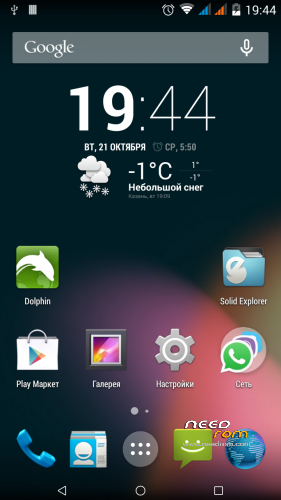
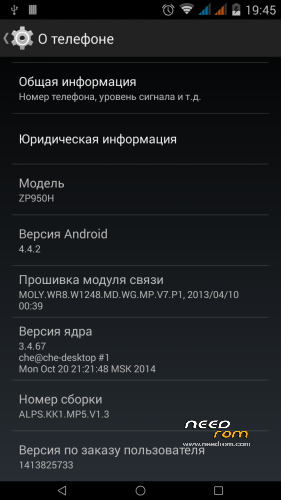
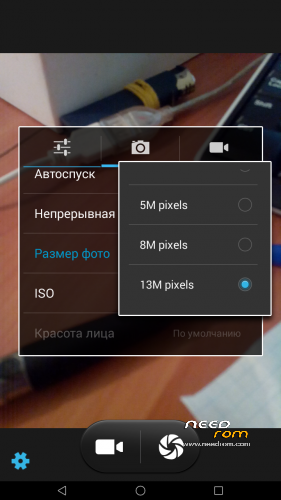
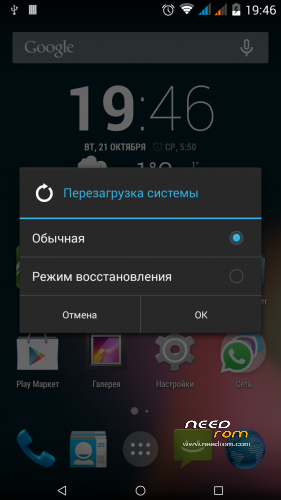
 Member Info
DESCRIPTION
ONLY 4GB VERSION
Installation order
If you use my layout
Run SPFT and click UPDATE
If you use my layout
1. Option. Run SPFT. Click Firmware upgrate
2. Option. If not helped the first option.
1. Be sure before flashing make a backup of the NVRAM.
2. If you own markup, then take stock firmware for flashtool. Download scatter and formatted first PMT, then everything from boot up FAT on instructions from SevenMaxs from attachments. Address for manual formatting:
PMT
Begin Address 0×0000000000700000
Format Length 0×0000000000400000
File system
Begin Address 0×0000000002780000
Format Length 0×0000000092800000
If you have a non-standard markup and obtained with different patches or programs, perscitia address independently the same statement from SevenMaxs. Address PMT is always the same for all 6589.
After each format you want to disable the phone from the computer and distort the battery.
4. Flash a new firmware on the Download button. Check with preloader is better to remove. In order to avoid, so to speak. This area we still intact.
5. After flashing reseat the battery, connect the USB cable to the computer and enter the recovery stage.
6. Do Factory Reset and restart smart.
Thank you
dimid
a–x93-07
hyperion70
SevenMaxs
paolothlw8
※Please make a backup of your device before installing or updating ROM
@nedodo
saw your problem in the zp810 patch comments
did you install the patch within the recovery?
Hello,
There is a problem with touch screen when the smartphone turn off…
The touch screen stay in active mode when the creen is off. You can make test :
1 – Turn off the screen
2 – Move your finger on the entire off screen
3 – In the 3 – 6 seconds the screen turn on alone….
This is a big problem with cover that touch and turn on the screen, or when the phone is in the pocket
Do you have a solution for that…(i have the same problem with 2 Zopo 950+),
Thank you in advance…
https://play.google.com/store/.....x0.trickstermod
To enable it, go to sys/android_touch and edit values in files doubletap2wake and sweep2wake. (0 for disable, 1 for enable, 2 to enable both s2w and sweep2sleep). Or simply download trickster mod app from playstore and enable them.
Hello,
I tried to flash my Hero 7500+ (ZP810)
After flashing to 4.4.2 I cannot power on the phone, tried up to 1 min. press power on button.
I tried this:
- Flash normal (firmware upgrade) –> PMT error
- back to stock ROM –> phone is o.k.
- first formated PMT and filesystem –> 4.4 2 flash is completed, but phone cannot power on
- back to stock ROM –> phone is o.k.
- using preloader from original stock ROM in AOSP_KitKat_442 directory –>flash is completed,. but phone cannot power on
Any idea?
Hello,
here is my feedback on this ROM (my phone : ZP950H), and the differents pbs I met and how I solved them. Hope it helps !
1) following the described steps just worked fine (look rodeg post on 1st page). A tip : if during the upload of the rom into the phone the USB driver fall, don’t panic ! Your phone is not bricked. Just redo the upload process with SPFT from the start as you do normally.
2) a small surprise (I’m a newbie !) : when booting my phone with “on button”+”up volume button” : I went on “boot menu” (or what you would call it), with “from russia with love” message. Quite surprising ! I hope it’s not a hacked trick ! But with this “boot menu”, I can install the given “pa_gapps-modular-micro-4.4.4-20140901-signed.zip” file and also the “superuser.zip” file.
3) google playstore :
– by default google apps are not installed
– impossible to take an apk downloaded on internet ! I installed, run it => exit immediately
– so I went into “boot menu”, and installed “pa_gapps-modular-micro-4.4.4-20140901-signed” to get google apps and get playstore again
4) backlight of the screen always “on”, even with phone switched off ! It always happens when I switch on the phone after a long “off” period”
-> just go to “parameter > accessibility” and find the “fast booting” (last line of “accessibility” menu) and uncheck it. Next time you reboot : problem disappeared !
5) “Invalid IMEI” : on my 2nd install of this rom I got this message. Impossible to call and receive a call !
Check this link, it should solve your pb ! http://www.chinaphonearena.com.....2-MT6589-MT6592
6) unwanted programs on the ROM package. I didn’t like the “chronus” stuffs. I want to remove them. No problem, go to playstore and get the uninstaller from “jumobile” and chose ! Take it with precaution ! Don’t delete vital stuffs ! Only delete when you are sure it’s not from the core android system !
hello sir, will u tell me step by step to do this instruction,
2. If you own markup, then take stock firmware for flashtool. Download scatter and formatted first PMT, then everything from boot up FAT on instructions from SevenMaxs from attachments. Address for manual formatting:
PMT
Begin Address 0×0000000000700000
Format Length 0×0000000000400000
File system
Begin Address 0×0000000002780000
Format Length 0×0000000092800000
im using gfive g9 and want to install miui 5.4.17 and u say u should install this 1st.
thank you
Your boot.img is not genuine battery cannot be charged.Can you solve this problem.
zoppo declined to source batteries. I do not know how to fix
I can confirm it doesn't work on No.1 S6 =)