
- Title: ZP1000 Lightest ROM (Marsapa Ported)
- Listed: June, 2014
- Last modified: 06/25/2014 2:44 pm
- Version: 4.2.2
You must be logged for ROM download.
25048 total views, 3 today
 Member Info
DESCRIPTION
Ported from:
https://www.needrom.com/mobile/zopomobile-italia-rom-by-marsapa-iphone-style/
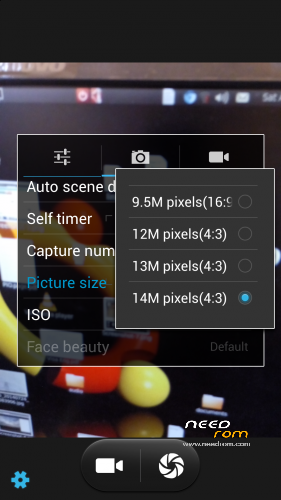
Very light deodexed ROM for custom recovery. With Zopo system themes and basic apps. Camera 14MP. Very fast charging and better battery life. Multi Language.
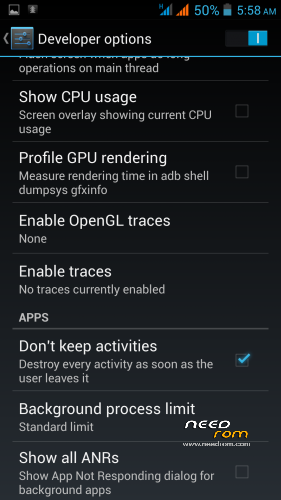
Please use 'kinguser''s (included) kingtool to remove applications from auto-starting on phone boot up. Also don't forget to mark 'Don't keep activities' in Developer options.
CPU running coolest since I bought this phone.
Gapps attached to be flashed using custom recovery.
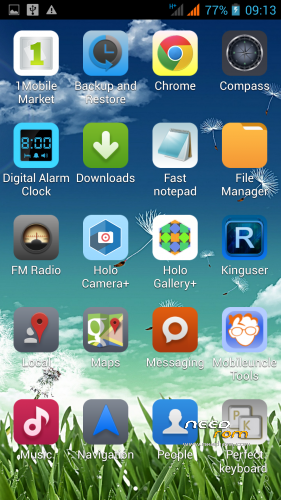
Included apps:
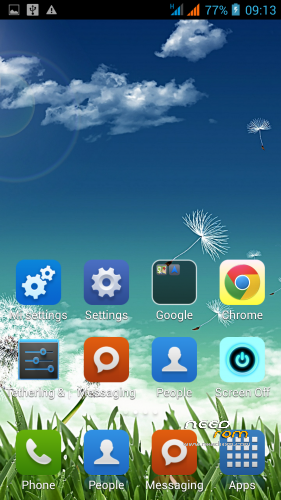
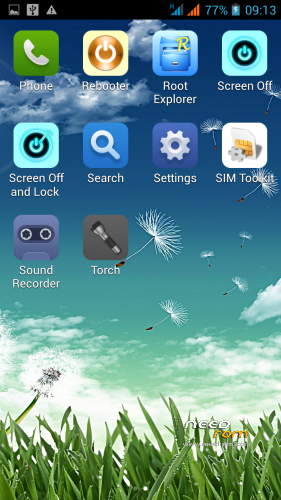
MIUI style Launcher
Compass
Holo Camera
Mobileuncle tools
Google Chrome browser
Kinguser
Notepad
Perfect Keyboard
1 Mobile Market
Digital Alarm Clock
Rebooter
Root Explorer
Screen Off And Lock
Please note: Gravity box tested and found working. Files attached. Please watch this video on how to get it working:
https://www.youtube.com/watch?v=1Jo1qX5TKqw
IF YOU LIKE THIS ROM PLEASE LEAVE A GOOD RATING AS MORE GUYS WOULD BE ENCOURAGED TO INSTALL IT.
※Please make a backup of your device before installing or updating ROM
Excellent and light rom.
missing original Clock.apk (Can you re-insert in ROM again?)
Thanks for your work.
Hey Fadix,
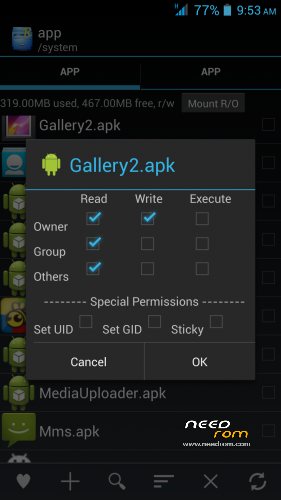
Thanks to Marsapa for his original one! I will upload the system applications and you will just need to use root explorer to put in system/app and in permissions mark the ones to make it same like the other apps. Thanks buddy!
The problem is noticed. When you want to establish wall-paper on a desktop the error of a lancher writes.
Hi Lexa_d,
That's why I use Zeam Launcher – fast n bug free. There r many good launchers out there. If u r using stock launcher – please change wallpaper through gallery after clicking on the picture that u want to use as a wallpaper. Long press on stock launcher home screen makes it stop working.
Very cool ROM, very smooth
Thanks!
Hey flusspilot – thanks!!
Hey GravityBox works with this ROM, thats great news! I didn't know since I try to keep it as light as possible and hence didn't try it. Thanks bro!
Any one using Gravity Box on this ROM with success ???
Had crash issues with "supplied" launcher so i loaded nova Launcher.
Sorry bro, Gravitybox doesn't work with this ROM. This ROM is meant for those who need fast charging, better battery life and a cooler CPU n battery. Sound quality is good with much less distortion on max bass setting while listening through earphones.
Nova launcher is a good one.
Well, I use Gravity Box and other Modules (and Nova) and I have no problem! Transparent Bars etc work perfectly
how do u port the roms ? do u just swap the boot.img and lk.img ?
is this the marsapa 10 rom ?
You can just change boot.img and zip it again (needs to be the same processor). This one is ported from:
https://www.needrom.com/mobile.....a-iphone-style/
hmm i tried this method with the greenoid rom for zp990+ and my phone was softbricked..
U can only do this only in case of flashing using custom recovery. Not sp flash tool.
done this with TWRP..
thank you for support I stay with stock ZOPO firmware with Galaxy Launcher and PurePerformances
Ur most welcome bro. Stock rom is not a bad choice after all. Enjoy your phone …
Hi, I'm searching for a ROM with a working compass and magnetic sensor.
Can anyone let me know if this rom is ok?
Thank you!
Compass and m.sensor works good with this ROM
How can i change system launcher by using root explore ??
Thanks !!!
Using root explorer go to root-system-app and either delete or cut-paste Launcher2 to any folder you wish (remember to install any other launcher of your choice before you do this).
Thanks !!!
U r welcome bro…