
- Title: ZTE Nubia Z7 Mini
- Listed: September, 2014
- Last modified: 09/15/2014 4:24 pm
- Version: ROM Android 4.4.2
You must be logged for ROM download.
36161 total views, 3 today
2 Total favorites
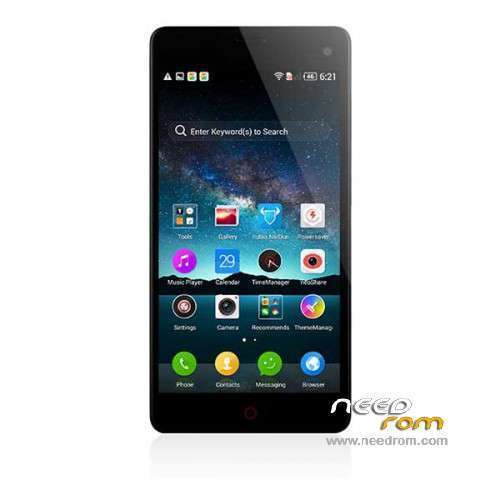
 Member Info
DESCRIPTION
ROM Phone ZTE Nubia Z7 Mini - ROM Android 4.4.2
Official ROM ZTE Nubia Z7 Mini NX507J version: NX507J_CNCommon_V9.42 – KVT49L
Gapps include – No Rooted
Language support: Multilang
ROM install:
1.copy ****.zip to root folder of the phone SD card (no need to unzip).
2.Turn off the phone, then keep pressing power button and volume+ button until the robot icon appear, then press power button again and it will show as below
3.Press the volume- to move up and down to choose“wipe data/factory reset”, then press volume+ button to confirm.
4.Choose “yes—delete all user data”, then press volume+ button to enter the page as below.
5.It will enter below page after finishing delete all user data.
6.Then choose“apply update from sdcard”
7.Find and select the ROM, press volume+ to enter the page as below.
8.Please make sure the power is sufficient during the upgrading. It will showed as below when the upgrading finished.
9.Choose “reboot system now”,then press volume+ button to reboot your phone.
※Please make a backup of your device before installing or updating ROM
What it mean: The V9.42 can be updated via OTA to V1.42 though.? v.9.42 is older than 1.42?
No, the difference is that the one starting with 9 is the multi language version and the version starting with 1 is the Chinese/Ebnglish version.
I just made a mistake, I have version 9.40 (Not 9.42) on my multi language phone which can update to 1.42, but then you will loose multi language capability. For some strange reason version 9.42 is not being offered via OTA. So I am glad it is here, so now I can update.
Hi Retseem. I am also from holland, and have version 1.20 now (multilanguage with gapps)
My camera app is not so good with focus, so very often my pictures are not sharp.
I hope this will help,
Cant get it to work.
Also get Footer wrong and Signature verification error.
If you have any suggestions, please let me know.
Thanks
You have to use 3rd party recovery.
I have version 1.20 now (multilanguage with gapps). I can't root it and I can't update this ROM with nubia recovery v1.0.. I get signature verification error.
What can I do?
Install TWRP Recovery…
I can't install TWRP recovery because I can't do ROOT…
Also get Footer wrong and Signature verification error.
can't wait to have other rooted roms. lets vote to have miui rom! or other roms!
Hi. There is the Italian Language in this ROM?
it,s real OFFICIAL VERSION? I don´t find her in nubia.cn
These updates are mostly fixed roms that get improvements from other developers.
But the roms works great, just use 3th party recovery….
+1
i need help here , always show Footer wrong and Signature verification error!
anybody can help me please ?
Hello,
to get it right, you ust use 3th party recovery apps.
You must know how to root your phone, and haver installed 3th party recovery you will never have any issue with updating your phone later…