
- Title: ZTE U817
- Listed: July, 2013
- Last modified: 07/02/2013 12:51 am
- Version: ROM Android 4.0.4
You must be logged for ROM download.
16836 total views, 1 today
 Member Info
DESCRIPTION
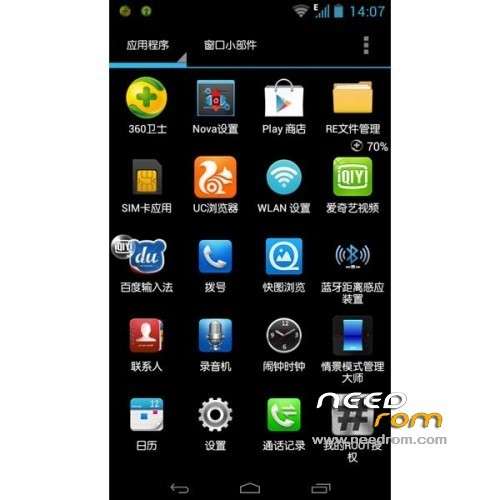
ROM Mobile ZTE U817 – ROM Android 4.0.4
Features ROM:
1 official start first screen picture.
2 extremely streamlined system (the system retains all the features)
3 Add the kernel intd.d optimized file support.
4 add google kit
5 Add miui camera.
6 Add the RE manager finished version.
7 The Brush package has root.
8 Replace the desktop.
9 Using Baidu input method.
10 Integration: UC Browser, 360.
11 optimizing the system
Language support: EN/CN
Install ROM :
1) Download the custom ROM copied to an external SD card root directory
2) Download the recovery.img ( put in your SD card )
3) Start MobileUncle Tools ( Download on Goolge play )
4) Select Update Recovery ( choose recovery.img )
5) Mobile reboot in CWM and follow the instructions( if recovery is in chinese look tutorial "CWM for MTK Platform" )
Into the recovery:
– Wipe Data / Factory Reset -> delete all user data
– Wipe Cache Partition -> Wipe cache
- Return to recovery main interface Install zip from sdcard -> choose zip from sdcard -> Select your ROM
- Brush complete, restart the phone Patience required – first boot takes a while
※Please make a backup of your device before installing or updating ROM
hi Team
I am trying to recover ZTE U817 ROM Android 4.0.4
but fail and get the error=> e: signature verification failed
Please help