
- Title: ZTE U985 / V985
- Listed: October, 2013
- Last modified: 10/22/2013 4:51 pm
- Version: ROM Android 4.1.2
You must be logged for ROM download.
15170 total views, 1 today
1 Total favorites


 Member Info
DESCRIPTION
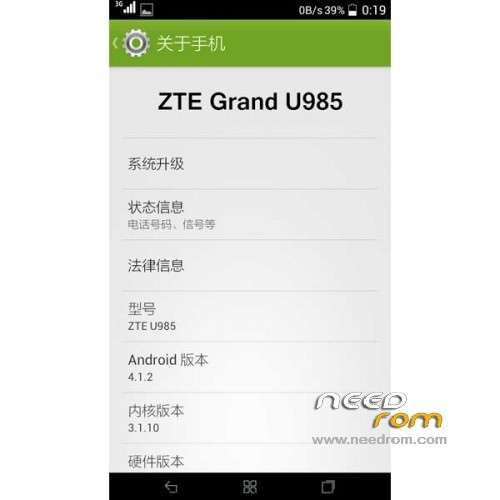
ROM Mobiles ZTE U985 / V985 - ROM Android 4.1.2
Features ROM:
ROM 1 : version enterprise_U985
ROM 2 : version enterprise_V985
1, this ROM for all AKP and JAR carried odex merger kitchen z compression optimization, mainly conducive to modify things behind;
2, the status bar with white icons globally oriented, the percentage of power display, speed display, signal, wifi left, click to lock screen, pop-up menus, and other advanced power;
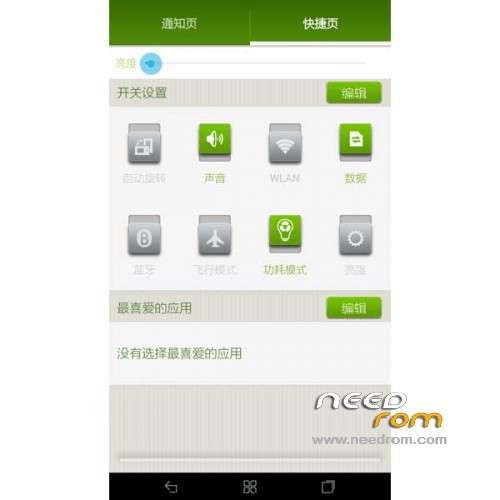
3, page down shortcut keys to add functionality in the system brightness of brightness upwards to lower the brightness, more conducive to online oil they turn off the lights after a night owl;
4, supports init.d boot from Kai optimization script;
5, power control adjustments (but not feeling);
Gapps not include – Rooted
Language support: EN/CN
Install ROM :
CWM
Step 1: Download the custom ROM copied to an external SD card root directory
Step 2: the shutdown state. While holding down:
– Power button + volume button up, to enter the recovery mode.
– Wipe Data / Factory Reset -> delete all user data
– Wipe Cache Partition -> Wipe cache
Step 3: Return to recovery main interface Install zip from sdcard -> choose zip from sdcard -> Select your ROM
Step 4: Brush complete, restart the phone Patience required – first boot takes a while
※Please make a backup of your device before installing or updating ROM
What should I do with the Root+Reovery zip file? Do I run it before i install ROM? Thanks for advice.